Build Production RAG with LangChain in 8 Steps
Build a production-ready RAG pipeline with LangChain, vector search, and observability.
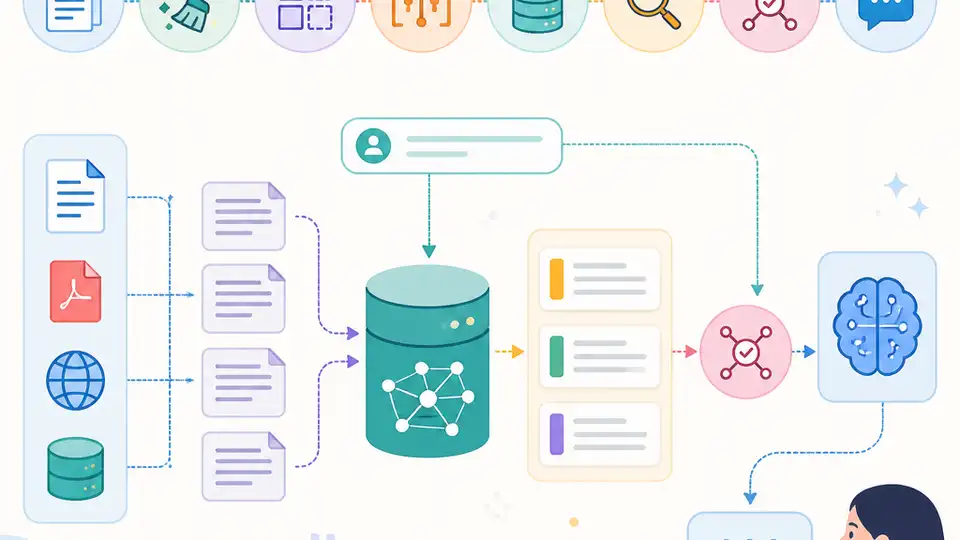
Build a production-ready RAG pipeline with LangChain, vector search, and observability.
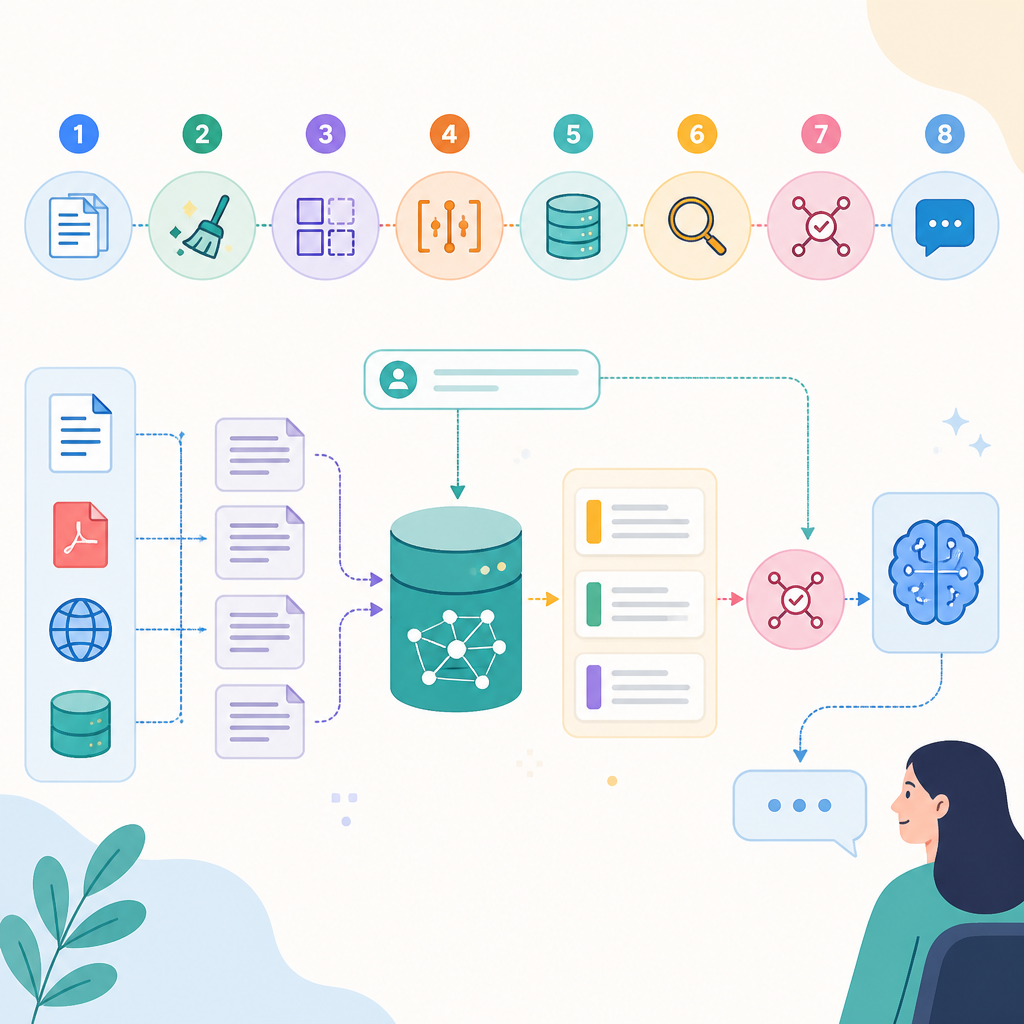
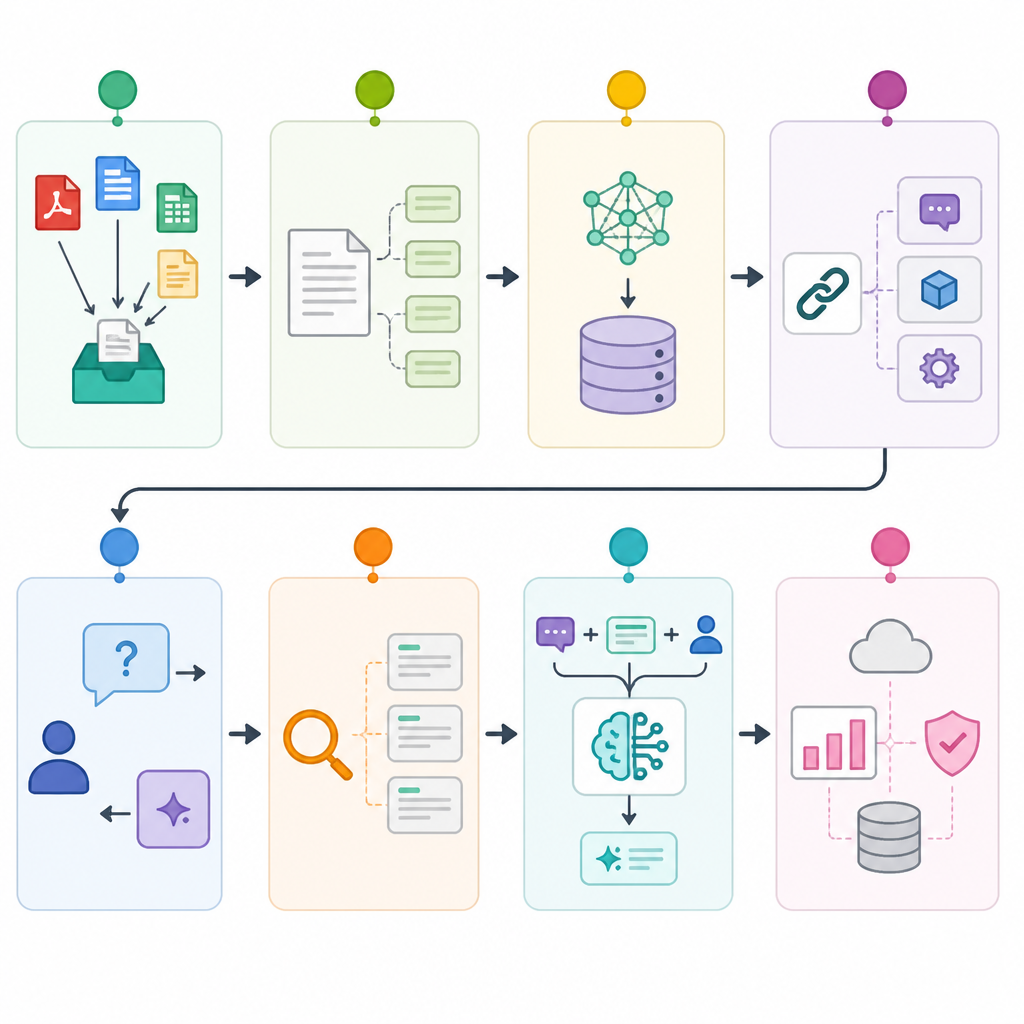
This guide is for developers who have already tried a basic retrieval-augmented generation app and now need a version that can survive real traffic, real debugging, and real security reviews. By the end, you will have a clear path from document ingestion to indexed retrieval, hybrid search, observability, and a deployable API.
The workflow below follows the same production concerns highlighted in the freeCodeCamp course and points to the core tools on their first mention: LangChain docs, the LangChain GitHub repo, Chroma, Chroma GitHub repo, Supabase pgvector docs, LangSmith docs, and the LangGraph GitHub repo.
Before you start
Get the latest AI news in your inbox
Weekly picks of model releases, tools, and deep dives — no spam, unsubscribe anytime.
No spam. Unsubscribe at any time.
- Python 3.11+
- Node.js 20+ if you plan to run a separate frontend or test harness
- Docker 24+ for local vector database and API services
- A LangSmith account and API key
- A Supabase account and project if you want managed Postgres with pgvector
- OpenAI API key or another embedding and chat model provider key
- Git 2.40+
- Basic familiarity with RAG, embeddings, and vector search
Step 1: Prepare the RAG workspace
Your first goal is to create a clean project that can hold ingestion, retrieval, and API code without turning into a notebook prototype. A production RAG system becomes much easier to debug when document processing, indexing, and serving live in separate modules.
mkdir production-rag && cd production-rag
python -m venv .venv
source .venv/bin/activate
pip install langchain chromadb fastapi uvicorn langgraph langsmith supabase psycopg[binary] python-dotenv
You should see a virtual environment activated and the packages installed without resolver errors. If you run python -c "import langchain, chromadb, fastapi", you should get no output and no import failure.
Step 2: Ingest and chunk source documents
Your next outcome is a repeatable document pipeline that turns raw files into retrieval-friendly chunks. This is where you decide loaders, chunk sizes, and metadata fields so later retrieval can trace answers back to source content.
from langchain_community.document_loaders import DirectoryLoader
from langchain_text_splitters import RecursiveCharacterTextSplitter

loader = DirectoryLoader("./docs", glob="**/*.md")
docs = loader.load()

splitter = RecursiveCharacterTextSplitter(
    chunk_size=800,
    chunk_overlap=120,
)
chunks = splitter.split_documents(docs)
print(len(docs), len(chunks))
You should see the number of chunks exceed the number of source documents. That tells you the splitter is creating smaller retrieval units instead of indexing whole files.
Step 3: Index embeddings in a vector database
Now you want a searchable index that stores embeddings and metadata in a vector database. For local development, Chroma is a simple starting point. For production, Supabase with pgvector gives you a managed Postgres path that is easier to secure and operate.
from langchain_openai import OpenAIEmbeddings
from langchain_community.vectorstores import Chroma

ემბeddings = OpenAIEmbeddings(model="text-embedding-3-small")
vectorstore = Chroma.from_documents(
    documents=chunks,
    embedding=embeddings,
    persist_directory="./chroma_db",
)
vectorstore.persist()
You should see a local persistence directory created, or a successful insert into your managed pgvector table. A quick similarity search should return semantically related chunks instead of random text.
Step 4: Build retrieval and answer generation
Your goal here is a basic RAG chain that retrieves context, injects it into a prompt, and returns an answer with source-aware grounding. This step proves the core product behavior before you add optimization or orchestration.
retriever = vectorstore.as_retriever(search_kwargs={"k": 4})
query = "What is hybrid search in RAG?"
results = retriever.invoke(query)
print(results[0].page_content[:200])
You should see the most relevant chunks for the query. If the retrieved text clearly matches the question, your embedding model, chunking strategy, and index are aligned well enough for the next step.
Step 5: Add observability and debugging traces
At production scale, retrieval failures are often invisible unless you trace them. Your outcome in this step is a visible request trail in LangSmith so you can inspect prompts, retrieved chunks, latency, and bad answers.
import os
os.environ["LANGSMITH_TRACING"] = "true"
os.environ["LANGSMITH_API_KEY"] = "your-key"
os.environ["LANGSMITH_PROJECT"] = "production-rag"

# Run your chain once, then inspect the trace in LangSmith.
You should see a new run in the LangSmith dashboard with the full chain execution. That trace should show the retriever output and the final model response, which makes debugging much faster than reading logs alone.
Step 6: Secure and serve the RAG API
Now you want a deployable service that exposes retrieval through FastAPI and protects it with a security layer. This is the point where production concerns like auth, input validation, rate limits, and environment-based secrets become non-negotiable.
from fastapi import FastAPI, Header, HTTPException

app = FastAPI()
API_TOKEN = os.getenv("RAG_API_TOKEN")

@app.get("/answer")
def answer(q: str, authorization: str = Header(default="")):
    if authorization != f"Bearer {API_TOKEN}":
        raise HTTPException(status_code=401, detail="Unauthorized")
    return {"query": q, "status": "ok"}
You should be able to start the server with Uvicorn and get a 401 without the token, then a 200 response with the token. That confirms the API is gated before any retrieval work happens.
Step 7: Tune hybrid search and token budget
Your next outcome is a more reliable retriever that balances semantic search, keyword signals, and prompt size. Hybrid search helps when embeddings miss exact terms, while token budgeting prevents context overflow and wasted model spend.
# Pseudocode pattern
# 1. Retrieve by vector similarity
# 2. Retrieve by keyword or BM25
# 3. Merge and rerank results
# 4. Keep only the top context that fits the token budget
You should see better answers on queries that contain product names, code symbols, or rare terms. If the final prompt stays under your model context limit, your budget logic is working.
Step 8: Orchestrate agentic and multimodal flows
The final outcome is an architecture that can route between standard RAG, self-correcting retrieval, graph-based reasoning, and multimodal document understanding. LangGraph is a strong fit when you need conditional steps, retries, and multi-hop reasoning instead of a single linear chain.
from langgraph.graph import StateGraph

# Define nodes for retrieve -> grade -> refine -> answer
# Add branches for fallback search or multimodal document handling
# Compile the graph and test each route separately
You should see different paths fire for different query types, such as a normal factual question, a multi-hop question, or a document image request. That means the system is ready for advanced production behavior instead of only one retrieval pattern.
| Metric | Before/Baseline | After/Result |
|---|---|---|
| Answer traceability | Manual log hunting | LangSmith request traces with retrieved chunks |
| Retrieval quality | Single vector search only | Hybrid search with keyword plus semantic signals |
| Deployment readiness | Notebook prototype | FastAPI service with token-based access control |
Common mistakes
- Using chunk sizes that are too large. Fix it by shrinking chunks to fit retrieval granularity, then re-test with a few real queries.
- Skipping observability. Fix it by enabling LangSmith traces before tuning prompts so you can see which step fails.
- Sending every chunk into the prompt. Fix it by applying top-k retrieval, reranking, and a strict token budget.
What's next
From here, expand into reranking, evaluation sets, multimodal retrieval, and agent-based fallbacks so your RAG stack can handle harder questions and noisier data. If you want the full walkthrough, compare your implementation against the freeCodeCamp course sections on scaling, production hosting, security, GraphRAG, and ColPali-style multimodal retrieval.
// Related Articles
- [AGENT]
Claude Code 动态工作流:AI 自写 Harness
- [AGENT]
Agent orchestration is the missing layer for enterprise AI
- [AGENT]
AI agents use blockchain as a trust layer
- [AGENT]
8 RAG patterns that turn demos into prod
- [AGENT]
Fine-tuning beats RAG when the goal is style, not facts
- [AGENT]
OpenClaw shows how small businesses use AI staff