How to Fine-Tune LLMs with SFT, LoRA, and RLHF
Learn how to fine-tune a large language model with supervised training, LoRA, and alignment methods like RLHF and DPO.
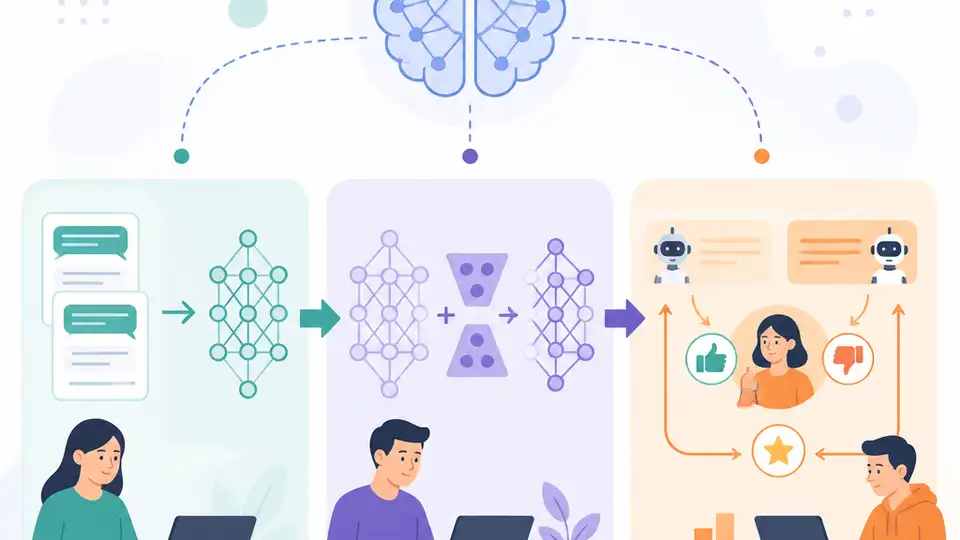
This guide shows how to fine-tune an LLM with supervised data, LoRA, and alignment methods.
If you are a developer starting with model adaptation, this guide walks you from supervised fine-tuning to parameter-efficient tuning and alignment. By the end, you will have a working training setup, a LoRA-based adapter workflow, and a clear path to RLHF or DPO for safer outputs.
Before you start
Get the latest AI news in your inbox
Weekly picks of model releases, tools, and deep dives — no spam, unsubscribe anytime.
No spam. Unsubscribe at any time.
- Hugging Face account and access to the [Transformers docs](https://huggingface.co/docs/transformers/index) and [Hugging Face Hub](https://huggingface.co/) account.
- GitHub access to the [PEFT repo](https://github.com/huggingface/peft) and [TRL repo](https://github.com/huggingface/trl).
- Python 3.10+.
- PyTorch 2.1+.
- CUDA 12+ if you plan to train on NVIDIA GPUs.
- At least 16 GB GPU VRAM for small LoRA runs, or a cloud GPU instance with comparable memory.
- A prepared instruction dataset in JSONL or CSV format.
Step 1: Prepare your training dataset
Your first outcome is a clean supervised dataset that matches the behavior you want the model to learn. For instruction tuning, each record should pair a prompt with a target response, and for preference tuning you should also keep chosen and rejected answers.

import json

with open("train.jsonl") as f:
    rows = [json.loads(line) for line in f]

print(rows[0])
You should see a structured example with fields such as prompt, response, or preference labels. If the first record looks malformed, fix the schema before training so the tokenizer and trainer do not fail later.
Step 2: Run a supervised fine-tuning baseline
Your second outcome is a baseline model that learns your task directly from labeled examples. Start with supervised fine-tuning, because it gives you a measurable reference before you add adapters or alignment layers.
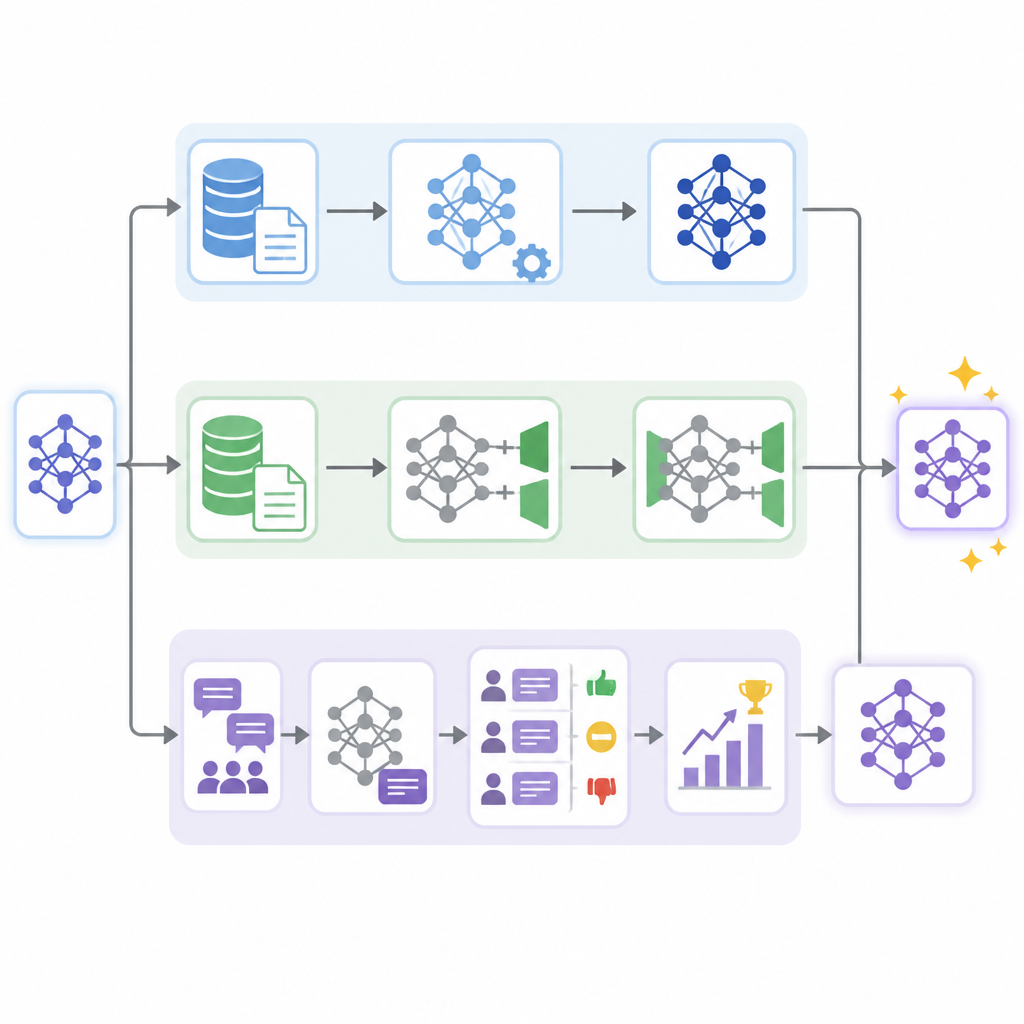
from transformers import AutoModelForCausalLM, AutoTokenizer, Trainer, TrainingArguments

model_name = "meta-llama/Llama-3.1-8B-Instruct"
tokenizer = AutoTokenizer.from_pretrained(model_name)
model = AutoModelForCausalLM.from_pretrained(model_name)

args = TrainingArguments(
    output_dir="./sft-output",
    per_device_train_batch_size=1,
    num_train_epochs=1,
)

trainer = Trainer(model=model, args=args, train_dataset=rows)
trainer.train()
You should see training loss decrease over the first few steps and an output directory containing checkpoints. If loss stays flat or spikes, inspect your prompt formatting and make sure the labels are aligned with the target text.
Step 3: Add LoRA adapters for efficient tuning
Your third outcome is a smaller, cheaper training run that updates only adapter weights instead of the full model. LoRA is the practical choice when you want to iterate quickly or train on limited GPU memory.
from peft import LoraConfig, get_peft_model, TaskType

config = LoraConfig(
    task_type=TaskType.CAUSAL_LM,
    r=8,
    lora_alpha=16,
    lora_dropout=0.05,
)
model = get_peft_model(model, config)
model.print_trainable_parameters()
You should see a much smaller trainable parameter count than the base model. If the trainable count is still too high, confirm that PEFT wrapped the right module and that you did not accidentally unfreeze the full network.
Step 4: Align outputs with preference training
Your fourth outcome is a model that follows human preferences more closely instead of only imitating labels. This is where RLHF-style workflows and DPO come in, with DPO often being the simpler path for teams that already have preference pairs.
from trl import DPOTrainer, DPOConfig

config = DPOConfig(output_dir="./dpo-output")
trainer = DPOTrainer(
    model=model,
    ref_model=None,
    args=config,
    train_dataset=rows,
)
trainer.train()
You should see preference optimization logs and a saved aligned checkpoint. If the model starts producing shorter or safer answers, that is a common sign the preference objective is taking effect.
Step 5: Evaluate and package the tuned model
Your fifth outcome is a model artifact you can ship, compare, and reproduce. Run a small evaluation set that checks instruction following, refusal behavior, and domain accuracy, then save the adapter or merged weights for deployment.
model.save_pretrained("./final-adapter")
tokenizer.save_pretrained("./final-adapter")
You should see a model folder with adapter weights or merged weights plus tokenizer files. If the saved directory is incomplete, verify that both model and tokenizer were written and that your deployment runtime can load the same base model version.
| Metric | Before/Baseline | After/Result |
|---|---|---|
| Trainable parameters | Full model | LoRA adapters only |
| GPU memory use | Higher with full fine-tuning | Lower with parameter-efficient tuning |
| Output quality | Base model behavior | Task-specific and preference-aligned behavior |
Common mistakes
- Using raw chat logs without a schema. Fix: convert examples into consistent prompt-response or chosen-rejected pairs before training.
- Fine-tuning the full model when LoRA is enough. Fix: start with adapters first, then move to full training only if the task truly needs it.
- Skipping evaluation after alignment. Fix: compare base, SFT, and DPO outputs on the same test prompts so you can catch regressions early.
What's next
Once this workflow is stable, move on to multi-turn chat formatting, dataset curation for your domain, and multimodal fine-tuning if your use case includes images or other non-text inputs.
// Related Articles
- [RSCH]
CRDTs keep replicas in sync without locks
- [RSCH]
Post-Deterministic Systems for Autonomous Infra
- [RSCH]
Causal methods for measuring task learnability
- [RSCH]
RL Training That Hands Off Control Gradually
- [RSCH]
OmniGameArena benchmarks VLM game agents better
- [RSCH]
TurboQuant cuts KV cache memory 6x in Google tests