Linux kernel history lets you read release logic
A copy-ready way to read Linux kernel version history as release policy, support windows, and what the numbers actually mean.

Linux kernel history becomes a release-policy map you can copy.
I've been reading Linux kernel version history for years, and the part that kept annoying me was how people talk about it like it's a straight line of bigger numbers and bigger features. It isn't. The numbering has its own weird rules, the support windows matter more than the headline version, and the major bumps are mostly social signals, not technical earthquakes. I kept seeing developers treat 6.19 to 7.0 like some kind of dramatic rewrite, then wonder why their distro still behaves like a slightly older branch with backports glued on.
That mismatch is what finally pushed me to sit down and unpack the version history properly. Once you strip away the table noise, you get a pretty useful playbook for how a large open-source project keeps moving without pretending every release is a new world. And honestly, that's the bit I wish more teams copied instead of inventing their own nonsense versioning scheme every six months.
The source that kicked this off was the Wikipedia page Linux kernel version history, which summarizes the release sequence, support classes, and the 7.0 jump announced by Linus Torvalds on 8 February 2026. I’m using that page as the anchor here, then turning it into something more practical for people who actually ship software.
The number on the tag is not the whole story
Get the latest AI news in your inbox
Weekly picks of model releases, tools, and deep dives — no spam, unsubscribe anytime.
No spam. Unsubscribe at any time.
“In contrast to semantic versioning, the major version carries no intrinsic meaning for the kernel, as Linux promises stable interfaces and behavior even across major versions.”
What this actually means is that Linux kernel versions are not trying to tell you “this one breaks everything” or “this one is a minor patch.” The number is a label for a release line, not a promise about breaking change severity. That’s a big deal, because a lot of teams still read version numbers like they’re reading a product roadmap. They’re not.

I’ve seen this confusion in internal platform work all the time. Someone spots a major bump and assumes the kernel team must have done something dramatic. Then they panic, or worse, they build process around the panic. Linux doesn’t really play that game. The kernel project cares more about stable interfaces and behavior than about making the number look scary or safe.
That’s why the jump to 7.0 on 12 April 2026, as described on the page, is not framed as a “major upgrade” in the way many engineers would expect. The article even says Linux 7.0 is not a major upgrade over the 6.x series, but what would have been considered Linux 6.21. That line matters more than the number itself.
How to apply it: when you design your own versioning, decide what the number is supposed to communicate. If it’s a release train, say that. If it’s compatibility, say that. If it’s just a marketing badge, stop pretending it’s technical metadata. The worst versioning systems I’ve worked with were the ones that tried to do all three and ended up meaning none of them.
- Use version numbers to communicate release lineage, not drama.
- Document compatibility separately from numbering.
- Don’t make the team infer policy from the version string.
The support window matters more than the headline release
The Wikipedia page splits kernel releases into support levels: supported until the next stable version and three months after, long-term support, and super-long-term support maintained by the Civil Infrastructure Platform. That is the real operational signal. If you’re running infrastructure, the support class is often more important than whether the release is 6.18 or 6.19.
This is where a lot of teams get lazy. They celebrate a new release, but they don’t tell anyone how long it will be maintained. Then six months later, everyone is surprised that the branch they pinned is effectively dead. Linux does the opposite. It makes the maintenance model part of the release story.
The page also points to the Linux Foundation’s long-term support work and the Civil Infrastructure Platform’s super-long-term support effort. Those are not decorative details. They are the reason kernel version history is useful as a planning tool instead of just a museum exhibit.
I ran into this exact problem while helping a team decide whether to adopt a distro kernel or track upstream more closely. The real question wasn’t “what features do we get?” It was “how long do we get fixes without chasing every new branch?” Once you ask that, the version table becomes much easier to read.
How to apply it: define your own support policy in the same place you define your release policy. If you’re building a library, say how long you patch the current line. If you’re shipping an internal platform, say what “supported” means in calendar time, not just git tags. People can plan around dates. They cannot plan around vibes.
- Write support windows next to release names.
- Separate “latest” from “maintained.”
- Make end-of-life dates visible before adoption, not after.
Linux 3.x was a branding fix, not a technical reset
The article explains that since version 3.x, minor versions are capped around 20 to avoid the false perception that changes between large minor versions would be smaller than changes between smaller ones. That is one of those tiny policy decisions that tells you a lot about the maintainers’ thinking. They were trying to stop people from reading too much into the digits.
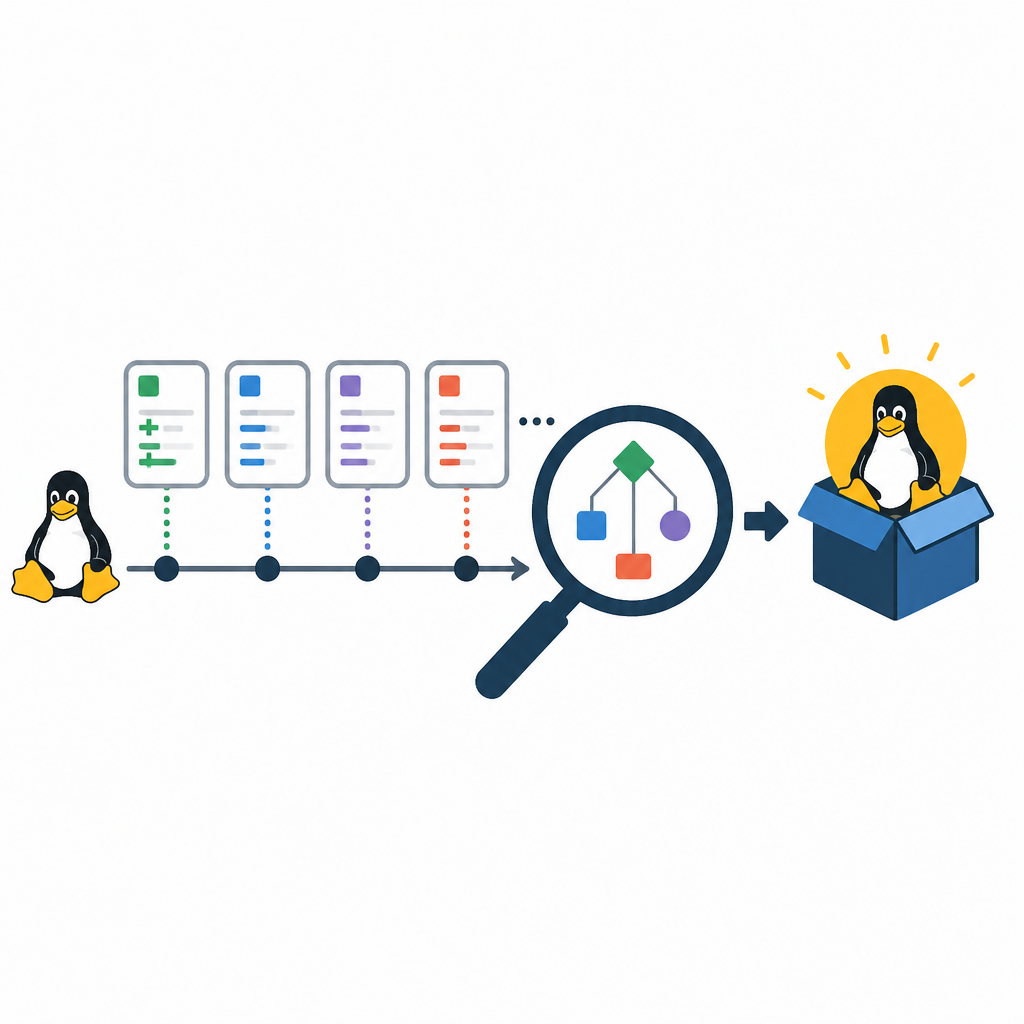
What this actually means is that the project had already learned that version numbers create expectations, and expectations create bad decisions. If people think 3.30 to 3.31 is a tiny change and 3.1 to 3.2 is a huge one, they are reading the number backwards. So the kernel team flattened the optics. Sensible, honestly. A little boring, but sensible.
I like this move because it admits something most software teams refuse to admit: versioning is communication. It is not just bookkeeping. If your numbering scheme causes your users to misread risk, then the scheme is broken even if the code is fine.
There’s a practical lesson here for anyone maintaining a platform, SDK, or service API. If your release numbers accidentally suggest a size relationship that isn’t real, you should fix the numbering before you fix the slide deck. The slide deck is not the root problem.
How to apply it: audit your own release names for misleading patterns. If your users treat the numbers like risk levels, are you encouraging that? If so, cap, reset, or rename before the confusion calcifies into process. I’ve seen teams spend months educating users around a numbering mistake that could have been avoided with one policy change.
Feature lists are useful, but only if you read them as signals
The release table on the page is packed with prominent features for each branch: fsnotify for standard file I/O error reporting, live health monitoring on XFS, better io_uring support, support for Clang capability analysis, new syscalls like listns(2), and a pile of filesystem and scheduler changes. It’s easy to read that as “here are the cool things.” That’s the shallow reading.
What this actually means is that each release line is a snapshot of where the kernel community is spending attention. Filesystems, memory management, scheduling, security, networking, architecture support. The feature list tells you what the maintainers are willing to stabilize and what they’re still iterating on.
I’ve always found this more valuable than the release headline. If a release adds a new syscall, that’s not just a feature. It’s a signal that the kernel is formalizing a behavior into an API. If a release improves io_uring support, that’s a sign the async I/O story is still being tuned. If a release adds support for a new architecture or removes old code, that tells you where the project is spending maintenance budget.
That’s the part people miss when they skim kernel news. They focus on the shiny thing and ignore the maintenance pattern. But the maintenance pattern is what tells you whether a platform is getting healthier or just getting louder.
How to apply it: when you read release notes for your own project, classify each change. Is it API stabilization, performance work, cleanup, security hardening, or compatibility expansion? Once you do that, your release notes stop being a list and start being an operational signal.
- Tag features by category, not just by module.
- Track removals separately from additions.
- Watch for repeated work in the same subsystem; it usually means the design is still settling.
Long-lived branches are the real product
The page shows a pattern that kernel people already know: the current stable branch matters, but the LTS and SLTS branches are what a lot of systems actually live on. Debian, RHEL, Ubuntu, embedded systems, and infrastructure stacks often care more about the stable branch they can keep for years than the newest mainline release.
This is the part that makes Linux version history so useful as an example. The project is not just shipping code; it is maintaining multiple time horizons at once. Mainline moves fast. Stable branches keep the ecosystem alive. LTS and SLTS branches are where trust gets built.
I’ve had to explain this to teams that thought “latest” was always the right answer. It usually isn’t. If your product depends on drivers, vendor support, or certification, the freshest branch can actually be the worst choice. You want the branch with the maintenance story that matches your deployment story.
The article’s notes about 6.12 as an LTS release and the support windows for other lines make that clear. The point is not that every release deserves equal attention. The point is that the project explicitly supports multiple kinds of users without pretending they all need the same cadence.
How to apply it: define at least two tracks in your own project if you can afford it. One fast track for active development, one stable track for consumers who need predictability. If you only have one track, be honest that you’re asking consumers to live with your release pace. That honesty saves arguments later.
Version history is really a maintenance history
Once you look at the table long enough, the obvious conclusion is that kernel version history is less about features than about stewardship. The article shows maintainers, end-of-life dates, feature themes, and support classes side by side. That’s not accidental. It’s the whole point.
The Linux kernel has been around since 1991, became self-hosting at 0.11, and hit 1.0.0 in 1994 with over 170,000 lines of source code. Those facts matter, but not because they’re trivia. They show how a project can grow without losing the ability to define its own release rhythm.
What I take from that is simple: if you want users to trust your project, don’t just tell them what changed. Tell them who maintains it, for how long, and what kind of change they should expect. Kernel version history does all three, which is why it works as a reference instead of just a changelog.
I wish more teams would steal that structure directly. Not the code, obviously. The structure. It’s the difference between a release page that helps someone make a decision and a release page that just makes the maintainers feel productive.
How to apply it: build your release docs around stewardship. Put maintainer names on branches. Put support dates on the page. Put feature themes next to the version. If the user has to dig through issues to figure out whether a branch is safe to adopt, your release process is doing too little work.
The template you can copy
# Release history template inspired by Linux kernel version history

## What this page is for
This release history documents version lines, maintenance windows, and the kind of change each line is expected to carry.

## Versioning policy
- Major version: identifies a release line, not a compatibility promise by itself.
- Minor version: used for release sequencing within a line.
- Patch version: used for fixes and backports.
- Version numbers do not replace compatibility documentation.

## Support levels
- Latest stable: maintained until the next stable release plus a defined grace period.
- LTS: maintained for a multi-year window.
- SLTS: maintained for extended infrastructure use cases.

## Release table
| Version | Release date | Maintainer | Support end | Status | Main themes |
|---|---:|---|---:|---|---|
| X.Y | YYYY-MM-DD | Name or team | YYYY-MM-DD | Stable / LTS / SLTS | Short list of theme areas |
| X.Y.Z | YYYY-MM-DD | Name or team | YYYY-MM-DD | Patch line | Fixes, backports, security updates |

## How to read this page
- If you need the newest features, use the latest stable line.
- If you need predictable maintenance, use LTS.
- If you need long infrastructure support, use SLTS.
- Do not infer risk from the size of the number alone.

## Release note format
### Version X.Y
- Release date:
- Maintainer:
- Support window:
- Notable additions:
- Notable removals:
- Compatibility notes:
- Operational notes:

## Example feature tagging
- API stabilization
- Performance
- Security hardening
- Cleanup / removal
- Hardware support
- Filesystem / storage
- Scheduling / runtime behavior

## Example deprecation policy
- Announce deprecations at least one release line before removal.
- Document replacement paths.
- Keep removal notes visible in the release table.

## Example support statement
This release line is supported until the next stable line plus 3 months.
LTS lines are maintained for multiple years.
SLTS lines are maintained for infrastructure deployments that need longer horizons.

## Copy this into your own project
Replace the placeholders with your own version lines, support dates, and maintainer names.
Keep the policy visible on the same page as the history.
This template is my rewrite of the ideas in the Wikipedia article, not a copy of the page itself. The original source is the Linux kernel version history page on Wikipedia, and the factual anchor points come from there. I’m just turning that into a format you can reuse in your own release docs without fighting the same confusion Linux already solved.
For the underlying source material, start with Wikipedia’s Linux kernel version history, then cross-check the Linux kernel project itself at kernel.org and the maintainer release notes when you need the live details. If you want the support-policy context, the Linux Foundation and the Civil Infrastructure Platform are the right places to read next.
// Related Articles
- [TOOLS]
500 AI agent projects show where agents work now
- [TOOLS]
Chocolatey’s Go package turns installs into policy
- [TOOLS]
Go support policy turns releases into a checklist
- [TOOLS]
RustDesk self-hosting setup for secure remote access
- [TOOLS]
Aider turns open-source coding into repo edits
- [TOOLS]
WWDC 2026 rumors turn Siri into a real assistant