Make lets you wire AI workflows without code
I break down Make’s visual automation flow and give you a copy-ready template for AI workflows.
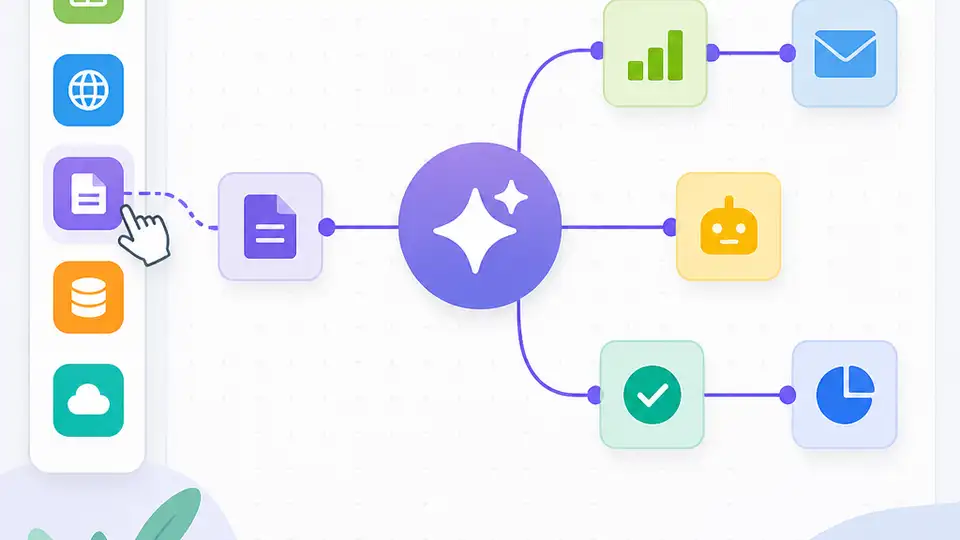
Make turns visual app wiring into copyable AI workflow automation.
I’ve been building automations long enough to know when a tool is trying too hard to look simple. Make has always had that problem for me. The interface is friendly, sure, but every time I tried to build a real workflow, I ended up juggling modules, filters, routers, and a dozen little decisions that were supposed to feel “no-code” but still demanded real systems thinking. That’s not a bad thing. It just means the tool is honest about the work. What annoyed me was the gap between the marketing promise and the actual shape of the job. I didn’t want another toy flow that breaks the second I add branching logic, retries, or an AI step that needs context from three other services. I wanted something I could actually use to connect messy tools, move data around, and keep control when the workflow stopped being cute.
Then I looked at Make’s own framing again, this time through the lens of AI workflows instead of generic automation. That changed the read completely. The point isn’t “click and magic.” The point is visual orchestration: you can see every step, every handoff, and every failure point. That’s the part I care about, because AI workflows are usually not one prompt and done. They’re retrieval, branching, enrichment, formatting, approval, and then maybe another AI call after that. Make’s value is that it gives you a way to hold all of that in one place without immediately dropping into custom code. The source that pushed me back into this was Make’s homepage at make.com/en, which frames the product as a way to visually build, scale, and automate AI and agentic workflows.
Make is really about orchestration, not just automation
Get the latest AI news in your inbox
Weekly picks of model releases, tools, and deep dives — no spam, unsubscribe anytime.
No spam. Unsubscribe at any time.
“Visually build, scale and automate AI and agentic workflows.”
What this actually means is that Make is not trying to be a single-purpose chatbot wrapper or a one-click task runner. It’s trying to be the thing that sits between your apps, your AI calls, and your business rules. That matters because most AI work in production is coordination work. The model is rarely the hard part. The hard part is everything around it: getting the right input, deciding what happens next, formatting output for another system, and handling the weird cases without waking someone up at 2 a.m.

I ran into this pattern while wiring a support triage flow. The model could classify tickets fine. The mess came after classification: route to the right queue, enrich the ticket with customer metadata, notify Slack if it was urgent, and log the whole thing somewhere auditors wouldn’t hate. A basic no-code tool can do the first half and then fall over when you need branching. Make’s visual model is better suited to this because the workflow shape is explicit. You can see where the logic splits, where it rejoins, and where a failed step needs a retry or a fallback.
How to apply it: stop thinking in terms of “automation” as a single action. Think in terms of a pipeline. Define the trigger, the data you need to collect, the AI step, the branch conditions, and the destination systems. If you can’t describe the workflow in five steps on paper, it’s too early to build it. Make is strongest when you already know the shape of the process.
- Start with one trigger and one clear outcome.
- Add AI only where judgment or transformation is needed.
- Use branches for exceptions, not as a dumping ground for logic.
- Keep every output legible to the next system in line.
The visual builder is useful because it makes failure visible
One thing I appreciate, and also occasionally hate, about visual automation tools is that they force you to confront your own bad architecture. In code, it’s easy to hide a sloppy assumption inside a helper function and pretend the workflow is clean. In Make, the workflow is sitting there in front of you like a wiring diagram you can’t ignore. That can feel annoying when you’re trying to move fast. It’s also the reason these tools are useful for AI systems that need to survive contact with reality.
Make’s site doesn’t sell this as “debuggability,” but that’s what the visual model gives you in practice. If a step transforms data badly, you can see exactly where the shape changed. If a module expects one field and gets another, you can inspect the chain instead of guessing which abstraction swallowed the problem. That’s a big deal when you’re dealing with AI outputs, because model responses are often annoyingly close to correct. Close is not enough when the next system needs strict structure.
I’ve had workflows break because a model returned a polite paragraph where I needed JSON. I’ve had filters misfire because a field was nested one level deeper than expected. In a codebase, those are just bugs. In automation tools, they become trust issues. Make’s visual layout helps because I can trace the exact point where the data stops being what I thought it was. That’s the kind of visibility I want before I let a workflow touch customers, invoices, or internal ops.
How to apply it: build your workflow in layers. First get the trigger and destination working without AI. Then add the model call. Then add validation. Then add branching. If you add all four at once, you won’t know which piece failed. And if you can’t tell whether the problem is the model, the mapping, or the downstream app, you’ve built a debugging tax for yourself.
- Validate every AI output before it reaches another system.
- Prefer explicit mappings over “whatever comes through.”
- Use small test data first, then real edge cases.
- Keep a failure path that records the bad payload.
“No-code” only works if you respect the logic underneath
Make calls itself a user-friendly no-code integration tool. Fine. But I don’t think “no-code” means “no thinking.” It means I can spend my energy on the workflow instead of the plumbing. That’s a better trade, but only if I’m honest about the logic I’m encoding. A lot of people build automation like they’re arranging sticky notes. Then they’re shocked when the thing becomes impossible to maintain.
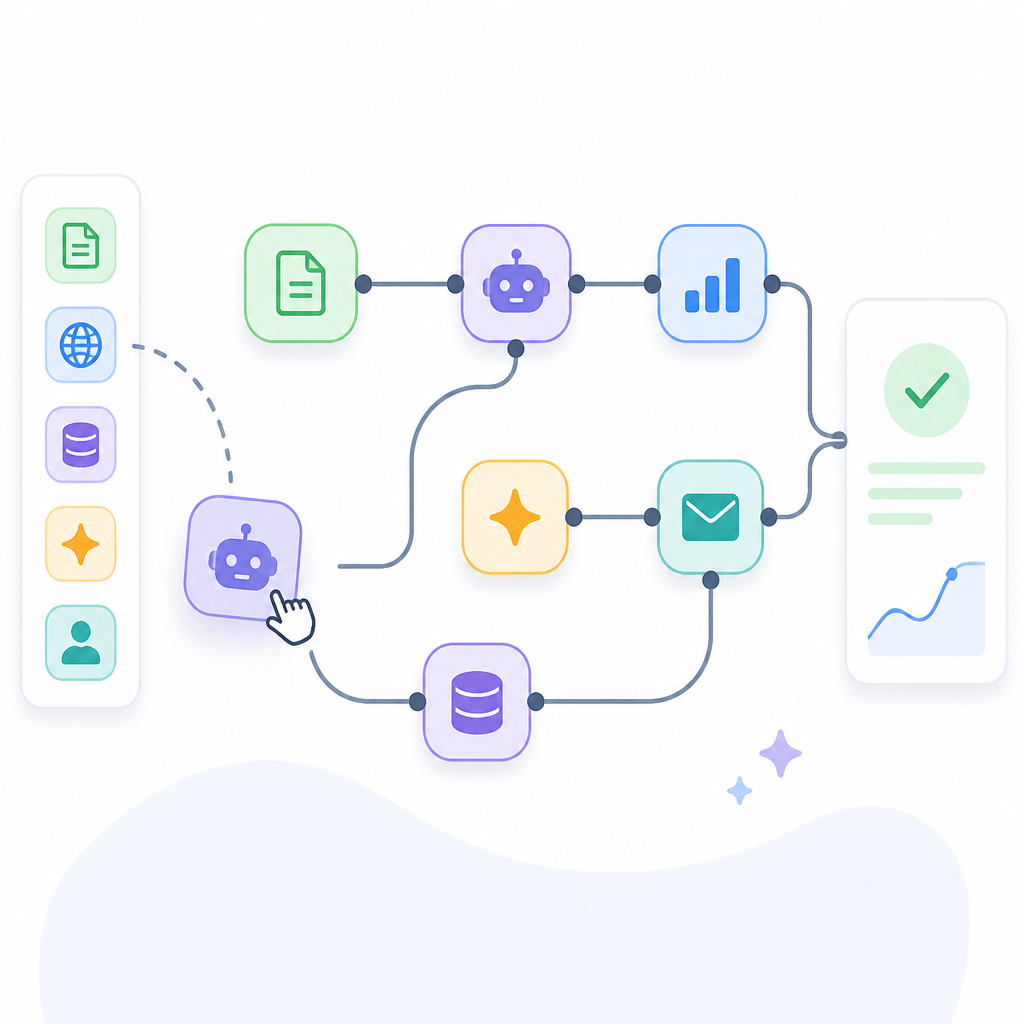
The real trick with Make is that it lets non-engineers build serious workflows while still exposing enough structure that engineers don’t want to throw the laptop out the window. That middle ground is hard. Too abstract, and you can’t control anything. Too technical, and the whole point of visual automation disappears. Make lives in that uncomfortable middle, which is exactly where a lot of AI ops work now lives too.
What I’d tell a team is simple: treat each module like a function, each route like a conditional, and each scenario like a system design doc you forgot to write. If your teammate can’t explain what a branch does in plain language, it’s too complex. If a future you can’t understand the scenario after two weeks away, it needs cleanup. That’s the difference between “I built an automation” and “I created a maintenance problem.”
How to apply it: document the intent of each step inside the scenario itself. Name modules like you would name functions. Use comments or notes for the business rule being encoded. If the workflow is business-critical, keep a plain-text version of the logic somewhere outside the tool. Make is not your source of truth; the process is.
AI workflows need branching, not just prompt calls
Most people still talk about AI automation like it’s just “send text to model, get text back.” That’s the beginner version. Real workflows need branches because real work is conditional. Some inputs are low confidence. Some outputs need review. Some requests should go to a human. Some should trigger a second model pass with more context. Some should just stop.
That’s where Make’s agentic workflow framing starts to make sense. The value is not that it runs an AI call. The value is that it can hold the rest of the decision tree around the call. This is the part that makes AI actually useful inside operations instead of just impressive in demos. I’ve seen plenty of teams use a model to draft an answer, but then they still need logic for tone checks, policy checks, escalation rules, and storage. That’s the work. The prompt is maybe 20 percent of it.
I like to think of the workflow as a sequence of gates. First gate: is the input valid? Second gate: do we need AI at all? Third gate: is the output trustworthy enough to automate? Fourth gate: if not, who gets it? Make is useful when you need those gates visible and editable. Otherwise, you end up burying policy in prompt text, which is a terrible place to manage operations.
How to apply it: design one branch for automation, one branch for review, and one branch for failure. Don’t pretend every AI output is production-ready. If you need confidence scoring, add it. If you need human approval, route it. If you need a fallback model or a retry, wire it in explicitly.
Scaling means fewer heroics and more repeatability
Make says you can scale workflows, and I’m skeptical of that word in most software marketing. But here it’s at least pointing at something real: the difference between a workflow that works once and a workflow that keeps working when volume, edge cases, and team size go up. Scaling automation is not about making one scenario faster. It’s about making the process less dependent on one person remembering how the thing was stitched together.
That’s why I trust tools like Make more for operational glue than for flashy one-off demos. Once a workflow starts touching multiple apps, the real cost is not execution. It’s maintenance. Who updates the fields when the CRM schema changes? Who notices when the AI response format drifts? Who owns the retry policy when a downstream service starts timing out? Visual automation makes those questions harder to ignore, which is annoying and useful at the same time.
If you’re building for a team, think about handoff. Can someone else open the scenario and understand the intent? Can they change a field mapping without breaking the whole thing? Can they add a new branch for an edge case without rewriting the workflow from scratch? If the answer is no, you haven’t scaled anything. You’ve just centralized fragility.
How to apply it: keep workflows modular. Split huge scenarios into smaller ones when the logic starts to sprawl. Standardize naming conventions. Keep input and output schemas stable. And if a workflow becomes business-critical, add monitoring outside the builder so you know when it silently drifts.
The copy-worthy pattern is simple: trigger, enrich, decide, route
If I strip away the product language, the pattern I keep coming back to is boring in a good way. Most useful AI automations follow the same skeleton: something happens, you collect context, the model helps decide what to do, and then the workflow routes the result somewhere useful. That’s the part I wish more tool vendors would say plainly instead of wrapping it in shiny language.
Make works because it lets you express that skeleton without writing a full service for every workflow. That doesn’t mean you should avoid code forever. It means you can get a lot done before you need it. And when you do need code, you can insert it at the edges instead of rebuilding the whole process from scratch.
Here’s the practical version I’d use on a real team: start with a trigger from your source system, enrich the payload with the data the AI needs, run the AI step with strict output expectations, route based on confidence or classification, and log every result. That’s the core. Everything else is decoration or exception handling.
How to apply it: use Make for the orchestration layer, not as a dumping ground for every business rule you own. Keep the AI call narrow. Keep the routing explicit. Keep the outputs structured. If you do that, you’ll get an automation that is actually maintainable instead of just impressive in a demo.
The template you can copy
## Make AI workflow template

### Goal
Automate a real business process with one AI step, explicit branching, and a fallback path.

### Pattern
1. Trigger: a new event arrives from the source app.
2. Enrich: fetch the extra context the AI needs.
3. AI step: send a tightly scoped prompt or task.
4. Validate: check the output shape and confidence.
5. Route: send the result to the right destination.
6. Log: store the input, output, and decision path.
7. Fallback: send bad or uncertain cases to a human.

### Scenario outline
- Trigger module: watch for new item / webhook / scheduled run
- Data fetch module: look up customer, ticket, order, or document context
- AI module: classify, summarize, extract, draft, or decide
- Parse module: normalize the AI output into structured fields
- Router module:
  - If confidence is high and output is valid, continue automatically
  - If confidence is medium, send to review
  - If confidence is low or output is malformed, send to fallback
- Destination module: update CRM, create ticket, send Slack message, write row, or post to database
- Logging module: save scenario ID, input, output, status, and timestamp

### Prompt shape
You are a workflow step inside an automation system.
Return only structured output.
If the task is uncertain, mark it clearly.
If the input is incomplete, say what is missing.

### Example structured output
{
  "status": "auto|review|fail",
  "confidence": 0.0,
  "summary": "short result",
  "reason": "why this route was chosen",
  "missing_fields": []
}

### Build rules
- Keep one workflow focused on one outcome.
- Do not bury business logic inside the prompt.
- Validate every AI response before routing it.
- Add a human review branch for uncertain cases.
- Log failures with enough context to replay them.
- Split the scenario if it becomes hard to explain in one minute.

### Team checklist
- [ ] Trigger is defined
- [ ] Input schema is known
- [ ] AI output format is strict
- [ ] Validation exists
- [ ] Branching is explicit
- [ ] Fallback path exists
- [ ] Logging is enabled
- [ ] Owner is assigned

### Good fit use cases
- Ticket triage
- Lead enrichment
- Content classification
- Invoice parsing
- Internal request routing
- Draft generation with review

### Bad fit use cases
- Open-ended creative work with no review step
- Critical decisions without validation
- Workflows that need heavy custom business logic in every step
Make’s homepage is the original source I used for this breakdown: https://www.make.com/en. The workflow template above is my own practical rewrite of the product’s visual automation idea, not a copy of Make’s marketing copy.
For related docs and context, I’d also look at Make Help Center, Make integrations, OpenAI, and Notion if you want to see how these workflows usually connect in practice.
// Related Articles
- [TOOLS]
500 AI agent projects show where agents work now
- [TOOLS]
Chocolatey’s Go package turns installs into policy
- [TOOLS]
Go support policy turns releases into a checklist
- [TOOLS]
RustDesk self-hosting setup for secure remote access
- [TOOLS]
Aider turns open-source coding into repo edits
- [TOOLS]
WWDC 2026 rumors turn Siri into a real assistant