MiniMax M2.7 turns agents into shipped work
MiniMax M2.7 is a practical agent model for coding, office edits, and complex tasks, with a copy-ready API setup.

MiniMax M2.7 is a practical agent model for coding, office edits, and complex tasks.
I've been using agent models long enough to know when something feels off. The demo looks slick, the benchmark table is packed, and the marketing copy says it can "accomplish highly complex productivity tasks." Fine. But then I wire it into a real workflow and it starts doing the usual nonsense: it can write code, sure, but it loses the thread halfway through a multi-step change. It can edit a doc, but it treats the file like a suggestion box. It can plan, but it doesn't actually stay inside the environment long enough to finish the job.
That's the part that keeps annoying me with these releases. I don't need another model that sounds smart for one turn. I need something that can hold state, survive long tool chains, and not fall apart when the task gets messy. MiniMax M2.7, at least from the material on the official model page, is clearly trying to answer that complaint head-on. It is not pitching itself as a generic chat model. It is pitching itself as a builder for complex agents, with coding, office work, environment interaction, and multi-agent collaboration baked into the story.
So I read the page like a developer, not a buyer. I looked for the parts that matter in practice: what it claims to do better, what it exposes through the API, and what I can actually copy into my own stack without turning the whole thing into a science project.
Source anchor: this breakdown is based on MiniMax's own M2.7 product page and API snippets on minimax.io/models/text/m27. I am not pulling in outside benchmark gossip here; I am sticking to the numbers and claims MiniMax published on that page.
This is not a chat model, it's an agent workhorse
Get the latest AI news in your inbox
Weekly picks of model releases, tools, and deep dives — no spam, unsubscribe anytime.
No spam. Unsubscribe at any time.
"Build a Complex Agent Harness Independently to Accomplish Highly Complex Productivity Tasks."
What this actually means is: MiniMax wants you to stop thinking about one-off prompts and start thinking about long-running task execution. That is the real pitch. The model page keeps repeating the same idea in different ways: real-world software engineering, office domains, environment interaction, and productivity tasks. It is trying to be the thing sitting underneath an agent that can move through a workflow, not just answer questions about it.

That distinction matters because a lot of models are fine at shallow help and terrible at ownership. They can suggest a fix, but not apply it. They can draft an email, but not revise it across multiple constraints. They can summarize a spreadsheet, but not survive the third round of edits when the stakeholder changes their mind. M2.7 is framed around those ugly middle steps, the part everyone pretends is easy until the model has to actually do it.
I ran into this exact problem building internal tooling for docs and code review. The model would ace the first pass, then drift. It would forget an earlier constraint or start re-explaining instead of acting. That is why the "complex agent" framing is the only part of the page that really matters to me. If a model is going to earn its keep, it has to stay useful after the first response.
How to apply it: if you're evaluating M2.7, do not test it with a single prompt. Give it a task with at least three state changes. For example: inspect a repo, identify a bug, propose a fix, then update a README or changelog to match. If it can keep the chain intact, you have something agent-shaped. If not, you're just buying nicer autocomplete.
- Use multi-step tasks, not one-shot prompts.
- Check whether the model preserves constraints across turns.
- Measure finish rate, not just answer quality.
The coding claim is about delivery, not trivia
MiniMax says M2.7 demonstrates excellent performance in real-world software engineering, including end-to-end project delivery, log analysis for bug hunting, code security, and machine learning tasks. It also says on the SWE-Pro benchmark M2.7 scores 56.22%, nearly matching Opus's best level, with VIBE-Pro at 55.6% and Terminal Bench 2 at 57.0%.
What this actually means is that the model is being positioned for the annoying parts of coding work: not just generating a function, but moving through a project, reading logs, spotting failure modes, and handling the kind of context that makes a codebase feel alive and hostile at the same time. I care a lot more about that than I care about whether it can recite language syntax. Syntax is cheap. Staying useful across a real codebase is the hard part.
I have seen plenty of models ace toy coding tasks and then completely embarrass themselves when the repo has conventions, tests, and legacy weirdness. That is where the benchmark trio on the page is useful. SWE-Pro speaks to software engineering behavior, VIBE-Pro speaks to end-to-end delivery, and Terminal Bench 2 speaks to systems understanding. Those are not vanity metrics. They are closer to how I judge whether a model can be trusted in a production workflow.
How to apply it: set up a small internal benchmark with three tasks. First, a bug fix in a repo with tests. Second, a log triage task where the model must identify the likely source of failure. Third, a feature request that requires touching code and documentation. Score it on completion, not style. If you want a model for real engineering work, that is the only scoreboard that matters.
- Ask for a patch plus explanation plus test plan.
- Use your own repo, not a clean demo project.
- Include logs, config files, and one ugly edge case.
The office suite angle is more interesting than it sounds
The page says M2.7 shows significant improvement in complex editing capabilities for Office Suite, specifically Excel, PPT, and Word, with better handling of multi-turn modifications and high-fidelity edits. It also claims an ELO score of 1495 on GDPval-AA, which MiniMax says is the highest among open-source models.
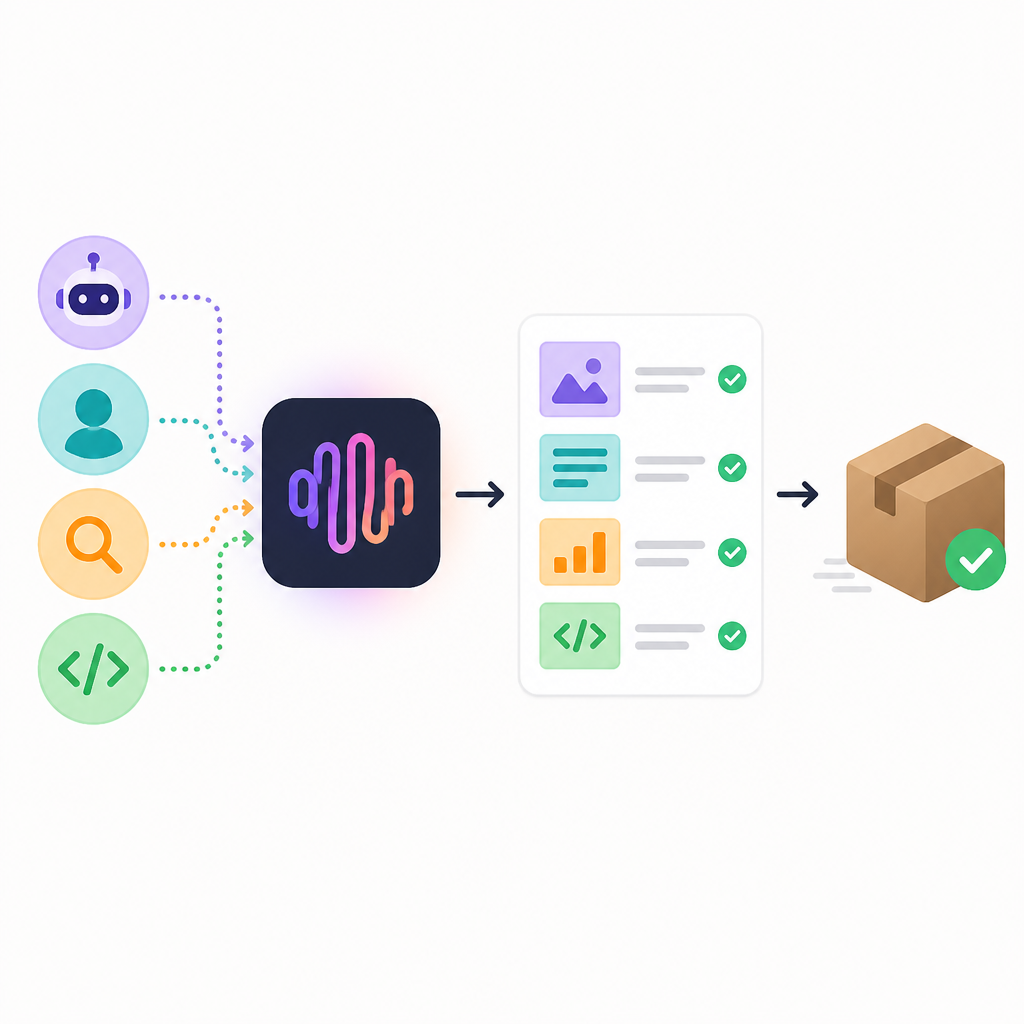
What this actually means is that the model is not only trying to live in code. It is trying to live in the boring workplace documents that actually move money and decisions around. I know that sounds less glamorous than coding, but honestly, this is where a lot of agent systems fail in practice. They can write a memo, but they cannot preserve formatting. They can draft a slide deck, but they cannot adjust the story when the stakeholder wants three more charts and fewer words. They can edit a spreadsheet, but they break formulas or lose the structure on the second pass.
I once watched a model rewrite a quarterly update and accidentally flatten every table into prose. The result was technically "better writing" and operationally useless. So when MiniMax emphasizes multi-turn edits and high-fidelity modifications, I pay attention. That is the difference between a toy assistant and something that can sit inside a real workflow without wrecking the file on round two.
How to apply it: use M2.7 on a document that has to survive revisions. Give it a Word outline, ask for a rewrite, then ask for two targeted edits, then ask it to preserve formatting while changing the tone. Do the same with a spreadsheet summary and a slide outline. If it can keep structure intact, it might be useful to ops, finance, and product teams, not just engineers.
If you want to compare it against adjacent tooling, the most relevant references are the OpenAI model family, Anthropic's Claude line, and the MiniMax M2.5 page for the model it is explicitly improving on.
Environment interaction is where agent claims stop being fake
MiniMax says M2.7 possesses the ability to interact with complex environments. On 40 complex skills cases over 2000 tokens, it maintains a 97% skill adherence rate. It also says that in OpenClaw usage, M2.7 improves over M2.5 and approaches the latest Sonnet 4.6 on MMClaw evaluation.
What this actually means is that the model is being judged on whether it can keep following instructions in long, messy environments where the context is large and the task is not a neat chat exchange. That is the part I care about most in agent systems. The model can be brilliant for 500 tokens and then get sloppy when the environment gets crowded. A 97% adherence rate, if the setup is sound, is basically MiniMax saying: we are trying to keep the model on the rails when the task gets long and annoying.
I've had agents go sideways the moment they had to juggle tool output, file state, and a user instruction that evolved halfway through execution. They do not fail dramatically. They just quietly drift. That is worse. The environment interaction claim is MiniMax telling me it knows drift is the enemy. I appreciate that, because drift is what turns an agent from a helper into a liability.
How to apply it: build a test harness that simulates a real workflow. Give the model a directory with files, logs, and a checklist. Require it to inspect, modify, and report back. Track whether it obeys the task after long context, not just after the first tool call. If you are using browser or desktop agents, add retries and interruptions so you can see whether the model recovers cleanly.
Identity and emotion are not fluff if the product is interactive
The page says M2.7 demonstrates excellent identity preservation and emotional intelligence. It also says that beyond productivity use cases, it opens space for innovation in interactive entertainment scenarios.
What this actually means is that MiniMax is not only selling M2.7 as a worker. It is also selling it as something that can stay in character, keep a conversational stance, and support products where the user experience depends on continuity. That matters more than people admit. If you are building a companion, roleplay system, game NPC, or any interactive product with a long memory of tone, identity collapse is a real bug.
I have seen models flip personality halfway through a session and it instantly kills the experience. Users do not forgive that. They might not know how to describe it, but they notice. So while "emotional intelligence" is the kind of phrase that usually makes me roll my eyes, here it is attached to a practical product concern: can the model stay itself across turns?
How to apply it: if your product is not a productivity tool, do not ignore this section. Test the model with a persona prompt, then push it through interruptions, corrections, and emotional shifts. Check whether it preserves identity without becoming robotic. For entertainment or companion apps, that is not a nice-to-have. It is the whole experience.
The API details are the part I actually care about
MiniMax includes a quick API integration example with two versions: M2.7 and M2.7-highspeed, which it says have identical results but faster speed for the highspeed version. It also says cache support is automatic and needs no configuration. The example endpoint shown is api.minimax.io/v1/text/chatcompletion_v2, and the sample uses a standard chat completion payload.
What this actually means is that MiniMax is trying to remove the usual setup friction. That matters. A lot of model pages act like the hard part is getting excited about the benchmark. No. The hard part is getting a model into your stack without spending half a day on glue code and weird edge cases. Automatic cache support and a highspeed variant are the kind of details I look for because they tell me someone has thought about actual usage, not just launch-day theater.
I also like that the page splits access into standard API use, AI coding tools, and MiniMax Agent integration. That tells me the company understands different adoption paths. Some teams want raw API access. Some want a coding tool. Some want a ready-made agent platform. That is sane product thinking, and honestly, I wish more model vendors did it this way instead of forcing everyone through the same narrow funnel.
How to apply it: start with the standard API, then benchmark the highspeed version on your own workload. Do not assume the faster endpoint is always the right one; measure latency, output stability, and token cost in your actual use case. If you are building an agent product, test cache behavior early because it can change your cost profile fast.
Useful links here are the M2.7 page, the API endpoint, and the broader MiniMax site if you want to compare product surfaces.
The template you can copy
# MiniMax M2.7 agent starter

Use this when you want M2.7 to act like a task-running agent instead of a chat bot.

## System prompt
You are an execution-focused agent.

Rules:
- Finish the task, do not just discuss it.
- Preserve constraints from earlier turns.
- If the task involves files, logs, code, docs, or spreadsheets, inspect them before proposing changes.
- When you modify something, explain exactly what changed and why.
- If you are unsure, ask one focused question instead of guessing.
- Prefer small, reversible steps.
- Keep formatting intact unless the user explicitly asks for a redesign.

## User prompt template
Task: {describe the task}

Context:
{paste relevant files, logs, requirements, or constraints}

Expected output:
1. Short plan
2. Execution steps
3. Final result
4. Risks or follow-ups

## API request example
import requests

url = "https://api.minimax.io/v1/text/chatcompletion_v2"
payload = {
  "model": "MiniMax-M2.7",
  "messages": [
    {
      "role": "system",
      "content": "You are an execution-focused agent. Finish the task, do not just discuss it."
    },
    {
      "role": "user",
      "content": "Task: inspect this repo, find the failing test, propose a fix, and summarize the patch."
    }
  ]
}
headers = {
  "Authorization": "Bearer YOUR_API_KEY",
  "Content-Type": "application/json"
}

response = requests.post(url, json=payload, headers=headers, timeout=60)
print(response.text)

## Evaluation checklist
- Did the model keep state across steps?
- Did it complete the task end-to-end?
- Did it preserve code, doc, or spreadsheet structure?
- Did it handle long context without drifting?
- Did it give a usable final artifact, not just commentary?

## Good test tasks
- Fix a failing test in a real repo
- Rewrite a Word doc while preserving headings
- Update a slide outline based on new requirements
- Analyze logs and identify the likely root cause
- Edit a spreadsheet summary without breaking formulas

## What to watch for
- Over-explaining instead of acting
- Forgetting earlier constraints
- Breaking formatting on multi-turn edits
- Losing thread in long tool chains
- Refusing to commit to a concrete next step
That is the part I would actually copy into a project. Not the marketing language. Not the benchmark bragging. The prompt structure. If you are trying to make an agent useful, you need a system prompt that rewards execution, a user prompt that includes real context, and an evaluation checklist that punishes drift. Otherwise you are just hosting a fancy conversation engine and calling it automation.
My own rule of thumb is simple: if the model cannot survive a task with state, artifacts, and a revision loop, I do not put it in front of users. M2.7 looks like it was designed with that exact threshold in mind, which is why I think it is more interesting than the usual model launch copy suggests.
Original source: https://www.minimax.io/models/text/m27. This article is my developer-focused breakdown of MiniMax's own claims, plus a copy-ready starter template built from those claims.
// Related Articles
- [MODEL]
Gemini 1.5 Pro-002, Flash-002 and 2.0 Flash update Google AI
- [MODEL]
MiniMax M3 Proves Open-Weight Can Still Win on Coding
- [MODEL]
Gemini 3.5 Flash Pricing, Context, Benchmarks
- [MODEL]
Gemma 4 12B: Specs, Benchmarks & How to Run It Locally
- [MODEL]
Best Kimi Models in 2026: K2.5 vs K2 Thinking
- [MODEL]
Kimi K2.6 adds open-source coding and agent swarm