OpenClaw alternatives that actually install cleanly
I break down 6 OpenClaw alternatives and give you a copy-ready selection template for picking one fast.

I break down six OpenClaw alternatives and give you a copy-ready selection template.
I've been using OpenClaw for a while now, and honestly, it kept irritating me in the same boring ways. The idea was great: a local agent, a pile of skills, a plugin ecosystem, and enough automation to make me feel like I’d finally tamed my day. But every time I tried to turn that into something I’d trust for real work, I hit the same wall. Installation turned into a small project. Patches broke something else. The security story felt fuzzy. And when I wanted a true always-on assistant, I ended up doing the thing I was trying to avoid: babysitting infrastructure.
That’s the part people skip when they talk about agent tools. They talk about demos. I care about whether the thing survives a Tuesday. If I have to spend an hour debugging setup before I can ask it to triage email, it’s not an assistant, it’s a hobby. So when I read Composio’s OpenClaw alternatives guide, I wasn’t looking for hype. I was looking for a sane way out.
Composio’s angle is pretty blunt: pick based on security, setup friction, automation depth, pricing, and community support. That’s the right lens. They also split the field into open-source and hosted options, which matters because these tools fail in different ways. I’m going to unpack that list the way I’d explain it to a teammate over coffee, not like a vendor deck.
OpenClaw is powerful, but it asks too much of you
Get the latest AI news in your inbox
Weekly picks of model releases, tools, and deep dives — no spam, unsubscribe anytime.
No spam. Unsubscribe at any time.
“Installation is a nightmare. I remember spending hours to get it right. The Skills and Plugin ecosystem is vast, but the experience is horrible.”
That line from the Composio post is the real story. OpenClaw is not failing because it lacks ambition. It’s failing where most agent tools fail: the distance between “cool demo” and “reliable daily tool” is huge. The post also calls out the stuff that actually matters in production use: security concerns, unstable patches, self-serve hosting, and token costs.

What this actually means is that OpenClaw is best thought of as a flexible base, not a finished product. If you’re technical, patient, and okay with tuning the machine yourself, it can still be worth it. But if you want something that behaves more like software and less like an ongoing experiment, you need alternatives.
I ran into this exact problem when I tried to make an agent handle recurring ops tasks. It could do the task once. The second time, a plugin changed behavior. The third time, a patch shifted the setup. That’s not a workflow, that’s a maintenance tax.
How to apply it: before you pick an OpenClaw alternative, decide which pain you are trying to remove. If it’s setup friction, prioritize hosted tools. If it’s security and local control, prioritize sandboxing or container isolation. If it’s cost, favor tools that can run smaller models, local execution, or tighter context windows.
Security is the first filter, not a footnote
Composio puts security at the top of its evaluation, and I agree with that ordering. Once an agent can touch your files, apps, browser, or terminal, “pretty good” security is not good enough. You need to know where the thing runs, what it can touch, and how you can shut it down.
The post asks the right questions: does it run locally, in the cloud, or in an isolated environment? Does it use sandboxing or container isolation? Can you review tool calls? Can you revoke access cleanly? That’s the actual checklist.
If you want a mental model, think of the difference between Claude Code-style local assistance, cloud-managed agent apps, and isolated execution layers. They all promise automation. They do not all give you the same blast radius.
What this actually means is that “open source” is not the same thing as “safe.” I’ve seen teams assume local equals secure, then discover the agent had far more access than anyone intended. A tool can be self-hosted and still be a mess if the permission model is vague.
- Pick local execution only if you can constrain file, shell, and network access.
- Pick hosted execution if you want the vendor to absorb most of the operational burden.
- Pick container isolation if you want a middle path with clearer blast-radius boundaries.
How to apply it: read the permission model before you read the feature list. If the tool can’t explain what it can access in plain terms, I would not put it near production credentials.
Setup friction kills agent adoption faster than bad marketing
One of the most useful parts of the Composio post is its honesty about user experience. It says a tool that takes more than 10 minutes to get from install to first working run loses points. That’s not a vanity metric. That’s reality.
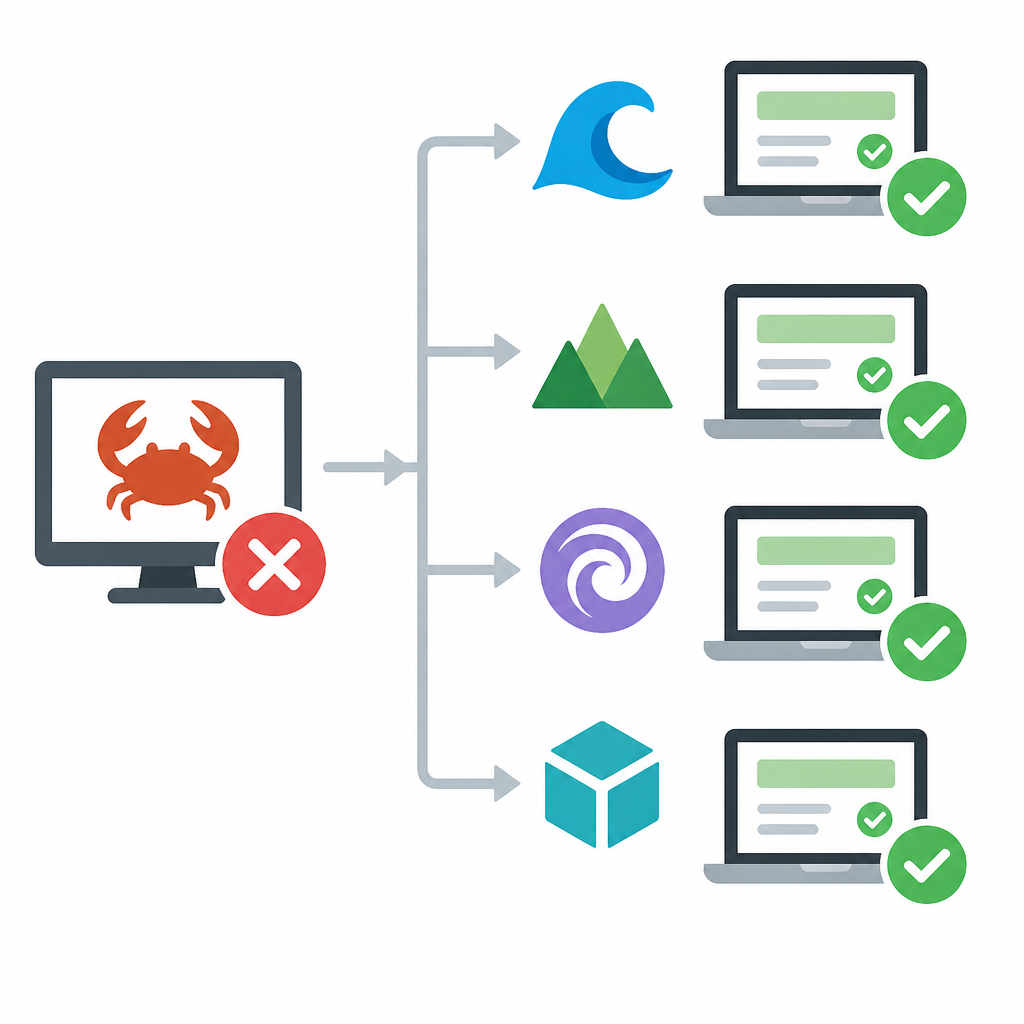
OpenClaw’s ecosystem may be huge, but huge ecosystems often hide a nasty truth: you spend more time assembling the system than using it. That’s why the article’s alternatives include tools like ZeroClaw and PicoClaw, which are framed around lightweight local or edge use. Different tradeoff, less ceremony.
I’ve been burned by this in agent projects before. A tool looks elegant in a README, then it wants Python version pinning, auth setup, browser dependencies, and a ritual sacrifice to get the first task to run. By the time it works, nobody on the team wants to touch it again.
What this actually means is that install time is part of product quality. If a tool says “for developers” but acts like a weekend project, it’s not reducing work, it’s moving work into setup.
How to apply it: test every candidate with the same boring task. Connect one app, run one workflow, inspect one log, and see how long it takes. If you can’t get a first useful result quickly, don’t tell yourself you’ll “figure it out later.” You won’t.
Open-source alternatives are not all trying to do the same job
Composio’s open-source shortlist is useful because it doesn’t pretend all OSS agent tools are interchangeable. It groups them by what they’re actually good at: closest OpenClaw replacement, secure app-connected automation, lightweight local agents, edge devices, and container-isolated execution.
That’s the right way to think about the market. I don’t want “best” in the abstract. I want “best for my annoying constraint.”
Hermes Agent is positioned as the closest open-source OpenClaw alternative. If you want the most familiar mental model, start there. TrustClaw is for secure app automation with OAuth and sandboxing. That’s the one I’d look at if integration safety matters more than local tinkering. ZeroClaw is for lightweight local agents, which usually means less setup friction and a smaller runtime footprint.
PicoClaw is the edge-device answer. If you’re running on low-power hardware, memory and boot time matter more than ecosystem size. NanoClaw is the container-first option, which is basically the “I want isolation, and I’m willing to pay a little setup tax for it” path.
What this actually means is that the right open-source alternative depends on where you want the complexity to live. In the tool? In the machine? In the container? In the cloud? You don’t get to erase complexity. You only get to move it around.
- Choose Hermes Agent if you want the closest OSS analog to OpenClaw.
- Choose TrustClaw if app auth and sandboxing matter most.
- Choose ZeroClaw, PicoClaw, or NanoClaw if runtime footprint or isolation is your main constraint.
How to apply it: stop comparing open-source agents by feature count. Compare them by where they put the mess.
Hosted tools are what I reach for when I want the work done
The hosted side of the list is where the article gets practical for most teams. If I want less maintenance and more actual output, I’m usually looking at managed workflows. That’s where tools like Claude-adjacent experiences, Manus, Perplexity-style browser research, and memory-first assistants come in.
Composio highlights Claude Cowork for Claude users, Manus for polished managed workflows, Perplexity Computer for browser-heavy research and monitoring, Kimi Claw for a hosted OpenClaw feel, and Vellum for a personal memory-first assistant.
What this actually means is that hosted tools are usually better when the agent needs to be dependable before it needs to be customizable. If your biggest pain is “I don’t want to operate the thing,” then stop pretending open source is automatically the smarter choice. It isn’t, at least not for every team.
I’ve seen hosted agents win because they remove the two chores nobody budgets for: patching and babysitting. You can still get lock-in, sure. You can still get pricing surprises. But you also get a product that behaves like a product.
How to apply it: use hosted tools when the workflow is repeatable, the inputs are mostly app-based, and your team values speed over deep control. If the use case is research, scheduling, inbox triage, or browser-driven monitoring, hosted is often the least annoying answer.
The evaluation framework is the real reusable asset
The best part of Composio’s article isn’t the list. It’s the evaluation framework. They score tools by security, user experience, pricing and token efficiency, automation depth, and community/ecosystem. That’s a better decision model than “what’s trending on X.”
Here’s why that matters: a tool can be amazing on one axis and miserable on another. A local agent might be cheap but painful to maintain. A hosted agent might be easy to use but expensive at scale. A tool with a strong community might still be a bad fit if its security model is weak.
What this actually means is that you should make the tradeoffs explicit before you pick anything. The article gives you the categories. You should turn them into a shortlist rubric.
I use a simple version of this when I evaluate agent tools for teams:
- Can I get to a first working task in under 10 minutes?
- Can I explain the permission model to a non-expert?
- Can I see what the agent did after the fact?
- Can I keep token spend under control?
- Can my team find examples, docs, or community help when it breaks?
How to apply it: score each candidate from 1 to 5 across those five questions. Don’t debate vibes. Don’t debate branding. If you need a tool for production-ish work, boring wins.
The template you can copy
# OpenClaw alternative chooser template

Use this when I need to pick an AI agent tool without getting dragged into feature theater.

## 1) My constraint
- I need: [local control / hosted convenience / low cost / strong security / browser automation / app integrations / edge deployment]
- I cannot tolerate: [setup friction / vague permissions / high token spend / weak logs / no community / no container isolation]

## 2) My workload
- Main tasks:
  - [email triage]
  - [browser research]
  - [calendar scheduling]
  - [ticket handling]
  - [repo or issue automation]
- Frequency:
  - [one-off / daily / scheduled / always-on]
- Sensitivity:
  - [low / medium / high]

## 3) My selection rules
- If I need the closest open-source replacement: choose Hermes Agent
- If I need secure app-connected automation: choose TrustClaw
- If I need lightweight local execution: choose ZeroClaw
- If I need edge-device support: choose PicoClaw
- If I need container isolation: choose NanoClaw
- If I want managed workflows with less ops: choose Claude Cowork or Manus
- If I need browser-heavy research: choose Perplexity Computer
- If I want a hosted OpenClaw-style experience: choose Kimi Claw
- If I want memory-first personal assistance: choose Vellum

## 4) My evaluation checklist
Score each tool from 1 to 5.

### Security
- Where does it run?
- What can it access?
- Can I restrict files, apps, browser, and network?
- Can I review tool calls or logs?
- Can I revoke access quickly?

### Setup
- Time to first working task: [minutes]
- Auth setup complexity: [low / medium / high]
- Does it need containers, browser dependencies, or extra services?

### Automation
- Supports scheduled jobs: [yes / no]
- Supports app integrations: [yes / no]
- Supports multi-step workflows: [yes / no]
- Supports background execution: [yes / no]

### Cost
- Token usage controls: [yes / no]
- Memory or retrieval support: [yes / no]
- Local execution options: [yes / no]

### Ecosystem
- Docs quality: [good / okay / bad]
- Community activity: [strong / average / weak]
- Example workflows available: [yes / no]

## 5) Final decision
- Winner: [tool name]
- Why it won:
  - [reason 1]
  - [reason 2]
  - [reason 3]
- What I am explicitly giving up:
  - [tradeoff 1]
  - [tradeoff 2]

## 6) Sanity test
Before I commit, I will run one boring workflow:
- Input: [describe one real task]
- Expected output: [describe acceptable result]
- Pass condition: [what success looks like]
- Fail condition: [what makes me walk away]
This template is intentionally plain. I want it to force the real question: what am I optimizing for, and what am I willing to give up? Once you answer that, the “best” OpenClaw alternative usually stops being mysterious.
Source attribution: This breakdown is based on Composio’s article at https://composio.dev/content/openclaw-alternatives. The selection framework and summary here are my paraphrase and editorial breakdown, not a copy of their original comparison table.
// Related Articles
- [TOOLS]
500 AI agent projects show where agents work now
- [TOOLS]
Chocolatey’s Go package turns installs into policy
- [TOOLS]
Go support policy turns releases into a checklist
- [TOOLS]
RustDesk self-hosting setup for secure remote access
- [TOOLS]
Aider turns open-source coding into repo edits
- [TOOLS]
WWDC 2026 rumors turn Siri into a real assistant