AWS explains AI agents in one workflow
I break AWS’s AI agent explainer into a practical workflow and give you a copy-ready template for planning, tools, memory, and reflection.

I break AWS’s AI agent explainer into a copy-ready workflow and template.
I've been building agent demos for a while now, and honestly, a lot of them felt fake. The model could talk, sure. It could even call a tool or two. But the whole thing would wobble the second the task got messy. It would forget what it was doing, ask me to repeat the goal, or happily sprint into the wrong branch of the workflow like that was helpful.
That’s the part that kept bugging me. People kept treating “agent” like it meant “LLM plus tools,” and then acting surprised when the thing couldn’t plan, remember, or stop itself from doing dumb stuff. I’ve had enough of systems that look intelligent for one turn and then fall apart when the user asks for something with three steps and a deadline.
AWS’s explainer on What are AI Agents? gave me a cleaner way to think about it. Not as magic. Not as a chatbot with a backpack. More like a workflow with a decision loop in the middle. That’s the useful version, and it’s the one worth copying.
Stop calling every chatbot an agent
Get the latest AI news in your inbox
Weekly picks of model releases, tools, and deep dives — no spam, unsubscribe anytime.
No spam. Unsubscribe at any time.
An artificial intelligence (AI) agent is a software program that can interact with its environment, collect data, and use that data to perform self-directed tasks that meet predetermined goals.
What this actually means is simple: an agent is not just generating text. It is observing, deciding, and acting toward a goal. AWS is drawing a line between “the model answered me” and “the system did something useful on its own.”

I ran into this constantly when teams asked me to “add agents” to a product. Nine times out of ten, what they really wanted was better task automation. They didn’t need a philosophical robot. They needed a program that could read context, choose a next step, and keep going until the job was done or it hit a handoff point.
The useful mental model here is boring, which is why it works. An agent has inputs, state, a goal, and actions. If one of those is missing, you probably don’t have an agent. You have a prompt wrapper.
How to apply it: when you design an agent, write down the environment it can observe, the actions it can take, the goal it is optimizing for, and the stop conditions. If you can’t describe those four things in plain English, the design is still mush.
- Environment: what data sources can it see?
- Actions: what tools can it call or outputs can it produce?
- Goal: what does success look like?
- Stop rule: when should it hand off to a human?
Autonomy is the part everyone underestimates
AI agents act autonomously, without constant human intervention.
AWS is making a pretty specific point here. Traditional software follows instructions. An agent chooses the next action based on the current state and the goal. That difference sounds small until you try to ship it.
I’ve seen teams build “agentic” flows that still require a human to approve every second step. At that point, the system isn’t autonomous. It’s a checklist with a nicer UI. Sometimes that’s fine. Sometimes it’s exactly what you want. But I hate when people pretend that’s the same thing as agent behavior.
Autonomy is also where the risk shows up. Once the system can decide its own next step, you need better guardrails than “the model is smart.” You need permissions, rate limits, tool scopes, and a way to recover when it makes a bad call. Otherwise it will confidently do the wrong thing faster than a human ever could.
How to apply it: decide which steps are truly autonomous and which ones need approval. I usually split actions into three buckets: safe to do automatically, safe only with confirmation, and never do without a human. That one exercise saves a lot of drama later.
- Safe: read-only lookups, summarization, classification
- Confirm: sending emails, creating tickets, changing records
- Never: deleting data, moving money, legal commitments
Goal-driven systems need a real target, not vibes
AI agents are driven by objectives. Their actions aim to maximize success as defined by a utility function or performance metric.
This is the part people skip because it sounds too formal, but it’s the difference between a toy and a system. An agent needs a target it can optimize against. If the target is fuzzy, the behavior gets weird fast.
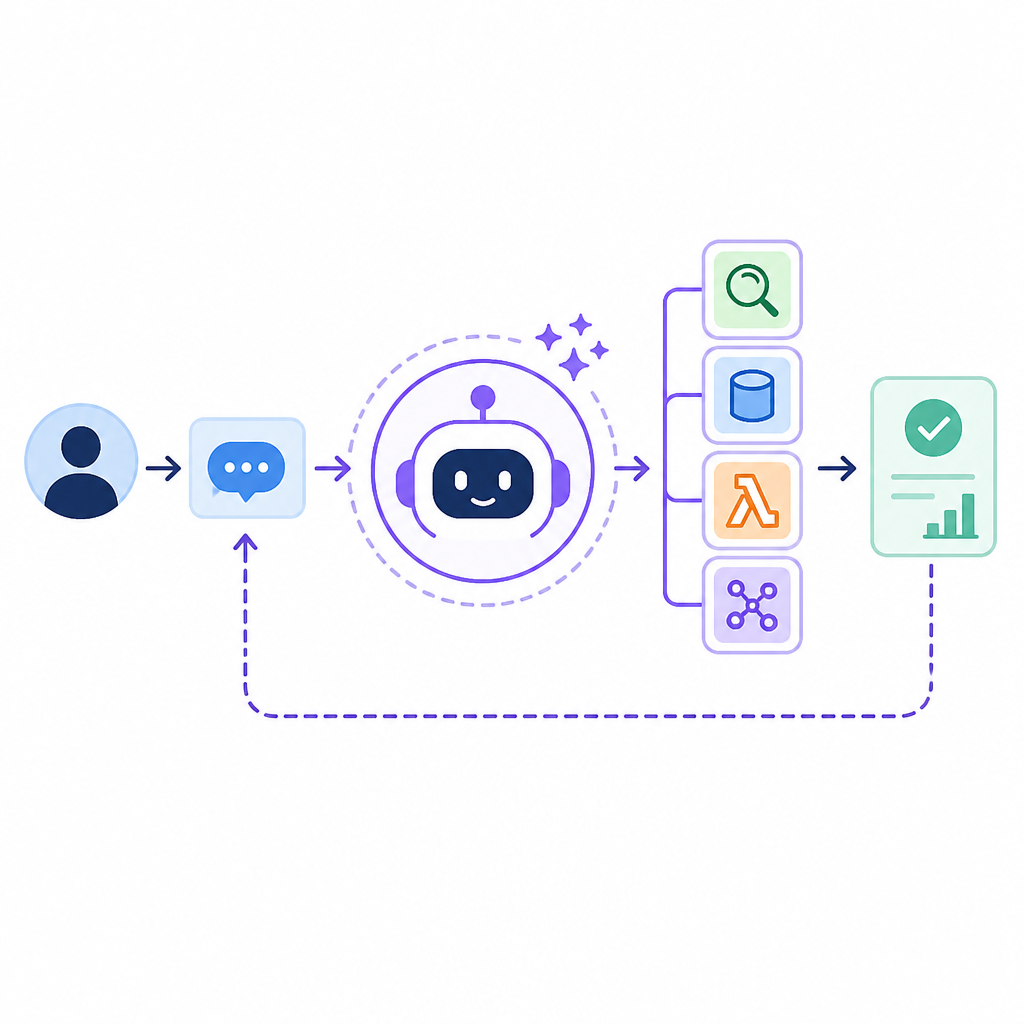
AWS uses examples like logistics optimization and customer support resolution. That’s the right shape. The goal isn’t “be helpful.” The goal is “resolve the query,” “reduce delivery time,” or “collect missing invoice data.” Specific goals make planning possible. Vague goals make the model improvise.
I once watched a team ask an agent to “improve customer experience.” Predictably, it started doing everything except the actual job. It wrote longer replies. It apologized more. It tried to be warm. None of that fixed the underlying ticket backlog. Once we changed the objective to “reduce unresolved first-contact tickets,” the design got much cleaner.
How to apply it: define the success metric before you build the workflow. If you can’t measure it, the agent will optimize whatever is easiest to fake. That’s not me being cynical. That’s just what optimization does.
Good targets usually look like this:
- Resolve 80% of support requests without escalation
- Draft a compliant response in under 30 seconds
- Find missing records before the finance close
Planning, memory, and tools are the real architecture
The planning module enables the agent to break down goals into smaller, manageable steps and sequence them logically.
AWS breaks the architecture into foundation model, planning module, memory module, tool integration, and learning/reflection. That’s the right decomposition. The model is not the whole agent. It’s just the reasoning core.
What this actually means is that the agent needs a way to think in steps, remember what happened, and reach outside itself when it needs facts or side effects. Without planning, it thrashes. Without memory, it repeats itself. Without tools, it can only talk about doing the work.
I’ve built enough prototypes to know that tool integration is where reality shows up. The model can sound brilliant in a vacuum. Then it has to query a database, parse a messy API response, or update a CRM record and suddenly you find out whether the system is actually usable.
How to apply it: keep the architecture explicit. Planning can be a prompt, a rule engine, or a task graph. Memory can be a vector store, a database, or just a session object. Tools can be APIs, scripts, or internal services. The point is not the fancy implementation. The point is that each layer has a job.
I’d structure it like this:
- Planning: break the goal into ordered steps
- Memory: store facts, state, and prior decisions
- Tools: execute real-world actions
- Reflection: check whether the result was good enough
The workflow matters more than the model name
Most autonomous agents follow a specific workflow when performing assigned tasks.
This line from AWS is the most useful one in the whole piece, because it cuts through the marketing fog. The workflow is the product. The model is just one component.
AWS lays out the flow as determine goals, acquire information, and implement tasks. That sounds almost too basic, but basic is exactly what most agent systems need. A good agent doesn’t “think harder.” It follows a repeatable loop with enough context to avoid dumb mistakes.
I ran into this when debugging a support agent that kept asking for the same data twice. The model was fine. The workflow was not. It had no clean handoff between goal setting, information gathering, and action execution, so it kept rechecking itself like a nervous intern. Once we separated those phases, the behavior got a lot more predictable.
How to apply it: force every agent task through the same three questions. What is the goal? What information is missing? What action should happen next? If you can answer those three cleanly, you can usually build the rest.
That workflow is also where you insert checks. If the agent can’t gather enough information, stop. If the confidence is low, escalate. If the action would affect sensitive data, require approval. This is where agent systems stop being flashy and start being shippable.
Collaboration is where agents become useful in real systems
Multiple AI agents can collaborate to automate complex workflows and can also be used in agentic ai systems.
AWS is pointing at multi-agent systems here, and I think this is where a lot of teams eventually end up whether they plan to or not. One agent can do a narrow job well. Several specialized agents can split the work and hand off between each other.
That said, I’m skeptical of multi-agent setups when people add them just to make the diagram look impressive. More agents are not automatically better. More agents usually means more coordination overhead, more failure modes, and more opportunities for one confused agent to pass garbage to another confused agent.
Still, when the tasks are genuinely different, specialization helps. AWS gives the example of an orchestrator agent coordinating specialist agents. That’s the right pattern. One agent manages the flow. Others do focused work like retrieval, classification, scheduling, or drafting.
How to apply it: only split agents when the subtasks have different tools, different memory, or different success criteria. If they all do the same thing, you’re just creating noise.
The template you can copy
# AI agent design template

## 1) Goal
Write one sentence that says what success looks like.

Example:
Resolve the customer request or escalate it with a complete summary.

## 2) Environment
List every source the agent can observe.

- User input
- Conversation history
- CRM record
- Internal docs
- API responses

## 3) Actions
List every action the agent can take.

- Search knowledge base
- Query database
- Draft response
- Create ticket
- Escalate to human

## 4) Autonomy rules
Define what the agent can do without approval.

Safe without approval:
- Read-only lookups
- Summaries
- Classification

Needs confirmation:
- Sending messages
- Creating records
- Updating customer state

Never without a human:
- Payments
- Deletions
- Legal or compliance commitments

## 5) Planning loop
Use this loop for every task.

1. Determine the goal
2. Identify missing information
3. Gather data
4. Choose the next action
5. Execute the action
6. Check the result
7. Repeat or escalate

## 6) Memory
Define what gets stored.

Short-term memory:
- Current task state
- Recent user messages
- Active tool outputs

Long-term memory:
- Customer preferences
- Prior resolutions
- Known entities and relationships

## 7) Tool rules
For each tool, define:
- Purpose
- Input format
- Output format
- Error handling
- Retry limit

## 8) Reflection
After each task, ask:
- Did the agent solve the problem?
- Did it use the right data?
- Did it make any unsafe moves?
- What should change next time?

## 9) Escalation rule
If confidence is low, data is missing, or the action is risky, hand off to a human with a concise summary.

## 10) Output format
Return only:
- Final answer
- Actions taken
- Sources used
- Escalation reason, if any
I like this template because it forces the uncomfortable questions up front. That’s where agent projects usually fail anyway. Not in the model. In the missing policy, missing memory, missing stop rule, missing handoff.
If you want to turn AWS’s explainer into something you can actually build, start here. Write the goal. Define the environment. Name the tools. Set the autonomy boundaries. Then add planning and reflection only after the basics are solid.
Source: AWS, What are AI Agents? Agents in Artificial Intelligence Explained. I’ve rewritten the ideas into a developer-facing workflow and template, but the underlying framing comes from AWS’s explainer. For adjacent background, I’d also keep the AWS AI overview, Anthropic, and OpenAI docs handy when you compare model behavior to system design.
// Related Articles
- [TOOLS]
Magenta RealTime 2 lets you score in the DAW
- [TOOLS]
Open-source AI tools beat Claude’s paid tiers on value
- [TOOLS]
500 AI agent projects show where agents work now
- [TOOLS]
Chocolatey’s Go package turns installs into policy
- [TOOLS]
Go support policy turns releases into a checklist
- [TOOLS]
RustDesk self-hosting setup for secure remote access