How to Take a Sabbatical at OpenAI
This guide shows how a tenured professor can plan an OpenAI sabbatical and document it clearly.

This guide shows how a tenured professor can plan an OpenAI sabbatical and document it clearly.
This guide is for academics, research leaders, and engineering managers who want to understand how a faculty sabbatical can lead to a temporary role or visit at OpenAI. By following the steps, you will have a clear sabbatical plan, a contact strategy, and a simple checklist for confirming the arrangement with your university.
You will also know how to verify whether the move is a sabbatical, a visiting appointment, or a full-time transition, so you can explain it accurately to colleagues and students.
Before you start
Get the latest AI news in your inbox
Weekly picks of model releases, tools, and deep dives — no spam, unsubscribe anytime.
No spam. Unsubscribe at any time.
- A tenured or tenure-track academic appointment
- University sabbatical policy, current version
- OpenAI account or contact path for research or recruiting
- Current CV and publication list
- Passport and visa readiness if travel is involved
- Access to your department chair or dean for approval
Step 1: Confirm the sabbatical policy
Your first outcome is a verified leave window. Check your university handbook to confirm whether you are eligible for a sabbatical, how often it can be taken, and whether teaching relief is included.

If your institution has a faculty affairs office, ask for the current sabbatical form and approval timeline. For many universities, the key question is whether the leave can be used for external research collaboration, industry research, or a visiting appointment.
Verification: you should see an approved date range, a named approver, and a written statement that your leave is a sabbatical rather than a resignation.
Step 2: Define the OpenAI visit format
Your second outcome is a clear engagement type. Decide whether you are aiming for a research visit, a temporary collaboration, an advisory role, or a formal visiting position. These are not the same, and each one has different expectations for scope, compensation, and disclosure.
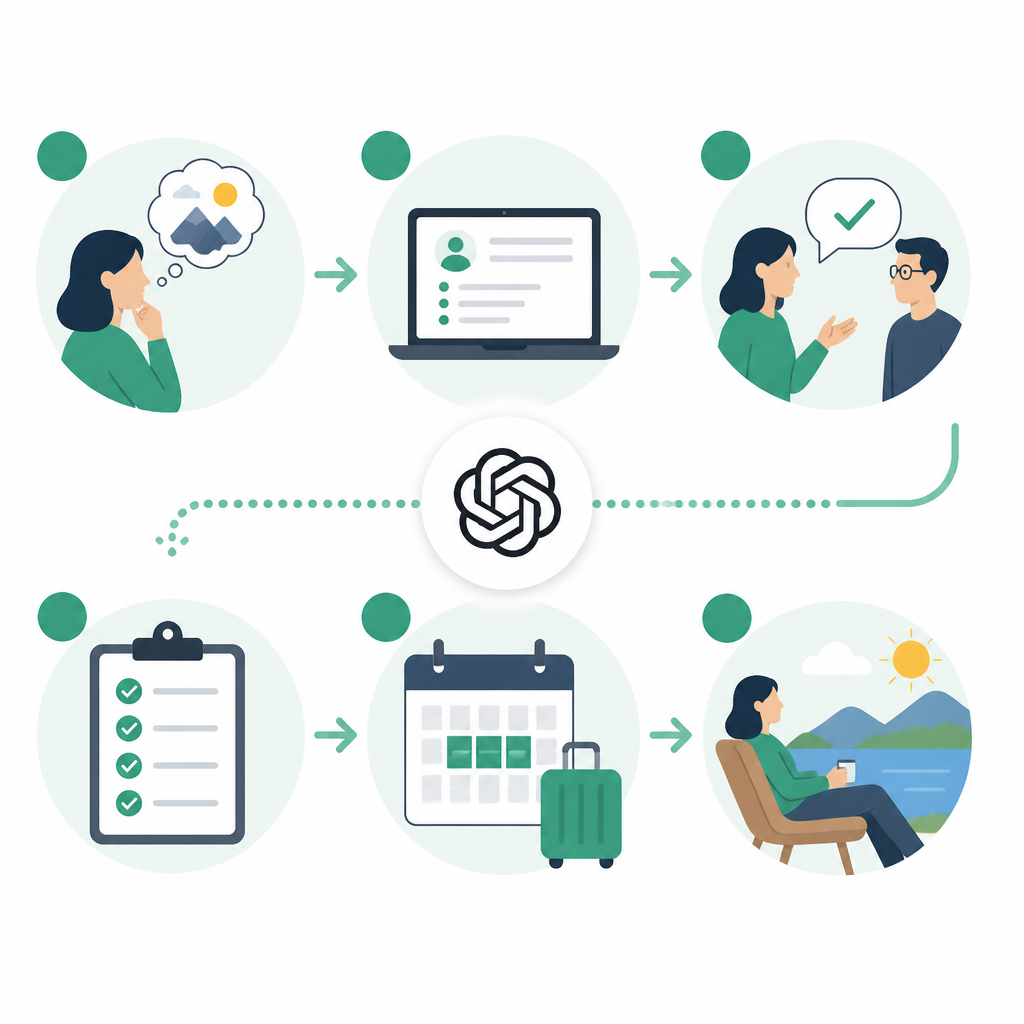
Use OpenAI's official site and hiring or research pages to find the right contact path, then prepare a short pitch that explains your research area, why it matches their work, and how long you expect to stay. Start with the OpenAI website at OpenAI and the GitHub organization at github.com/openai.
Verification: you should have one written response that names the kind of engagement OpenAI is considering, even if it is only an initial acknowledgment.
Step 3: Prepare the academic pitch packet
Your third outcome is a concise packet that makes it easy for a research team to evaluate you. Include a one-page bio, a two-page research summary, your top publications, and a paragraph on what you can contribute during the sabbatical.
Keep the packet practical. Focus on problems you can help solve, datasets or methods you know well, and the kind of collaboration you want. If you are introducing yourself through a mutual contact, ask that person to forward the packet with a short endorsement.
Subject: Sabbatical research visit inquiry

Hello,

I am a tenured professor in [field] and will be on sabbatical from [date] to [date].
I would like to explore a short-term research visit or collaboration with OpenAI.

My current work focuses on [topic]. I believe I could contribute to [specific area].
Attached are a short bio, research summary, and selected publications.

Best,
[Name]
Verification: you should have a clean packet that fits in a single email thread and can be forwarded without editing.
Step 4: Align university and employer approvals
Your fourth outcome is a conflict-free arrangement. Before you accept any role, confirm whether your university requires disclosure of outside employment, IP review, or conflict-of-interest approval. Many faculty offices require this even when the leave is unpaid.
Ask both sides to state the arrangement in writing. That should cover the sabbatical dates, whether you keep your faculty salary, whether OpenAI provides compensation, and whether you are allowed to use university resources during the leave.
Verification: you should have written approval or a written no-objection note from the university, plus a written summary from OpenAI or the host team.
Step 5: Set communication boundaries
Your fifth outcome is a public explanation that avoids confusion. If colleagues, students, or the press ask about the move, use one consistent line: this is a sabbatical or visiting arrangement unless you have confirmed otherwise.
Prepare a short FAQ for your department. Include who will handle graduate advising, whether you will still answer email, and what happens to deadlines during your leave. This protects both your academic role and the host organization.
Verification: you should have a department-ready message that can be copied into email, Slack, or a website bio without contradiction.
Common mistakes
- Assuming a sabbatical equals a job change. Fix: get the arrangement in writing and use the exact term approved by both sides.
- Skipping conflict-of-interest review. Fix: ask your department or faculty office before signing anything external.
- Leaving the public story vague. Fix: publish a short, factual note that states dates, role type, and whether teaching duties are paused.
| Metric | Before/Baseline | After/Result |
|---|---|---|
| Role clarity | Unclear public speculation | Written sabbatical or visit confirmation |
| Approval status | No university review | Faculty office or dean approval |
| Contact readiness | Ad hoc outreach | One-page pitch packet and named contact |
What's next
If you want to go deeper, build a reusable sabbatical checklist for your department, then add templates for conflict review, visitor agreements, and public announcements so future faculty can move faster and avoid confusion.
// Related Articles
- [AGENT]
Claude Code 动态工作流:AI 自写 Harness
- [AGENT]
Agent orchestration is the missing layer for enterprise AI
- [AGENT]
AI agents use blockchain as a trust layer
- [AGENT]
8 RAG patterns that turn demos into prod
- [AGENT]
Fine-tuning beats RAG when the goal is style, not facts
- [AGENT]
OpenClaw shows how small businesses use AI staff