How to Use Claude 4.8 Models in Python
This guide shows how to call Claude 4.8 models from Python with caching.

This guide shows how to call Claude 4.8 models from Python with caching.
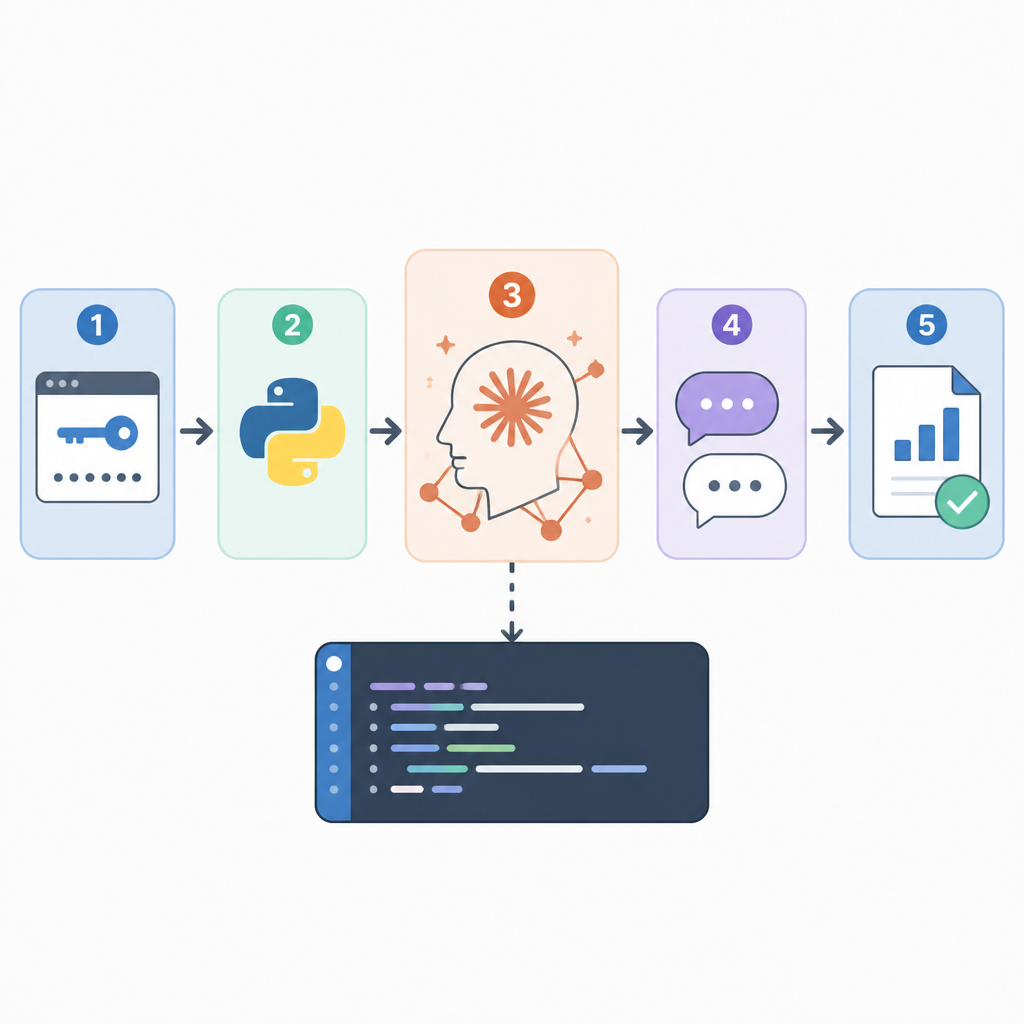
If you are a Python developer who wants to add Anthropic’s Claude 4.8 series to an app, this guide will take you from setup to a working client. By the end, you will have a script that sends prompts, receives responses, and reuses cached results for repeated requests.
This walkthrough uses the official Anthropic Python SDK and the model name shown in the source example, so you can adapt it to chat, support, or internal tools without changing the overall flow.
Before you start
Get the latest AI news in your inbox
Weekly picks of model releases, tools, and deep dives — no spam, unsubscribe anytime.
No spam. Unsubscribe at any time.
- Python 3.10+
- An Anthropic account and API key
- Access to the Anthropic API docs: docs.anthropic.com
- The Anthropic Python SDK repository: github.com/anthropics/anthropic-sdk-python
- pip 23+
- A terminal with network access
Make sure your API key is stored as an environment variable or loaded from a secret manager. Do not hardcode it in source files if the script will ever leave your laptop.

Step 1: Install the Anthropic SDK
Your first outcome is a Python environment that can import the Anthropic client and make API calls.
pip install anthropicAfter installation, verify it with a quick import test in Python. You should see no import errors, which means the SDK is ready to use.
Step 2: Export your API key
Your next outcome is authenticated access to the Claude API without embedding secrets in code.
export ANTHROPIC_API_KEY="YOUR_API_KEY"On Windows PowerShell, use $env:ANTHROPIC_API_KEY="YOUR_API_KEY" instead. You should be able to print the variable in your shell and confirm it matches the key from your Anthropic console.
Step 3: Create a minimal Claude client
Your outcome here is a small Python script that sends one prompt and prints one model response.
from anthropic import Anthropic

client = Anthropic(api_key="YOUR_API_KEY")

response = client.messages.create(
    model="claude-sonnet-4-8",
    max_tokens=1024,
    messages=[
        {"role": "user", "content": "Explain Claude 4.8 in one paragraph."}
    ]
)

print(response.content[0].text)
Run the script and confirm you receive generated text instead of an API error. You should see a paragraph returned in the terminal, which proves the model call is working end to end.
Step 4: Add a cached response layer
Your outcome now is a client that avoids repeated calls for the same prompt, which saves time and reduces unnecessary API usage.
from anthropic import Anthropic

class OptimizedClient:
    def __init__(self):
        self.client = Anthropic(api_key="YOUR_API_KEY")
        self.cache = {}

    def get_response(self, prompt: str, model: str = "claude-sonnet-4-8") -> str:
        """Return a cached response when possible."""
        if prompt in self.cache:
            return self.cache[prompt]

        response = self.client.messages.create(
            model=model,
            max_tokens=1024,
            messages=[{"role": "user", "content": prompt}]
        )
        self.cache[prompt] = response.content[0].text
        return self.cache[prompt]
Test the method twice with the same prompt. You should see the same output both times, and the second call should come from the cache rather than the API.
Step 5: Tune model and token settings
Your final outcome is a client that is easier to adapt for different workloads, from short summaries to longer analysis tasks.
Keep the model name in one place so you can switch between Claude variants without editing every call site. Adjust max_tokens to match the length of the answer you expect, and keep it lower for short responses to reduce waste.
Verify your configuration by sending a short prompt and a longer prompt. You should see concise output for the first case and a more complete answer for the second, with no code changes beyond the parameters.
| Metric | Before/Baseline | After/Result |
|---|---|---|
| Repeated prompt handling | Every request hits the API | Cached prompt returns instantly from memory |
| Code complexity | Single direct API call | Reusable wrapper with cache and model parameter |
| Prompt reuse cost | Duplicate requests consume tokens again | Duplicate requests are skipped by cache |
Common mistakes
- Hardcoding the API key in source code. Fix: load
ANTHROPIC_API_KEYfrom the environment or a secrets manager. - Using the wrong model name. Fix: confirm the exact Claude 4.8 model string in the Anthropic docs before shipping.
- Assuming cache hits for similar prompts. Fix: cache by exact prompt text, or add normalization if your use case needs fuzzy matching.
What's next
After this basic client works, add retries, structured logging, and a persistent cache such as Redis so your Claude integration can survive restarts and higher traffic.
// Related Articles
- [AGENT]
Claude Code 动态工作流:AI 自写 Harness
- [AGENT]
Agent orchestration is the missing layer for enterprise AI
- [AGENT]
AI agents use blockchain as a trust layer
- [AGENT]
8 RAG patterns that turn demos into prod
- [AGENT]
Fine-tuning beats RAG when the goal is style, not facts
- [AGENT]
OpenClaw shows how small businesses use AI staff