AWS uses S3 to speed LLM fine-tuning
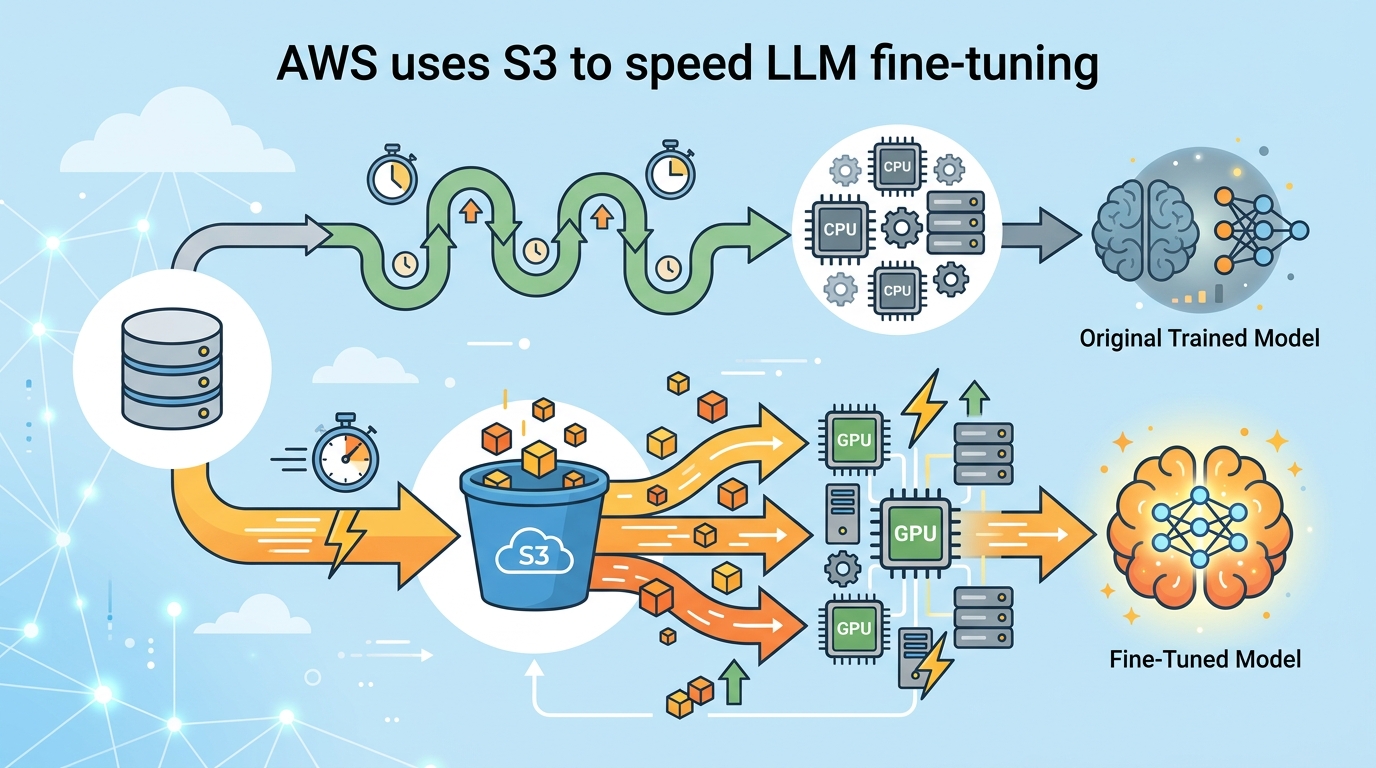
AWS shows how SageMaker Unified Studio, S3, and MLflow can fine-tune Llama 3.2 11B Vision Instruct on DocVQA data.

AWS says the base SageMaker JumpStart version of Llama 3.2 11B Vision Instruct already hits an ANLS score of 85.3% on DocVQA. That is a solid starting point, but the post shows how to push accuracy higher by fine-tuning on 1,000, 5,000, and 10,000 image-question pairs stored in Amazon S3.
The interesting part is less about the model itself and more about the plumbing. AWS is trying to make unstructured data in S3 feel like a first-class input for machine learning work inside Amazon SageMaker Unified Studio, with cataloging, access control, training, and evaluation all living in one workflow.
The setup is aimed at visual question answering, but the pattern is broader. If your data sits in S3 as PDFs, logs, images, or support transcripts, AWS wants you to treat that bucket as a source for model development instead of a cold archive.
What AWS is actually showing here
Get the latest AI news in your inbox
Weekly picks of model releases, tools, and deep dives — no spam, unsubscribe anytime.
No spam. Unsubscribe at any time.
The blog post walks through a full pipeline for fine-tuning a multimodal LLM on the DocVQA dataset. The data producer project discovers the S3 bucket, adds it to the project catalog, and publishes it with metadata. The data consumer project subscribes to that asset, preprocesses it, and then trains several model variants.

That split matters because it mirrors how a lot of teams already work. One group owns data curation and governance. Another group owns model experiments. SageMaker Unified Studio makes those handoffs explicit instead of hiding them inside ad hoc scripts and shared folders.
AWS also uses MLflow for experiment tracking, which is a smart choice. If you are comparing fine-tunes across different dataset sizes, you need more than a notebook and a hunch. You need a clean record of what changed, what it cost, and what improved.
- Base model: Llama 3.2 11B Vision Instruct
- Baseline score: 85.3% ANLS on DocVQA
- Training set sizes: 1,000, 5,000, and 10,000 images
- DocVQA training rows available: 39,500
- Training instance mentioned: ml.p4de.24xlarge
Why the S3 integration matters
The new part of this workflow is the integration between SageMaker Unified Studio and S3 general purpose buckets. Before that, teams often had to copy data into separate stores or stitch together access paths manually. Now, the raw bucket can be cataloged, published, and consumed inside the same domain.
That gives AWS a cleaner story for unstructured data. Instead of treating S3 as just object storage, the company is positioning it as the place where ML datasets begin their life cycle. The blog even calls out common sources like customer support chats, internal documents, product reviews, legal contracts, research papers, social media posts, email archives, sensor data, and financial transaction records.
The access flow is also worth noting. The consumer project uses Amazon S3 Access Grants to obtain temporary credentials, then syncs the data locally for training. That is a practical design choice because it reduces the need for long-lived, broad bucket permissions.
"The integration between Amazon SageMaker Unified Studio and Amazon S3 general purpose buckets makes it straightforward for teams to use unstructured data stored in Amazon S3 for machine learning and data analytics use cases."
That quote comes directly from the AWS post, and it captures the real pitch: fewer custom glue scripts, fewer permission headaches, and a shorter path from raw data to a training run.
There is also a cost and time angle here. AWS notes that some runs can take upwards of 4 hours on ml.p4de.24xlarge. It recommends a 6-hour idle timeout for the JupyterLab space and 100 GB of storage for the first end-to-end execution. Those are the kind of details that matter when a demo turns into an actual team workflow.
How the three model variants compare
The most useful part of the experiment is the size sweep. AWS trains three versions of the same model with 1,000, 5,000, and 10,000 images so teams can see how much extra data helps. That is a better test than a single fine-tune because it exposes the tradeoff between training cost and accuracy.
For teams building document understanding systems, that tradeoff is where the real decisions happen. If the 1,000-image version is already close to the 10,000-image version, you save a lot of compute. If the larger dataset produces a meaningful jump, then the extra training time starts to make sense.
The post does not give the final comparison table in the excerpt, but it does give enough context to understand the experiment design. The baseline model starts at 85.3% ANLS, and the evaluation metric is consistent across all runs, which makes the comparison fair.
- Dataset source: Hugging Face DocVQA
- Training split used in the notebook: first 10,000 rows
- Validation split used in the notebook: first 100 rows
- Fine-tuning goal: improve answer accuracy on document images
- Evaluation metric: Average Normalized Levenshtein Similarity
That ANLS metric is a sensible choice for visual question answering because it tolerates small string differences while still rewarding correct answers. For document tasks, that matters. A model that says “Jan 12, 2024” instead of “January 12, 2024” should not be treated the same as one that misses the date entirely.
Compared with a generic fine-tuning recipe, AWS is making two bets here. First, that the catalog-plus-subscribe model will help teams share data without losing control. Second, that the path from S3 to SageMaker to MLflow is simple enough for real projects, not just architecture diagrams.
What this means for ML teams using AWS
If you already keep raw training data in S3, this workflow lowers the friction between storage and experimentation. The data producer and data consumer split is useful for organizations that need governance, and the use of SageMaker Catalog makes the data asset easier to discover inside a project boundary.
The bigger signal is strategic. AWS is trying to make model development feel like a managed data product workflow, where access, metadata, training, and evaluation are all connected. That is a better fit for enterprise ML than the old pattern of one-off notebooks scattered across teams.
For developers, the actionable takeaway is simple: if your next fine-tuning job depends on unstructured data, start by organizing the source bucket as if it will be reused by more than one team. Add metadata, define access roles early, and track experiments from the first run. That will save time when the model moves from prototype to something people actually depend on.
My read is that AWS is betting this pattern will become the default for document-heavy AI projects. The real test is whether teams adopt SageMaker Unified Studio because it shortens setup time and makes data sharing less painful. If that happens, the next question is how far AWS can push the same workflow beyond VQA into support automation, contract review, and internal knowledge search.
// Related Articles
- [MODEL]
GPT-5.6 turns OpenAI into a model menu
- [MODEL]
Seedream 5.0 Pro Is the Right Choice for Editable AI Images
- [MODEL]
Midjourney v8.2 release is close
- [MODEL]
Rust KRAID enters Mesa for Arm Mali GPUs
- [MODEL]
OpenAI Opens GPT-5.6 and Launches Live Voice AI
- [MODEL]
Mistral is right to push Leanstral into proof engineering