Gemini Omni Video Review: Text Rendering Beats Rivals
Gemini Omni’s leaked tests show sharp text rendering and in-chat editing, but quota limits and safety filters may slow adoption.

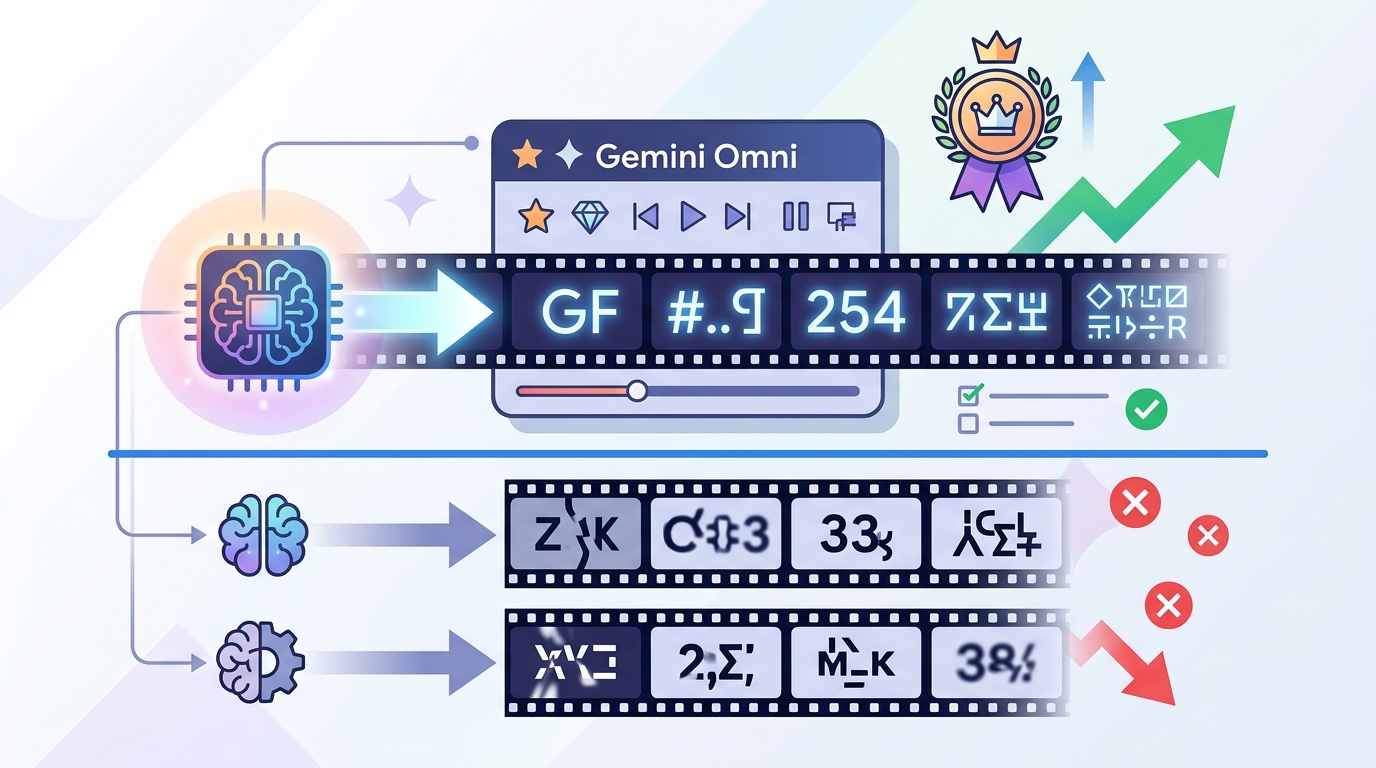
Gemini Omni is Google’s leaked video model that beats rivals at rendering text in video.
Google’s next video model surfaced inside the Gemini app days before Google I/O 2026, and the leak came with screenshots, prompts, and side-by-side tests. The big claim is simple: Gemini Omni handles on-screen text better than Seedance 2.0 and Kling 3.0, while also adding in-chat video editing that most tools still do not offer.
| Metric | Gemini Omni | Seedance 2.0 | Kling 3.0 |
|---|---|---|---|
| Text rendering | Best in test | Breaks within 3 seconds | Poor |
| Editing in chat | Yes | No | No |
| Daily quota impact | 86% for 2 videos | Standard usage | Standard usage |
| Public availability | Not yet | Available | Available |
What Gemini Omni actually is
Get the latest AI news in your inbox
Weekly picks of model releases, tools, and deep dives — no spam, unsubscribe anytime.
No spam. Unsubscribe at any time.
Gemini Omni is Google’s integrated video generation and editing model inside the Gemini app. It is built for a conversational workflow: generate a clip from text, edit an existing clip in the same thread, then remix it with templates or object swaps.

That matters because most video tools still split creation and editing into separate products. Google is trying to fold both jobs into one interface, which is the kind of product decision that makes creators pay attention fast.
The leak also suggests the model arrived before a formal announcement, which is very Google. The company has a habit of letting features slip into public view before a keynote, and this one showed up just ahead of Google I/O 2026.
- Generate video from text prompts inside chat
- Edit clips with object replacement and watermark removal
- Remix footage using template-based formats
- Use the same interface for creation and revision
Why text rendering is the real test
AI video models can make a person walk across a beach or sit at a table with decent realism. The hard part is making text stay readable across a moving sequence. Once letters, symbols, and spacing have to survive frame-to-frame motion, most models fall apart.
The clearest Gemini Omni demo showed a professor writing trigonometric identities on a chalkboard. The model kept the equation stable, including the familiar identity sin²(x) + cos²(x) = 1, while the character motion and chalk strokes stayed consistent enough to read.
“Generative video models are hitting a ceiling on temporal coherence, and text is one of the first places that ceiling shows up.” — Rowan Cheung, founder of The Rundown AI
That quote lines up with what the tests show. Gemini Omni seems to treat text as a language constraint before it becomes a visual one. Seedance 2.0, by contrast, started well and then lost the notation within a few seconds. Kling 3.0 did worse in the same comparison.
This is why the chalkboard clip matters more than it looks. If a model can keep equations stable, it is much more useful for explainers, tutorials, product walkthroughs, and any scene with signs or overlays.
Editing is the feature Google can charge for
Text rendering gets the headlines, but editing is the part that could make Gemini Omni commercially useful. The leak showed three editing modes: object replacement, watermark removal, and template-based remixing.
In one demo, a pasta dish in a seaside dining scene was replaced with Thai-style soup while the lighting and character positions stayed aligned. That is more than a basic image fix. It means the model has to understand how the new object interacts with the table, utensils, and motion across time.
Another demo removed a Sora watermark from generated footage. If that holds up in public release, Gemini Omni could become a post-processing layer for content made in other systems, which is a very practical position for Google to own.
- Object replacement can preserve scene continuity
- Watermark removal can clean up third-party output
- Templates can turn raw clips into reusable formats
- The workflow stays inside one conversation thread
That workflow is where the product feels different from pure generators. A creator can ask for a clip, change a prop, then ask for a second version without leaving the chat. That saves time in a way that matters more than flashy demo clips.
How it compares with Seedance 2.0 and Kling 3.0
The leaked tests give Gemini Omni a clear win in text-heavy scenes, but the comparison is narrower once you move into other categories. Seedance 2.0 handled eating and food motion better. Kling 3.0 lagged behind both on text and general consistency, at least in the examples shown.
Here is the practical split based on the reported tests: Gemini Omni is the better choice for educational content, signage, and any scene where words must stay readable. Seedance 2.0 is the safer pick for food, cooking, and physical interaction where object motion matters more than typography.
For general lifestyle footage, travel shots, and product clips, the gap may be small enough that price, access, and quota rules matter more than raw quality. That is where Google’s rollout details will decide whether Omni becomes a daily tool or just a demo people admire.
- Gemini Omni: best text rendering, strong editing, high safety friction
- Seedance 2.0: better food physics, weaker text stability
- Kling 3.0: weaker across the specific tests shown
- Access and quota may matter more than output quality for most users
Where Gemini Omni still falls short
The dining scene test exposed a familiar AI video weakness: food physics. Pasta appeared, vanished, then reappeared during the clip, even though the human motion and background looked convincing.
That failure is not unique to Google. Eating scenes remain one of the hardest benchmarks in video generation because they require object deformation, material change, and frame-by-frame tracking of what is on the plate. Seedance 2.0 did better here, which is why food creators should not assume Gemini Omni is the safer default.
Google’s safety layer also created friction. The leaked testers could not use the exact “Will Smith eating spaghetti” benchmark because the system blocked the direct name, forcing a workaround description. That kind of restriction may be acceptable for broad consumer use, but it will annoy creators working with parody, references, and entertainment formats.
The quota story is even more important. Two generated videos reportedly consumed 86% of a daily AI Pro allowance. If that holds at launch, most users will hit a wall quickly, especially because the same subscription also covers text, image, and code work.
What to watch at Google I/O 2026
The main question is not whether Gemini Omni looks impressive in a leak. It does. The real question is whether Google will ship it with sane quotas, looser safety rules, and a price that makes sense for creators who need more than a couple of clips a day.
If Google separates video from the general AI Pro pool, Omni could become a practical editing tool instead of a novelty. If it keeps the current quota behavior, the model may end up reserved for occasional demos, internal workflows, and high-value production jobs.
My read: watch the announcement for three things, not one. First, the public access date. Second, the quota policy. Third, whether Google keeps the editing tools inside Gemini or splits them into a separate product. Those details will tell you if Omni is built for everyday use or just for launch-week hype.
For now, Gemini Omni looks like the first Google video model that solves a real pain point instead of chasing pure realism. The next test is whether Google lets people use it enough to matter.
// Related Articles
- [MODEL]
GPT-5.6 turns OpenAI into a model menu
- [MODEL]
Seedream 5.0 Pro Is the Right Choice for Editable AI Images
- [MODEL]
Midjourney v8.2 release is close
- [MODEL]
Rust KRAID enters Mesa for Arm Mali GPUs
- [MODEL]
OpenAI Opens GPT-5.6 and Launches Live Voice AI
- [MODEL]
Mistral is right to push Leanstral into proof engineering