OpenClaw 3.24 Fixes “needs setup” Skills Install
OpenClaw 3.24 rewrites the Skills install flow with guided setup, a cleaner console, and fixes a file-access security hole. The update also improves Teams support.

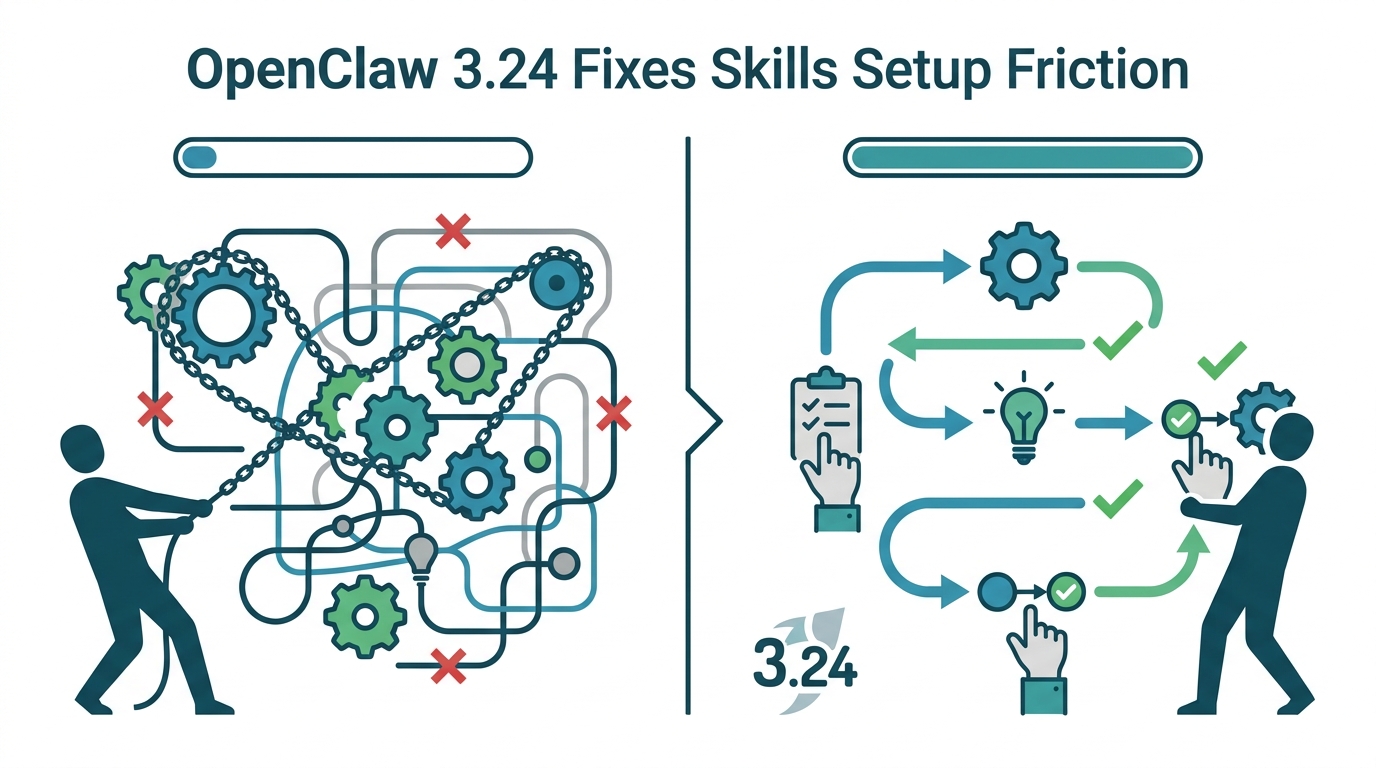
OpenClaw 3.24 is here, and the biggest change is simple: installing Skills no longer feels like detective work. The update adds guided install recipes, a redesigned console, and a security fix for a media file access bypass that could expose files through aliased paths.
The release also pushes OpenClaw closer to a more polished AI assistant experience in Microsoft Teams, while adding API compatibility that matters for developers building on top of the platform. If you have been waiting for OpenClaw to feel less like a toolkit and more like a product, this version is a meaningful step in that direction.
Skills installation finally gets guardrails
Get the latest AI news in your inbox
Weekly picks of model releases, tools, and deep dives — no spam, unsubscribe anytime.
No spam. Unsubscribe at any time.
The most user-visible change in OpenClaw 3.24 is the new Skills installation flow. Before this release, users could install a Skill only to hit a wall of missing dependencies and vague error messages. Now OpenClaw detects what is missing and guides the user through the next step instead of making them hunt through docs.

That matters because Skills are the part of the product that turns a general assistant into something useful for specific workflows. OpenClaw ships built-in Skills such as coding-agent, gh-issues, openai-whisper-api, session-logs, tmux, trello, and weather, so setup friction directly affects whether people actually use them.
- Built-in Skills now include one-click install recipes.
- The console shows status tabs: All, Ready, Needs Setup, and Disabled.
- Each Skill opens a detail dialog with setup steps, API key hints, and install actions.
- OpenClaw changed the label from “missing” to “needs setup,” which is a small UX fix with a big tone shift.
That label change is more important than it sounds. “Missing” feels like an error message. “Needs setup” tells the user what to do next. Good setup flows reduce support load, and this one looks designed to cut down on the most common failure mode: a user installs something, sees red text, and gives up.
The console redesign also matters because it changes how users judge the system. Instead of a dense row of cards, the new layout surfaces status, dependencies, and actions in a way that is easier to scan. For a product with a growing number of Skills, that is the difference between a feature list and an actual control center.
The console and sidebar got a much better layout
OpenClaw also reworked the console navigation on macOS. The old layout used horizontal capsule-style buttons, which made hierarchy hard to read. The new tree sidebar uses expandable sections and indentation, so the relationship between categories is visible at a glance.
If that sounds mundane, it is, and that is exactly why it matters. A lot of developer tools fail because the interface makes simple tasks feel heavier than they should be. OpenClaw seems to be correcting that by borrowing a familiar pattern from editors like Visual Studio Code.
The update log also mentions a redesigned file preview experience in the Agent workspace, with lazy-loaded Markdown previews and support for headings, lists, code blocks, tables, quote blocks, and details elements. That tells you OpenClaw is paying attention to the boring parts of product quality, which is usually where adoption is won or lost.
“A good interface is the one you barely notice.” — Jony Ive
That quote is old, but it fits this release. OpenClaw 3.24 is full of changes that reduce friction without trying to impress anyone. The result is a product that should feel calmer to use, especially for people who spend a lot of time switching between Skills, tools, and channel settings.
Security and channel fixes are the other big story
The security patch in this release deserves real attention. OpenClaw fixed a media file access bypass tied to alias paths like mediaUrl and fileUrl. In practice, that means attackers could potentially use the alias route to reach files they should not have been able to access.
OpenClaw says that bypass path is now disabled, and that both tool actions and message actions can no longer cross the media access boundary through it. For any product that routes messages, files, and agent actions through multiple channels, that is the sort of bug you want closed before it turns into a postmortem.
The update also repairs a long list of channel-specific issues across Discord, Telegram, WhatsApp, and Teams. Some of these fixes are small on paper, but they affect the daily experience of teams that rely on chat-based automation.
- WhatsApp group replies no longer get processed twice.
- Telegram forum routing now handles the #General topic correctly.
- Discord timeouts now send a visible timeout notice instead of going silent.
- Teams now uses the official SDK and supports message editing and deletion.
The Teams work is especially notable. OpenClaw now supports streaming replies, welcome cards with shortcut prompts, a “thinking” status indicator, and native AI tags. That combination makes the assistant feel much more native inside Teams instead of like a bot bolted on from the outside.
There is also a practical benefit in message editing and deletion. If an agent sends the wrong response, users can correct it instead of starting over. That is the kind of feature that sounds minor until the first time it saves a real workflow.
Developers get better compatibility and clearer failures
For developers, OpenClaw 3.24 adds two new endpoints to its OpenAI-compatible interface: /v1/models and /v1/embeddings. It also allows explicit model override parameters through chat and responses endpoints, which should help with client compatibility and RAG-style applications.
That is a useful move because OpenAI-compatible APIs live or die on how many clients they can plug into without special handling. If your app expects model discovery or embedding endpoints and the server does not provide them, integration work gets annoying very quickly.
OpenClaw also tightened its version checks. The latest version supports Node.js 22.14 and later, with Node 24 recommended. Before running openclaw update, the system now checks the installed version and tells users up front if they need to upgrade.
That change sounds boring, but it removes a classic failure mode: an upgrade that gets halfway through before collapsing with opaque errors. Clear preflight checks save time for both users and maintainers, and they reduce the number of issues that are really just environment mismatches.
OpenClaw also added a new --container parameter and an OPENCLAW_CONTAINER environment variable, which lets commands run inside a live Docker or Podman container. That is a practical addition for teams that want to manage the agent from inside containerized environments instead of bouncing between host and container contexts.
One other detail worth noting is the new before_dispatch hook, which carries normalized inbound metadata. For plugin authors, that means more consistent access to message context before a reply gets routed through the standard delivery path.
What this release says about OpenClaw
OpenClaw 3.24 is not trying to impress people with flashy AI demos. It is doing the less glamorous work of making setup easier, tightening security, and fixing the places where chat-based agents usually break down. That is a better sign than a giant feature splash if you care about software people can actually keep using.
The pattern here is clear: OpenClaw is treating Skills, chat channels, and developer APIs as parts of one product rather than separate projects. That makes the release feel coherent, even though the changelog touches a lot of surfaces.
My read is that the next milestone for OpenClaw will be less about adding more channels and more about making the existing ones predictable under load. If the team keeps shipping like this, the question will not be whether OpenClaw can talk to your tools. It will be whether it can stay understandable when your team depends on it every day.
For users, the takeaway is simple: if you have avoided Skills because setup felt opaque, this is the version to try. For developers, the useful question is whether the new API and container support make OpenClaw easier to fold into your stack without custom glue.
Related reading: how AI agents are being wired into enterprise workflows.
// Related Articles
- [AGENT]
Perplexity should build Teammate as a coding agent, not a copilot
- [AGENT]
HP adopts OpenAI Frontier across global operations
- [AGENT]
Build a production vector DB for RAG
- [AGENT]
Ornith-1 turns agent coding into a server
- [AGENT]
Crypto AI agents are useful, but only for narrow workflows
- [AGENT]
AI Agents in Crypto: 2026 Protocol Guide