How to Reduce AI Model Serving Friction
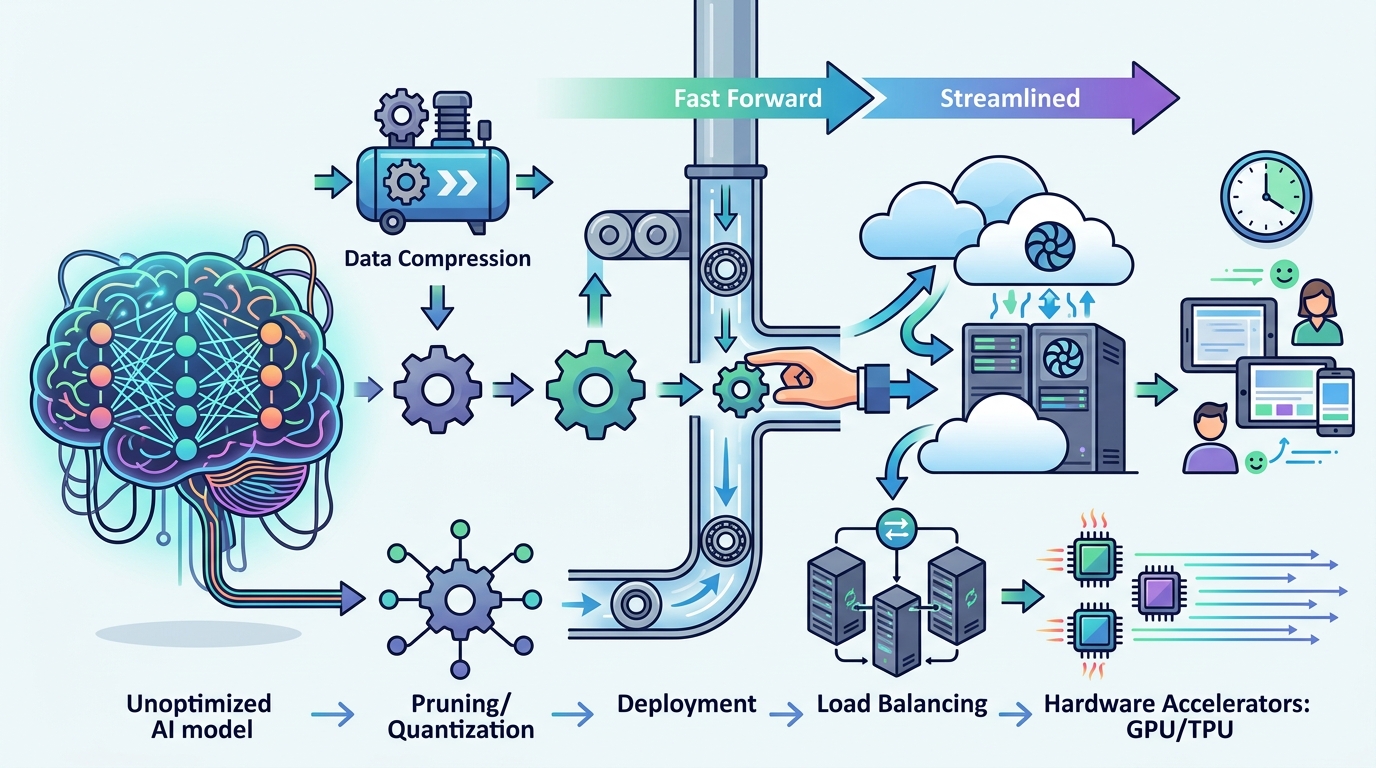
Reduce AI model serving friction by tightening exports, inputs, versions, and deployment checks.

Reduce AI model serving friction by tightening exports, inputs, versions, and deployment checks.
This guide is for ML engineers, platform teams, and backend developers who need to move a trained model from notebook to production without repeated export failures, runtime mismatches, or latency surprises.
After following the steps, you will have a reproducible serving workflow that validates model export, handles dynamic input shapes, pins compatible runtime versions, and deploys an optimized inference server with measurable checks at each stage.
Before you start
Get the latest AI news in your inbox
Weekly picks of model releases, tools, and deep dives — no spam, unsubscribe anytime.
No spam. Unsubscribe at any time.
- NVIDIA GPU with CUDA-capable drivers
- Python 3.10+
- Docker 24+
- PyTorch 2.2+
- ONNX 1.15+
- TensorRT 10+
- Access to the [TensorRT documentation](https://docs.nvidia.com/deeplearning/tensorrt/) and the [TensorRT GitHub repository](https://github.com/NVIDIA/TensorRT)
- Access to the [Dynamo-Triton documentation](https://github.com/triton-inference-server/server) and the [Triton Inference Server GitHub repository](https://github.com/triton-inference-server/server)
- Optional but helpful: NGC account for prebuilt containers
Step 1: Export a clean ONNX model
Goal: produce a production-ready graph that removes training-only behavior and exposes export issues early, before they reach the serving layer.

python export.py
  --model checkpoints/model.pt
  --output model.onnx
  --opset 17
Run the export in CI as well as locally, and simplify the graph before conversion by folding constants and removing dropout, teacher-forcing branches, or other training-only paths. If the export fails, fix unsupported ops or tensor shape assumptions in the source model rather than working around them later.
You should see a valid ONNX file and an export log with no unsupported-operation errors.
Step 2: Convert the model with TensorRT
Goal: turn the ONNX graph into a GPU-optimized engine that fuses layers and selects efficient kernels for inference.
trtexec
  --onnx=model.onnx
  --saveEngine=model.plan
  --fp16
Use TensorRT to validate whether the graph converts cleanly, then compare FP16 and FP32 builds to confirm the precision tradeoff is acceptable for your workload. If TensorRT reports unsupported layers, decide whether to rewrite the model, replace the operation, or add a plugin.
You should see a saved engine file and a build summary that lists the selected precision and layer optimizations.
Step 3: Add plugins for unsupported operations
Goal: keep the pipeline moving when TensorRT does not natively support a layer or custom operator.
// Custom TensorRT plugin skeleton
class MyPlugin : public nvinfer1::IPluginV2DynamicExt {
  // implement configurePlugin, enqueue, getOutputDimensions
};
Implement a custom C++ or CUDA plugin only for the operations that cannot be expressed in standard TensorRT layers. Before writing new code, search the TensorRT plugin ecosystem and existing samples to avoid duplicating work. Keep the plugin interface narrow so it is easy to test and version.
You should see the model build succeed with the plugin linked into the engine, and inference should return the expected tensor shapes.
Step 4: Configure dynamic input profiles
Goal: support variable batch sizes or sequence lengths without recompiling the engine for every request pattern.
trtexec
  --onnx=model.onnx
  --minShapes=input:1x3x224x224
  --optShapes=input:8x3x224x224
  --maxShapes=input:32x3x224x224
Define optimization profiles that match real traffic, not just the largest possible tensor. If your workload has distinct modes, such as small interactive requests and large batch jobs, create multiple profiles so the server can choose the best one. This usually reduces padding waste and avoids expensive engine rebuilds.
You should see one engine handle multiple input sizes, and benchmark runs should no longer trigger recompilation when request dimensions change.
Step 5: Pin runtime versions and deploy Triton
Goal: remove version drift by shipping the model inside a consistent inference environment.
docker run --gpus all --rm -p 8000:8000 -p 8001:8001 -p 8002:8002
  -v $PWD/model_repository:/models
  nvcr.io/nvidia/tritonserver:latest-trtllm-python-py3
Use a prebuilt container or a locked image tag so CUDA, TensorRT, and the server runtime stay aligned. In the model repository, define the model version, backend, and config explicitly. If you need dynamic batching, concurrent versions, or multi-GPU scaling, Triton gives you those controls in one place.
You should see Triton start cleanly and expose the health and inference endpoints without library mismatch warnings.
Step 6: Profile throughput and latency
Goal: confirm the deployment meets production targets and identify the next bottleneck before rollout.
trtexec
  --loadEngine=model.plan
  --warmUp=200
  --duration=60
  --streams=4
Profile the engine with trtexec, Nsight Systems, or Model Analyzer to check batch size, concurrency, and instance count. Tune one variable at a time so you can tell whether a change improves throughput, hurts latency, or simply shifts work between CPU and GPU. Record the baseline and the tuned result in your deployment notes.
You should see stable latency numbers, higher GPU utilization, and a clear before-and-after comparison for your serving configuration.
| Metric | Before/Baseline | After/Result |
|---|---|---|
| Model export reliability | Frequent ONNX conversion failures | Validated export in CI with fewer surprises |
| Input handling | Recompilation on shape changes | Dynamic optimization profiles reuse one engine |
| Runtime consistency | Version mismatch risk across environments | Pinned container and dependency set |
| Serving efficiency | Untuned batch and concurrency settings | Profiled Triton deployment with measured throughput |
Common mistakes
- Skipping export validation until release day. Fix: run ONNX export and TensorRT build checks in CI for every model change.
- Using one oversized dynamic profile for everything. Fix: define profiles that match real traffic bands, such as interactive and batch workloads.
- Mixing library versions across local, staging, and production. Fix: ship a locked container image and pin exact framework and runtime versions.
What's next
Once the pipeline is stable, go deeper on custom backends, multi-model routing, and automated tuning with Model Analyzer so you can standardize serving across teams and workloads.
// Related Articles
- [IND]
WebX 2026 turns speaker hype into a conference brief
- [IND]
AI Weekly: 2026-07-06 ~ 2026-07-13
- [IND]
The AI Act should be treated as Europe’s operating system for AI
- [IND]
Booz Allen’s OpenAI Deal Is Real Advantage, Not Hype
- [IND]
OpenSearch’s vector search benchmark in 5 parts
- [IND]
Vector Databases That Work in Production