What Agentic Workflows Actually Do in Enterprise AI
Agentic workflows let AI agents plan, act, and adapt with little human input, changing how teams handle support, ops, and data work.
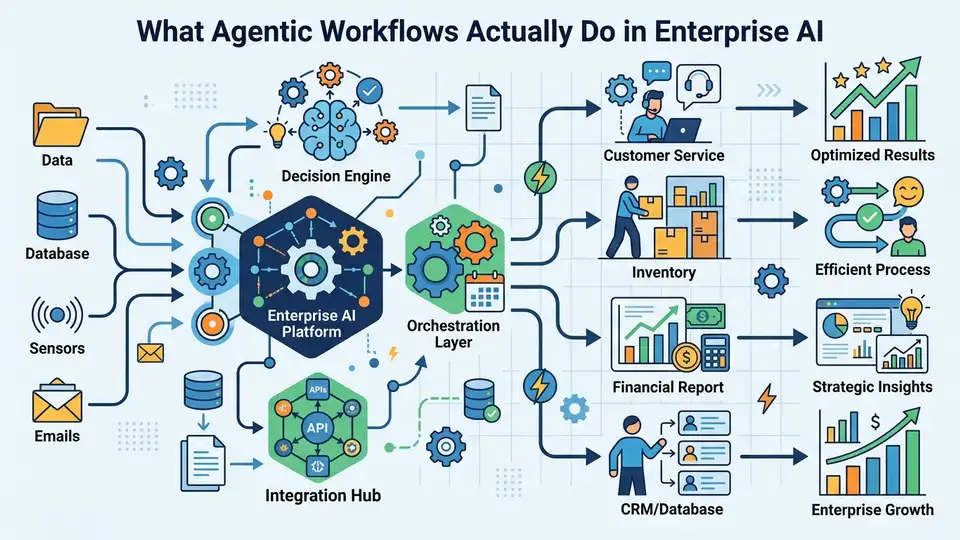
IBM says agentic workflows are AI-driven processes where autonomous agents make decisions, take actions, and coordinate tasks with minimal human intervention. That sounds abstract until you compare it with a rule-based chatbot: one follows a script, the other can diagnose, retry, and switch tools when the first plan fails.
The reason this matters now is simple. As agentic AI moves from demos into production, teams want systems that can handle messy, multi-step work without turning every exception into a ticket for a human.
That shift is already visible in support, operations, finance, and software delivery. The real question is no longer whether AI can answer questions. It is whether AI can keep working when the first answer is wrong.
What makes a workflow agentic
Get the latest AI news in your inbox
Weekly picks of model releases, tools, and deep dives — no spam, unsubscribe anytime.
No spam. Unsubscribe at any time.
An agentic workflow is built around an AI agent that can break a task into steps, choose tools, inspect results, and change course. IBM’s framing is useful because it draws a hard line between classic automation and agentic systems: one is predefined, the other is adaptive.
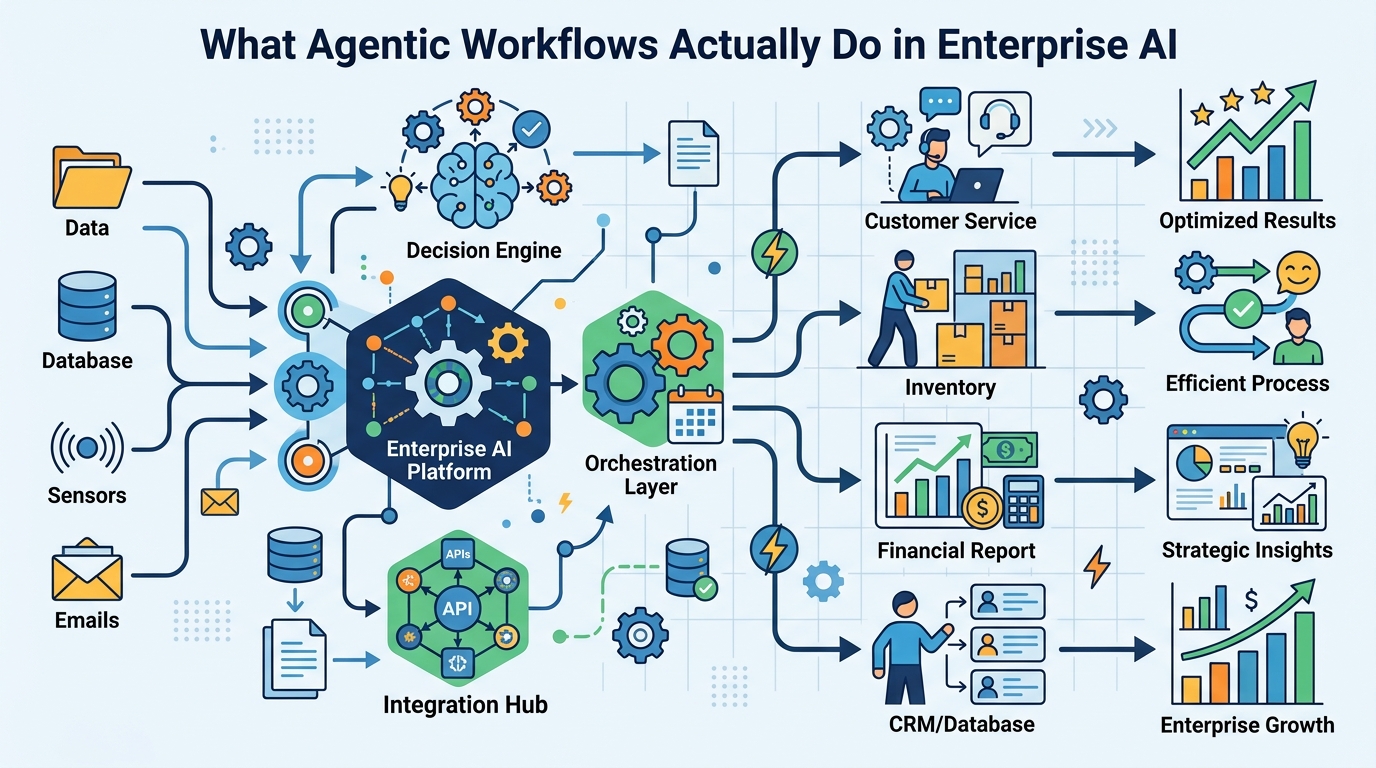
Think about an IT helpdesk case. A traditional automation flow might ask a few questions, match a known issue, and escalate if the issue falls outside the script. An agentic workflow can ask follow-up questions, test hypotheses, check logs, call an internal API, and then decide whether to retry or escalate with context.
That difference matters because most enterprise work is full of exceptions. Password resets are easy. Network drops, billing disputes, procurement mismatches, and customer escalations are where the script starts to fray.
- Agentic workflows use reasoning to decide what to do next.
- They use planning to break a job into smaller steps.
- They use tool calling to reach outside the model’s training data.
- They use feedback to correct course when the first attempt fails.
IBM’s article also ties agentic workflows to LLMs, tools, and integrations. That is the real stack: the model thinks, the tools act, and the workflow glues both into something that can complete work across systems.
If you want a related primer on the agent stack, OraCore’s guide on what AI agents are is a useful companion read.
Why agentic workflows are different from RPA
Robotic process automation, or RPA, is still great for repetitive work with fixed rules. If the input changes too much, though, RPA breaks in familiar ways: a field moves, a label changes, a page loads differently, and the bot gets stuck.
Agentic workflows are built for that messier reality. Instead of following one fixed path, they can evaluate the situation, pick a different route, and keep going. That makes them better suited for tasks where the next step depends on what just happened.
“The role of AI is not to replace humans, but to augment human capabilities.” — Sundar Pichai, Google I/O 2017 keynote
Pichai’s quote fits agentic workflows well because the point is not to remove people from every process. The point is to move people out of repetitive decision loops and into oversight, exception handling, and higher-value judgment calls.
In practice, that means a support agent can summarize logs before escalation, a finance workflow can flag missing fields before approval, and a procurement bot can compare vendor records before asking a manager to sign off.
The biggest gain is speed with context. A human can still make the final call, but they no longer need to reconstruct the whole story from scratch.
The core pieces that make them work
IBM breaks agentic workflows into several components, and the list is more practical than buzzwordy. You need a model, tools, memory, planning, and some form of feedback. Without those pieces, you have a chatbot, not an agentic system.
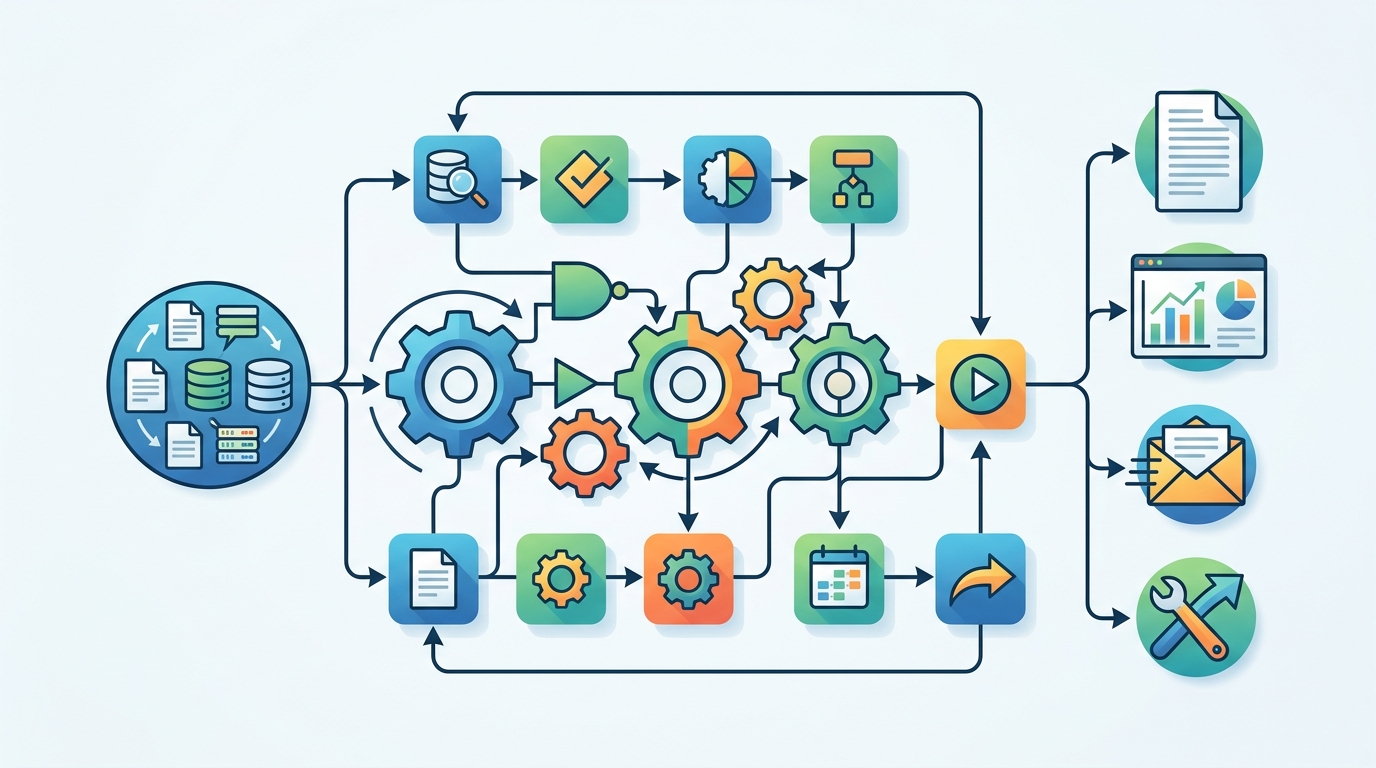
Large language models do the language work, but they are limited by what they know at inference time. Tools fill that gap by letting the workflow query databases, search the web, call APIs, or run scripts. Memory helps the system keep track of state across steps. Planning decides what comes next.
Feedback matters because no model is perfect on the first pass. Human-in-the-loop review can catch mistakes in high-stakes settings, while multi-agent setups can let one agent critique another.
- IBM watsonx supports enterprise AI building blocks and agent workflows.
- LangChain is widely used for chaining tools and model calls.
- LangGraph helps build stateful agent flows with loops and branching.
- crewAI focuses on multi-agent collaboration.
- BeeAI is IBM’s open source agent framework.
Those tools are not interchangeable, and that is the point. A customer support agent, a coding agent, and a procurement agent need different permissions, different memory rules, and different ways to fail safely.
That is also why governance shows up so early in serious deployments. If an agent can act, then permissions, audit logs, and evaluation are part of the product, not an afterthought.
Where agentic workflows are already useful
IBM points to use cases across automation, customer service, finance, healthcare, human resources, marketing, procurement, revops, sales, and supply chain. That spread is a good signal: agentic workflows are useful wherever the work is repetitive but not fully predictable.
In customer service, an agent can triage a case, gather account history, and draft a response before a human steps in. In finance, it can check for missing documentation and compare invoice details. In supply chain work, it can monitor exceptions, summarize delays, and recommend next actions.
For software teams, the same pattern shows up in agentic coding and agentic engineering. The agent can inspect code, run tests, compare outputs, and revise its approach after a failure. That is a very different shape of automation from a macro or a script.
- In support, agentic workflows reduce back-and-forth by collecting context early.
- In finance, they can flag anomalies before approval.
- In HR, they can sort requests and draft responses for routine cases.
- In operations, they can monitor systems and react to exceptions faster than manual review.
Andrew Ng has described an example where an AI system switched from one failed web search tool to a Wikipedia search tool and kept going. That kind of fallback behavior is the real value here: the workflow survives a dependency failure instead of collapsing.
IBM’s agentic AI material also makes another point that matters to builders: these systems can generate better training data when they produce higher-quality interactions and decisions. That makes workflow design part of model improvement, not just deployment.
What to watch before you deploy one
Agentic workflows look impressive in demos, but production use is where the trade-offs show up. Every tool call expands the surface area for errors, permission issues, and bad data. Every autonomous step needs logging, evaluation, and a clear fallback path.
If you are evaluating one for your team, start with tasks that have clear inputs, measurable outputs, and a safe way to escalate. Do not begin with systems that can cause financial loss, compliance trouble, or customer harm if they drift.
The most practical deployments will probably be the boring ones: support triage, internal IT help, document routing, invoice checks, and status updates. Those jobs are repetitive enough to automate, but messy enough to benefit from agent behavior.
The smarter prediction is this: the first organizations to get real value from agentic workflows will not be the ones chasing full autonomy. They will be the ones that define tight permissions, strong observability, and narrow tasks where the agent can prove it saves time without creating new risk.
So the question for teams is simple. Which workflow in your company fails because it is too dynamic for RPA, yet too repetitive for a human to handle end to end? That is the place to start.
// Related Articles
- [IND]
WebX 2026 turns speaker hype into a conference brief
- [IND]
AI Weekly: 2026-07-06 ~ 2026-07-13
- [IND]
The AI Act should be treated as Europe’s operating system for AI
- [IND]
Booz Allen’s OpenAI Deal Is Real Advantage, Not Hype
- [IND]
OpenSearch’s vector search benchmark in 5 parts
- [IND]
Vector Databases That Work in Production