How to Evaluate Kimi K2.6 for Coding
Evaluate Kimi K2.6 for coding, agentic workflows, and cost before switching your stack.

Evaluate Kimi K2.6 for coding, agentic workflows, and cost before switching your stack.
This guide is for developers, platform engineers, and AI product teams who want to test Kimi K2.6 against their own coding workloads. After you follow the steps, you will have a working API setup, a benchmark plan, a cost check, and a clear go or no-go decision for production use.
The guide uses the public model docs from Hugging Face and Moonshot's API docs at platform.moonshot.ai/docs, plus the model repo and SDK-compatible endpoints referenced in the release notes.
Before you start
Get the latest AI news in your inbox
Weekly picks of model releases, tools, and deep dives — no spam, unsubscribe anytime.
No spam. Unsubscribe at any time.
- An account on Moonshot AI or OpenRouter
- An API key for Kimi K2.6
- Node.js 20+ or Python 3.11+
- Access to a codebase you can safely test on
- Git 2.40+ installed locally
- Budget data for your current model, such as Claude, GPT, or Gemini usage
Step 1: Create a Kimi API connection
Your goal is to make Kimi K2.6 reachable from your app or local test harness with one provider change, so you can compare it fairly against your current model.

export MOONSHOT_API_KEY="your-key-here

auth"
export OPENAI_BASE_URL="https://api.moonshot.ai/v1"
If you use the OpenAI SDK, point the base URL at Moonshot and keep your existing client shape. If you use OpenRouter, swap in its endpoint and model name instead. Verification: you should be able to send a simple prompt and receive a response from Kimi K2.6 without changing your app logic.
Step 2: Run a coding task on your own repo
Your goal is to measure how Kimi handles a real engineering task, not a toy prompt. Pick one issue that matters in your stack, such as a failing test, a small refactor, a component migration, or a dependency upgrade.
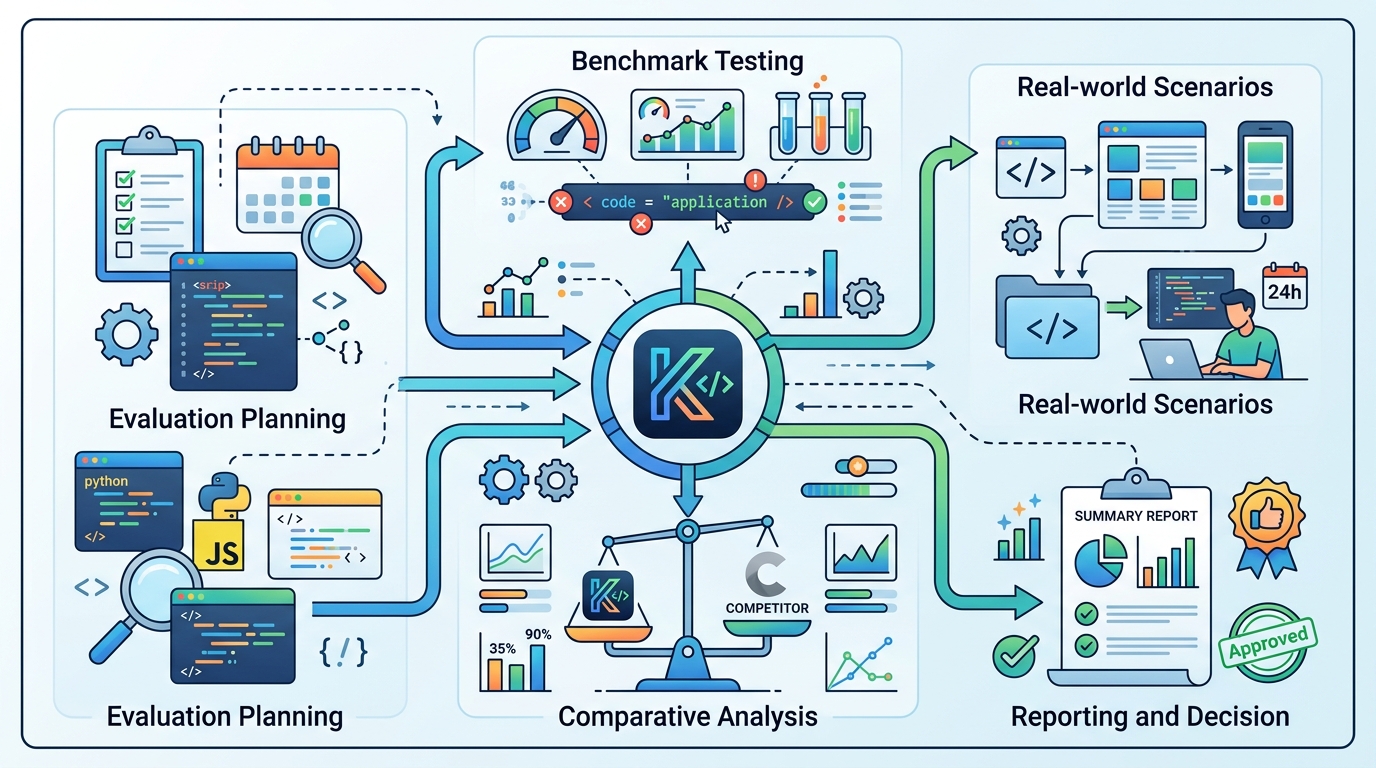
Ask Kimi to produce a patch, explain the change, and list the files it touched. Keep the task bounded so you can compare output quality, edit distance, and review time across models. Verification: you should see a valid diff, a short rationale, and at least one concrete file-level change you can inspect.
Step 3: Test agentic depth with a multi-step workflow
Your goal is to see whether Kimi K2.6 can handle the kind of long-horizon work it is known for, especially multi-file coordination and tool use. Use a workflow that forces planning, search, editing, and validation in sequence.
For example, ask the model to locate a bug, inspect related files, update tests, run through failure cases, and summarize what remains risky. If your stack supports tools, let the model call them; if not, simulate the loop by feeding back command output. Verification: you should see the model stay on task across several steps instead of collapsing into a single answer.
Step 4: Compare cost and output volume
Your goal is to find the real token cost of your workload, not just the advertised price. Kimi K2.6 is inexpensive on input, but thinking-mode runs can generate a lot of output, which changes the economics fast.
Track input tokens, output tokens, total wall time, and the number of retries for the same task on Kimi and your current model. If you are evaluating production use, repeat the test at least three times. Verification: you should see whether Kimi's lower per-token price survives your actual usage pattern.
| Metric | Before/Baseline | After/Result |
|---|---|---|
| SWE-Bench Pro | GPT-5.4: 57.7% | Kimi K2.6: 58.6% |
| Overall intelligence index | GPT-5.5: 60 | Kimi K2.6: 54 |
| Agent scale | K2.5: 100 sub-agents, 1,500 steps | K2.6: 300 sub-agents, 4,000 steps |
| API input price | Claude Opus 4.7: about 8.3x higher | K2.6: $0.60 per 1M input tokens |
Step 5: Decide where Kimi belongs in your stack
Your goal is to turn test results into a deployment decision. Kimi K2.6 is strongest for coding, refactors, agentic workflows, and other tasks where long tool loops matter more than broad multimodal strength.
If it beats your current model on your own repo and stays within budget, use it for those narrow workloads first. If it loses on reasoning, vision, or reliability, keep it as a specialist rather than a default model. Verification: you should have a written rollout decision with a clear workload boundary.
- Using a toy prompt instead of a real repo. Fix: test on production-shaped code and a real bug or refactor.
- Ignoring output tokens. Fix: measure both input and output usage, especially in thinking mode.
- Assuming benchmark wins mean universal wins. Fix: compare Kimi only on the workflows you actually ship.
What's next is a deeper production trial: wire Kimi K2.6 into a staging agent, compare it with your current coding model on one week of real tickets, and document where its agentic strengths outweigh its weaker multimodal and general reasoning performance.
// Related Articles
- [AGENT]
Perplexity should build Teammate as a coding agent, not a copilot
- [AGENT]
HP adopts OpenAI Frontier across global operations
- [AGENT]
Build a production vector DB for RAG
- [AGENT]
Ornith-1 turns agent coding into a server
- [AGENT]
Crypto AI agents are useful, but only for narrow workflows
- [AGENT]
AI Agents in Crypto: 2026 Protocol Guide