dbt sl turns Semantic Layer setup into a loop
dbt sl gives you a tight loop for parsing, querying, and checking Semantic Layer work locally.

dbt sl gives you a tight loop for parsing, querying, and checking Semantic Layer work locally.
I've been using dbt projects long enough to know when a workflow is actually helping and when it is just wearing a nicer jacket. The Semantic Layer setup docs had that familiar smell: a clean promise, a few tidy commands, and then the usual gap between “this looks simple” and “I can actually trust it while I’m building.” What kept bugging me was the development loop. I did not want another setup guide that ends with “now query your metrics” like that sentence solves the hard part. The hard part is making sure the model, the semantic manifest, and the query behavior all line up before I ship a broken metric to everyone who thinks monthly revenue is a sacred number.
The part that finally clicked for me in dbt’s guide is that it is not really teaching “how to enable a feature.” It is teaching a workflow. You parse, you inspect, you query, you list dimensions, then you repeat until the semantic model stops lying to you. That is the actual value here. And once I stopped treating the docs like a setup checklist and started treating them like a local verification loop, the whole thing felt a lot less ceremonial. The docs I’m breaking down here are from dbt Developer Hub, and they point at the CLI-first path, with Studio IDE as the lighter alternative.
dbt wants you in the CLI first, not in a clicky interface
Get the latest AI news in your inbox
Weekly picks of model releases, tools, and deep dives — no spam, unsubscribe anytime.
No spam. Unsubscribe at any time.
There are two options for developing a dbt project, including the Semantic Layer: dbt CLI — MetricFlow commands are embedded in the dbt CLI under the dbt sl subcommand. This is the easiest, most full-featured way to develop Semantic Layer code for the time being. Studio IDE — You can create semantic models and metrics in the Studio IDE.
What this actually means is that dbt is telling you where the serious work happens: the terminal. The Semantic Layer is not being framed as something you mostly author in a browser and then hope behaves in production. It is saying, pretty plainly, that the CLI path is the one with the most muscle right now. Studio IDE exists, sure, but if I’m trying to build and validate semantic code without surprises, I’m reaching for the CLI.

I ran into this exact split when I was trying to keep metric definitions close to the rest of the project. A browser editor felt convenient for about ten minutes, then I wanted to run commands, inspect outputs, and compare results without bouncing between tabs like a distracted raccoon. The CLI gave me one place to work. That matters more than people admit.
How to apply it: if you are starting a Semantic Layer project, decide up front that your default loop is local and terminal-driven. Use an editor you already trust, keep your dbt project in version control, and treat the IDE as optional comfort, not the center of gravity. If you want the official docs for the command surface, keep the dbt sl command reference open in another tab.
- Use the CLI for daily work.
- Use Studio IDE only if it speeds up a specific task.
- Keep the command reference handy so you are not guessing subcommands.
dbt parse is the boring command that saves you from dumb mistakes
The docs call out dbt parse as a less common command that becomes useful with the Semantic Layer. That is exactly the kind of line I wish more docs would say out loud: this is not your flashy daily command, but it is the one that keeps you from building on broken assumptions.
Here is the source idea in plain form: parsing your project generates a semantic manifest, and that manifest is what dbt uploads and uses to run dbt sl commands during development. In other words, parsing is not just syntax checking. It is dbt turning your project into a stateful representation of meaning, so MetricFlow can reason about the world you described.
I have had enough “looks fine in YAML” moments to respect that distinction. A metric definition can be perfectly formatted and still be semantically wrong. Maybe the joins do not support the dimensions you expect. Maybe the time grain is off. Maybe the model compiles but the query shape is nonsense. Parsing gives you the first honest checkpoint before you waste time debugging a query that was doomed from the start.
How to apply it: make dbt parse part of your edit-test loop any time you change semantic models or metrics. Do not wait until the end of a work session. Parse early, parse often, and treat a clean parse as “the project is structurally believable,” not “the metric is correct.” That second part still needs query validation.
If you want a mental model for why this matters, think of the semantic manifest as the intermediate contract between your YAML and your query engine. The docs describe it as a representation of meaningful connections described by your project. That is the useful phrase. The manifest is where dbt stops being a file parser and starts being a semantic system.
dbt sl query is the fastest way to catch a metric that sounds right and isn’t
The docs say dbt sl query is your other best friend, and I agree with the phrasing more than I usually agree with docs. It executes a query against the semantic layer and returns a sample of results. That is the whole point. You are not waiting for a dashboard to reveal a bad metric three meetings later. You are checking the result right where the metric is defined.
dbt sl query will execute a query against your semantic layer and return a sample of the results. For example, if you're building a revenue model you can run dbt sl query --metrics revenue --group-by metric_time__month to validate that monthly revenue is calculating correctly.
What this actually means is that semantic development should feel like test-driven debugging, except the tests are queries. If I am building revenue, I want to see month-level output immediately. If the numbers look weird, I do not want to speculate in the abstract. I want to know whether the issue is the metric definition, the time grain, the grouping, or the upstream model.
I ran into this while checking a metric that looked fine at the aggregate level but went sideways once I grouped by time. That is the kind of bug that makes you question your own brain for an hour. The docs’ example with --group-by metric_time__month is exactly the right instinct: test the shape you actually expect consumers to use, not just the easiest version of the query.
How to apply it: every time you define or edit a metric, run a query against the exact grouping you care about. If your business users care about months, test months. If they care about dimensions, include them. Keep the result small enough to inspect by eye. The goal is not “query succeeded.” The goal is “I trust this number.”
- Query the metric at the grain your users will read.
- Use sample results to spot obvious drift early.
- Repeat after every semantic change, not just after model changes.
And yes, this is where dbt’s sl query command docs earn their keep. The command is simple, but the workflow implication is huge: semantic work should be interrogated immediately, not admired from afar.
Listing dimensions is how I stop pretending a metric is more flexible than it is
The docs’ other practical tip is dbt sl list dimensions --metrics [metric name]. On paper, that sounds like a small convenience command. In practice, it is how you avoid overpromising dimensionality you have not actually built.
What this actually means is that you can ask the Semantic Layer what dimensions are available for a metric instead of guessing. That matters because dimensionality is where teams accidentally get sloppy. Someone says, “Can we break revenue down by region, channel, and customer segment?” and the answer is often a confident yes followed by a quietly broken implementation. Listing dimensions is the antidote to that confidence theater.
I like this command because it forces a reality check. It tells you what the metric can genuinely support at the current stage of the project. If you are still adding dimensions, the command becomes a progress marker. If a dimension is missing, you know whether you forgot to model it or whether the underlying data simply does not support it.
How to apply it: use dimension listing as part of your review checklist. Before you tell anyone a metric is “ready,” inspect the available dimensions and compare them to the actual business questions you expect to answer. If there is a mismatch, fix the model or narrow the promise. I would rather say “not yet” than ship a metric that looks flexible and collapses the moment somebody slices it one way too many.
The docs also point out that you can list other aspects of the Semantic Layer and that dbt sl list --help will show the full options. That is worth doing. I have learned that command families usually hide the useful stuff one rung deeper than the obvious example.
The semantic manifest is the thing you are really building, even if you never touch it directly
dbt’s docs say the semantic manifest is uploaded to dbt and used for running dbt sl commands in development. That sentence matters because it explains the hidden center of the workflow. You are not just editing models and metrics. You are producing an artifact that the system can reason over consistently.
What this actually means is that the manifest is the bridge between human-friendly definitions and machine-executable behavior. If the manifest is stale, the rest of your development loop becomes fake confidence. You think you are testing the latest semantic logic, but the engine is working from an older snapshot of your project.
I have been burned by stale artifacts in enough tools to know the pattern. Anything that separates “what I just edited” from “what the runtime sees” deserves respect. dbt at least makes that separation visible. The docs say the manifest gives MetricFlow a state of the world from which to generate queries. That is the phrase I would underline if I were teaching someone this for the first time.
How to apply it: treat parsing and manifest generation as part of the same mental step. When you change metrics or semantic models, assume you need to refresh the project state before you trust any query output. If you are debugging strange results, do not start by rewriting the metric. Start by checking whether the project state is current.
For the underlying engine, dbt points you toward MetricFlow. That is the right place to understand why query generation behaves the way it does, especially if you are trying to reason about joins, dimensions, and time grains instead of just copying examples until something works.
Jaffle Shop is the training wheel, and that is fine
The docs say the rest of the guide uses example code based on the Jaffle Shop project, a fictional chain of restaurants. That sounds cute until you realize it is doing real instructional work. Fictional domain examples keep the semantic layer focused on structure instead of business trivia. I am fine with that. I do not need another tutorial buried under real company edge cases before I understand the basics.
What this actually means is that the example metrics, like food_revenue, are there to help you practice the workflow, not to mirror your own stack. That is useful because it lets you separate “how the Semantic Layer behaves” from “how my company names things.” Those are not the same problem, and mixing them is how tutorials become unreadable.
I have used toy datasets for this exact reason. When I am learning a new modeling pattern, I want the simplest possible domain that still has enough shape to expose mistakes. Restaurants, orders, revenue, time, and dimensions are enough. I do not need a custom industry taxonomy to understand whether the metric is grouping correctly.
How to apply it: when you are learning the Semantic Layer, start with the smallest believable example you can tolerate. Build one metric. Query it. List its dimensions. Then map that pattern onto your real project. If you try to learn the whole thing inside a giant production model, you will spend all your energy untangling business context instead of understanding the tool.
- Use toy data to learn the command flow.
- Move to your real project once the loop is clear.
- Keep example naming simple so you can spot behavior, not branding.
The template you can copy
# Semantic Layer development loop for dbt CLI

## 1) Parse the project

dbt parse

## 2) Inspect a metric with a real query

dbt sl query --metrics revenue --group-by metric_time__month

## 3) Check what dimensions are available

dbt sl list dimensions --metrics revenue

## 4) Repeat after each semantic change

- Edit semantic models or metrics
- Run `dbt parse`
- Run `dbt sl query` against the exact grain you care about
- Run `dbt sl list dimensions --metrics [metric name]`
- Fix the model if the output does not match the business question

## 5) Keep the official references open

- dbt Semantic Layer setup: https://docs.getdbt.com/best-practices/how-we-build-our-metrics/semantic-layer-2-setup
- dbt sl commands: https://docs.getdbt.com/reference/commands/sl
- dbt sl query: https://docs.getdbt.com/reference/commands/sl-query
- MetricFlow reference: https://docs.getdbt.com/reference/metricflow
- Jaffle Shop repo: https://github.com/dbt-labs/jaffle-shop
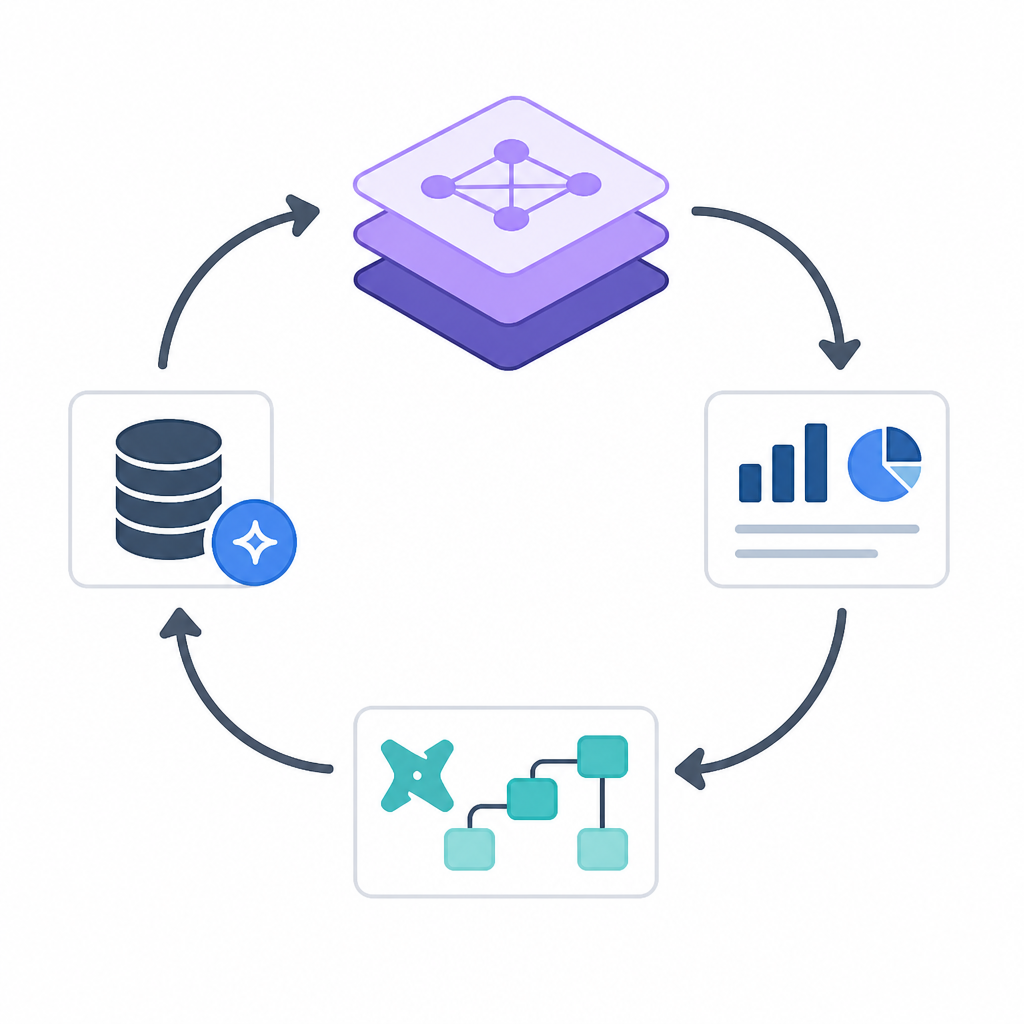
The useful part of this template is not the exact commands. It is the loop. Parse first, query next, inspect dimensions after that, then repeat until the metric behaves the way you need it to behave. That is the workflow dbt is nudging you toward, and it is the part I would actually copy into my own notes.
Source attribution: I based this breakdown on the dbt Developer Hub page Set up the dbt Semantic Layer. The command examples and workflow framing are drawn from that page; the commentary, structure, and template are my own interpretation.
// Related Articles
- [TOOLS]
Aliyun Bailian Token Plan turns credits into agents
- [TOOLS]
One API gateway turns six AI APIs into one
- [TOOLS]
OpenAI FDEs turn broken agents into shipped systems
- [TOOLS]
Anthropic’s daily brief turns news into a workflow
- [TOOLS]
Claude Reflect turns usage into retention
- [TOOLS]
Midjourney turns prompt ideas into art