Gemini Live on Pixel lets you talk, not type
A practical breakdown of Gemini Live on Pixel, plus a copy-ready setup for using voice-first AI without typing.

This breaks down Gemini Live on Pixel into a voice-first workflow you can copy.
I've been using voice assistants long enough to know when a demo is trying too hard. They answer fast, sure. They sound polished, fine. But the second I ask for anything slightly messy, they start nodding along like a yes-man intern who doesn't want to get fired. That's what always bothered me about voice AI on phones: it was good at being agreeable and bad at being useful.
So when Google started pushing Gemini Live on Pixel, I paid attention for a different reason. Not because it was flashy. Because it looked like Google was finally trying to make the phone feel less like a keyboard with a screen and more like a thing I can actually talk through a problem with. No typing. No prompt gymnastics. Just a back-and-forth conversation that is supposed to keep up.
That sounds simple, but in practice the details matter. If the model can't handle interruptions, context changes, or the usual half-baked way real people ask questions, it's just another demo with a nicer voice. The point of this update is not that Gemini can speak. It's that it can stay in the conversation while you move around, change your mind, and ask follow-ups like a normal person.
And that's the part I wanted to unpack here, because the store page gives you the marketing version. I want the developer version: what the feature is actually doing, where it fits into a Pixel workflow, and how I'd set it up so it stops feeling like a toy.
Google's source for this is the Latest Updates for Gemini Live on Pixel page on the Google Store. It sits inside Google's broader Pixel and Gemini messaging, alongside Gemini updates, Gemini help, and Pixel features that already use AI on-device or in Google services. The page itself is light on hard specs, so I'm treating this as a product workflow breakdown rather than a feature-by-feature changelog.
Stop thinking of Gemini Live as a chatbot
Get the latest AI news in your inbox
Weekly picks of model releases, tools, and deep dives — no spam, unsubscribe anytime.
No spam. Unsubscribe at any time.
Latest Updates for Gemini Live on Pixel
What this actually means is that Google wants Gemini Live to behave like a live conversation layer on Pixel, not a chat window you poke with text. The whole point is that you can speak naturally and keep the exchange going without switching into the old request-response rhythm.

I like that framing because it matches how I actually use my phone when I'm stuck. I don't open a notes app, draft a perfect prompt, and then paste it into an assistant. I mutter while walking, I interrupt myself, I ask a follow-up before the first answer finishes. A normal assistant should tolerate that mess. If it can't, it's not really helping me, it's just making me work around it.
Google's Pixel story has been heading this direction for a while. The company already uses AI across the device, from camera features to call helpers like Hold for Me and Call Screen. Gemini Live feels like the same philosophy applied to conversation. Less form filling, more back-and-forth.
How I'd apply it: I would stop trying to ask Gemini Live for one giant answer. I'd use it like a live thinking partner. Ask one thing, interrupt it, refine the request, then keep narrowing. If you're used to text prompts, this is a mindset shift. You're not composing. You're steering.
- Use it for messy tasks: planning, comparing options, rewriting rough ideas.
- Use short spoken prompts, then refine with follow-ups.
- Don't wait to be perfectly organized before you start talking.
That last point matters more than people admit. Voice-first tools collapse the distance between thought and action. If I have to clean up my thinking before I can use the tool, the tool is already losing.
The real win is lower friction, not smarter words
The store page keeps circling the same idea: Gemini on Pixel is there to make the device more helpful without making you type. That's the part I care about. Typing is fine when I'm at a desk. It's annoying when I'm walking, cooking, driving, carrying groceries, or just too lazy to open a keyboard and start composing.
What this actually means is that Google is betting on context. If the phone can hear the request, stay in the conversation, and respond in a way that fits the moment, then the interaction cost drops. And when interaction cost drops, people use the feature more. That's the whole business logic, whether Google says it that bluntly or not.
I ran into this exact issue when I tried to use text-first AI assistants for quick decisions. By the time I had typed the question, I had already lost patience. Voice changes that. It turns a task into a conversation, and conversations are less annoying than forms.
Google's Pixel ecosystem helps here too. The company is not just pitching Gemini Live in isolation. It's bundling it into a phone that already has AI-assisted features across camera, calling, and home control. That's why the Pixel angle matters. On a random Android phone, this might feel like a feature. On Pixel, it feels like the current layer on top of a bunch of smaller AI conveniences.
How to apply it:
- Use Gemini Live when your hands are busy or your attention is split.
- Prefer voice for exploration, not final copy.
- Keep the phone in a state where you can talk naturally, not just tap through menus.
If you're building products, this is the part to remember: voice features don't win because they sound good. They win when they remove just enough friction that people stop avoiding the tool.
Pixel is the point because the hardware does the boring work
Google keeps tying Gemini to Pixel for a reason. The phone is where the sensors, microphones, on-device features, and Google services all meet. That means the value isn't only in the model. It's in the hardware doing the background work so the conversation feels immediate.
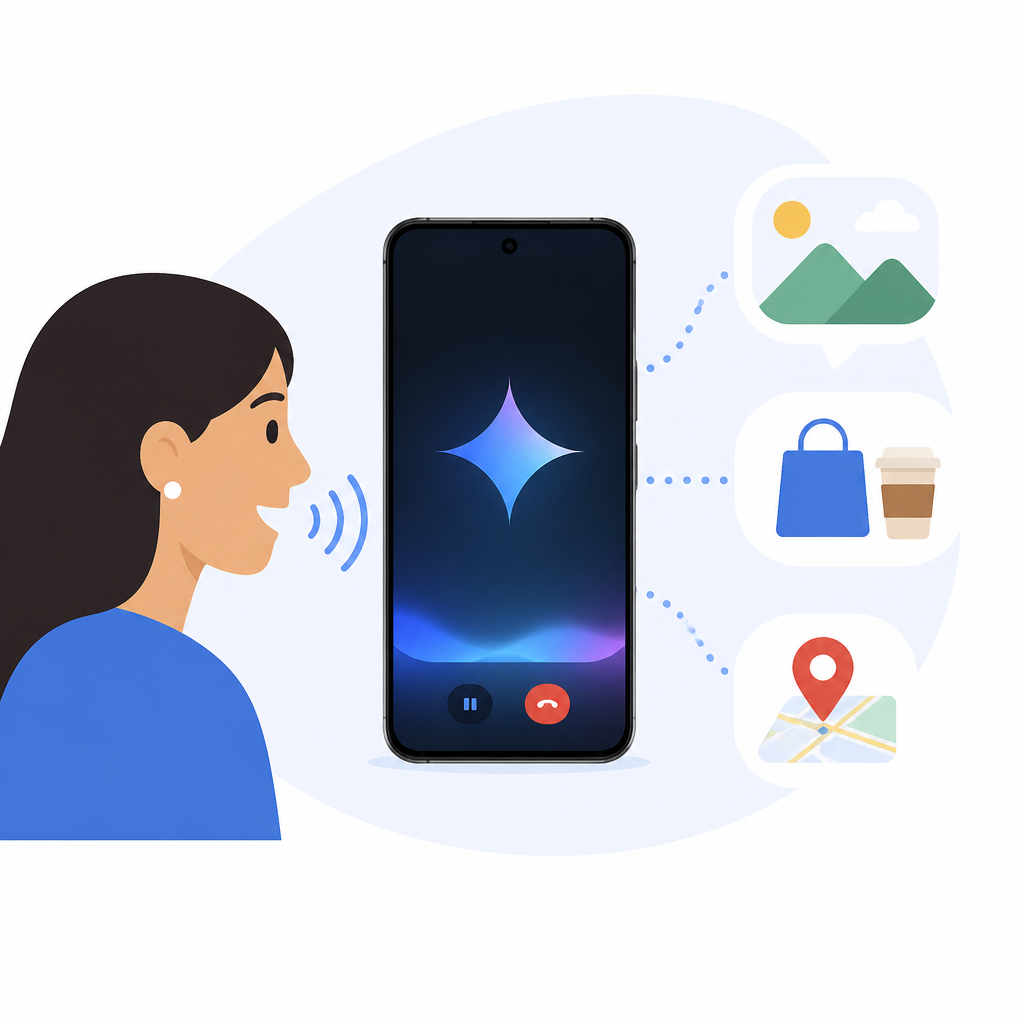
What this actually means is that Gemini Live on Pixel is less about a standalone AI app and more about a system-level experience. Pixel already has a history of doing this. Features like Pixel phones pair Google software with device-level integration, and that's what makes the AI feel native instead of bolted on.
I think a lot of people miss this when they compare assistants. They focus on answer quality and ignore latency, wake behavior, and whether the assistant can live where the user already is. If the experience makes me hunt for a button every time, I'm not going to use it. If the phone is already there and ready, I will.
The Google Store page also sits inside a bigger Pixel ecosystem story, with links to phones, Pixel Buds, and other devices. That's not accidental. Google wants the assistant to feel like part of the stack, not a random app you remember once a week.
How I'd use that:
- Keep Gemini Live available on the device you actually carry all day.
- Test it in motion, not just at a desk.
- See whether it still feels useful when you are multitasking.
That's the real product test. Not whether it can answer a clean prompt. Whether it can survive your worst habits.
Use it for clarifying, not just answering
The best voice AI use case I've found is not getting a final answer. It's getting to the question I should have asked in the first place. That's where a live conversational assistant can be genuinely useful.
What this actually means is that Gemini Live should help you explore a problem in layers. Start broad, then narrow. Ask for options, then ask what tradeoffs matter. Push back. Interrupt. That back-and-forth is the product.
I ran into this when I was trying to choose between a few technical approaches for a side project. The first answer was fine, but not enough. What helped was asking follow-ups like, “What would fail first?” and “What would I regret later?” That's where a conversational model earns its keep. It doesn't just spit out text. It helps me interrogate my own assumptions.
Google's own Gemini material points in this direction too. The company positions Gemini as a general assistant across tasks, not just a search replacement. You can see that in the broader Gemini web experience and in the help docs. Gemini Live is the voice version of that same idea.
How to apply it:
- Ask Gemini Live to compare options out loud.
- Use it to generate follow-up questions, not just summaries.
- Push it to explain tradeoffs in plain language.
If you're writing prompts for a team or a product, this matters a lot. The best assistant behavior often comes from asking better second questions, not from chasing a perfect first answer.
Don't overbuild the workflow, or you'll kill the point
Here's where people mess this up: they hear “AI workflow” and immediately start building a system around the tool. Templates, folders, rules, naming conventions, multi-step prompts. Before long, the thing that was supposed to save time has become a tiny bureaucracy.
What this actually means is that Gemini Live should stay lightweight. The more setup it needs, the less likely you'll use it when it matters. This is especially true on a phone. Phones are for immediate action, not ceremony.
I made this mistake with other assistant setups. I wanted them to be “organized,” so I added structure. Then the structure became the bottleneck. Voice-first use works best when the workflow is almost embarrassingly simple: talk, refine, act.
That doesn't mean no process. It means the process should live in your head, not in a ten-step doc. Google seems to understand this with Pixel's other helpful features too. The strongest ones are the ones you can forget about once they're on. You don't admire them. You just keep moving.
How to apply it:
- Keep a short list of recurring questions you ask out loud.
- Use Gemini Live for the first draft of thinking, not the final artifact.
- Resist the urge to create a giant prompt library for a feature meant to be conversational.
If the workflow feels heavy, you are probably using the wrong tool for that task. That's not a moral failure. It's just a sign to keep the voice layer for what it's good at.
Where Pixel's AI story is actually heading
I'm not going to pretend this store page gives a full roadmap. It doesn't. It gives a product hint: Google wants Pixel to be the place where AI feels native, immediate, and present in daily life. Gemini Live is one piece of that.
What this actually means is that Pixel is becoming a stack of small AI conveniences that add up. Camera help, call help, home control, voice conversation, and device-level integration. None of those alone is magical. Together they start to feel like a phone that anticipates the way people actually operate.
I think that's the real story behind the update. Not that Gemini Live exists. Plenty of assistants exist. It's that Google is stitching the assistant into the phone, the camera, the calls, and the rest of the Pixel experience. That makes the feature harder to ignore and easier to use.
How to apply it if you're a developer or product person: don't design for the perfect demo. Design for the interrupted one. The one with background noise, half-formed thoughts, and follow-up questions. That's where voice AI either earns its place or becomes another icon on the home screen.
And honestly, that's the standard I care about now. If I can talk to the thing like a human being and keep moving, good. If I have to babysit it, I'm out.
The template you can copy
Title: [Product or feature] lets you [job to be done] without [old friction]

Summary: [One sentence explaining the practical workflow change]

What this is
- [Feature name] is not just a tool; it's a workflow shift.
- It works best when you use it for [exploration / clarification / quick decisions].
- The goal is to reduce [typing / switching apps / setup overhead].

How I use it
1. Start with a short voice prompt.
2. Let the assistant answer once.
3. Interrupt and refine with a follow-up.
4. Ask for tradeoffs, not just facts.
5. Use the result to decide or draft, then move on.

What to avoid
- Don't over-structure the interaction.
- Don't wait until the request is perfectly polished.
- Don't use voice for tasks that need exact final formatting.

Best-fit use cases
- Planning
- Comparing options
- Brainstorming
- Quick clarification
- Hands-busy moments

Copy-ready prompt pattern
"I'm deciding between [A] and [B]. Ask me the 3 questions that matter most, then tell me which option fits my constraints better. Keep it short and conversational."

If you want this to feel native
- Put it on the device you already carry.
- Test it while walking or multitasking.
- Keep follow-up questions natural.
- Treat the assistant like a live collaborator, not a search box.
That template is mine, based on how I think about voice-first AI workflows. The underlying source idea comes from Google's Gemini Live on Pixel page, but the structure, framing, and practical advice here are my own.
For the official Pixel and Gemini references, I also cross-checked Google's broader Gemini blog, Gemini, and support pages. Those are the places I'd start if I wanted the product docs instead of my take.
// Related Articles
- [TOOLS]
OpenClaw with Ollama turns Telegram into a bot
- [TOOLS]
Aliyun Bailian Token Plan turns credits into agents
- [TOOLS]
One API gateway turns six AI APIs into one
- [TOOLS]
OpenAI FDEs turn broken agents into shipped systems
- [TOOLS]
Anthropic’s daily brief turns news into a workflow
- [TOOLS]
Claude Reflect turns usage into retention