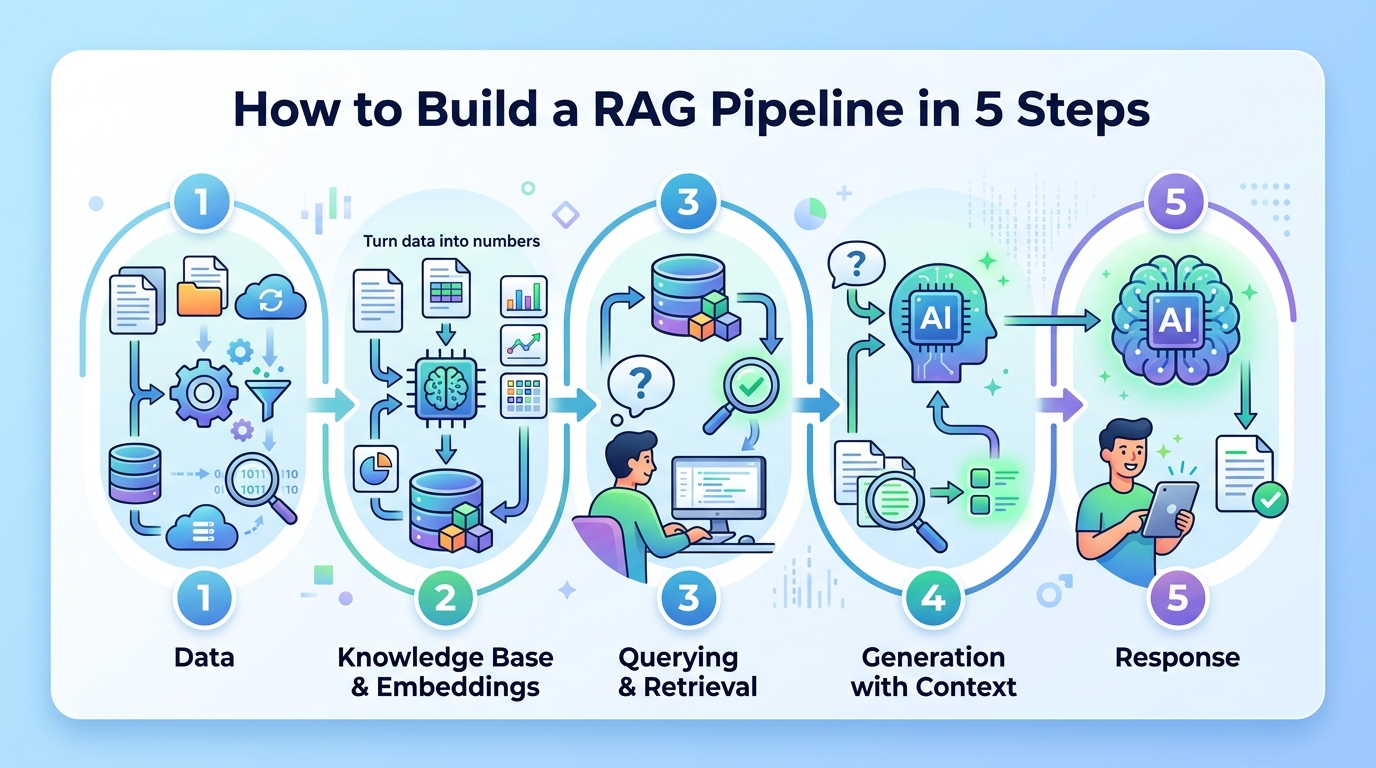
How to Build a RAG Pipeline in 5 Steps
Build a retrieval-augmented generation pipeline that grounds AI answers in your own data.

Build a retrieval-augmented generation pipeline that grounds AI answers in your own data.
This guide is for developers who want to make an LLM answer from trusted documents instead of relying only on model memory. After you follow the steps, you will have a working RAG flow that ingests documents, creates embeddings, retrieves relevant chunks, and generates grounded answers.
You will also know how to verify each stage so you can debug quality, latency, and freshness before you ship to users.
Before you start
Get the latest AI news in your inbox
Weekly picks of model releases, tools, and deep dives — no spam, unsubscribe anytime.
No spam. Unsubscribe at any time.
- Node 20+ or Python 3.11+
- An OpenAI API key or another chat model API key
- An embedding model account or local embedding runtime
- A vector database such as Pinecone, Weaviate, Chroma, or pgvector
- A document source such as PDFs, Markdown files, web pages, or a database
- Access to the [OpenAI docs](https://platform.openai.com/docs) and the [LangChain GitHub repo](https://github.com/langchain-ai/langchain) if you want the sample stack used here
Step 1: Prepare your document corpus
Goal: create a clean source of truth that the retriever can search later.
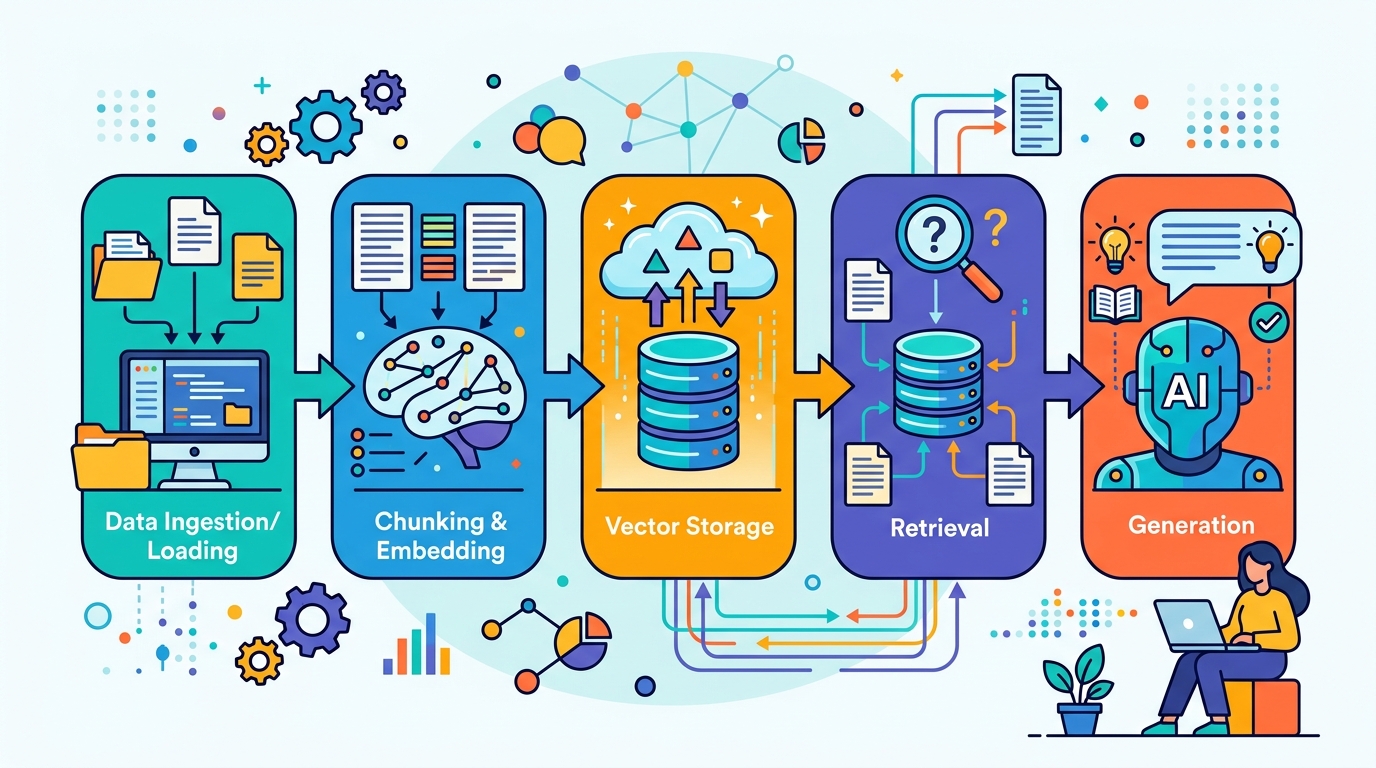
Start by collecting the content you want the model to trust. For a support bot, that may be product docs and FAQs. For a legal or medical tool, use approved internal material only. Convert everything into text, remove duplicates, and split large files into smaller chunks so the retriever can return precise passages rather than huge pages.
from langchain_text_splitters import RecursiveCharacterTextSplitter

text_splitter = RecursiveCharacterTextSplitter(
    chunk_size=800,
    chunk_overlap=120,
)
chunks = text_splitter.split_text(long_document_text)
print(len(chunks))
You should see a chunk count greater than 1, and each chunk should read like a coherent paragraph. If the chunks are too large, retrieval becomes noisy; if they are too small, the answer may lose context.
Step 2: Create embeddings for each chunk
Goal: turn text into vectors that capture meaning, not just keywords.
Send every chunk through an embedding model so semantically similar passages end up close together in vector space. This is the foundation of retrieval quality. Keep the same embedding model for both indexing and querying, or the similarity search will become unreliable.
Store the output vectors alongside the original chunk text and metadata such as title, URL, section, and timestamp. That metadata helps you trace answers back to the source and filter results by document type or freshness.
You should see a fixed-length vector for every chunk, often a list of numbers or a float array. If the embedding step fails, check that your text is not empty and that the model dimensions match what your vector database expects.
Step 3: Index vectors in a vector database
Goal: make your knowledge base searchable by similarity.
Load the chunk embeddings into your vector database and create an index optimized for nearest-neighbor search. This lets the system compare a user question against stored content in milliseconds instead of scanning every document. Add filters for document source, language, or tenant if your application serves multiple teams.
Example flow: upsert each chunk with its vector, text, and metadata, then confirm the index is ready for queries. If you are using pgvector, create the vector column and similarity index first. If you are using a hosted service, verify the namespace or collection name before you ingest data.
You should see the index contain the same number of records as your prepared chunks. A quick test query should return the most relevant passages instead of random text.
Step 4: Retrieve relevant context for a user query
Goal: fetch the best supporting passages before the LLM writes an answer.
When a user asks a question, embed the query with the same model, then run similarity search against the vector index. Return the top-k chunks, usually 3 to 8, and optionally rerank them with a cross-encoder or an LLM-based scorer if precision matters more than speed.
Keep an eye on retrieval quality. If the top result is only loosely related, improve chunking, add metadata filters, or enrich the document corpus. Retrieval is the most important quality lever in a RAG system because the generator can only ground its answer in what it receives.
You should see a short list of passages that clearly match the user intent. If the passages are off-topic, the model will likely produce a weak answer even if the generation step is strong.
Step 5: Augment the prompt and generate the answer
Goal: produce a grounded response that cites the retrieved context.
Build a prompt that includes the user question, the retrieved chunks, and clear instructions to answer only from the provided context when possible. Then send that prompt to the LLM. Ask it to say when the context is insufficient instead of inventing facts. This reduces hallucinations and makes the system easier to trust.
prompt = f"""
Use only the context below to answer the question.
If the context is insufficient, say so.

Context:
{retrieved_context}

Question:
{user_question}
"""

response = llm.invoke(prompt)
print(response.content)
You should see an answer that reflects the retrieved passages and, ideally, mentions the source or quotes key facts. Test with a question that is definitely covered by your corpus and one that is not. The first should be accurate, and the second should politely say the system lacks enough context.
Common mistakes
- Using the wrong embedding model for queries and documents. Fix: keep one embedding model for indexing and retrieval, and re-embed the corpus if you change models.
- Making chunks too large or too small. Fix: start around 500 to 1,000 characters with overlap, then tune based on retrieval results.
- Skipping freshness updates. Fix: add a scheduled re-index job or incremental updater so new documents and edits reach the vector store.
What's next
Once the basic pipeline works, add citations, reranking, cache layers, and evaluation tests for answer faithfulness and retrieval recall. From there, you can extend the same pattern into chat memory, tool use, or domain-specific assistants for support, search, or internal knowledge bases.
// Related Articles
- [AGENT]
Perplexity should build Teammate as a coding agent, not a copilot
- [AGENT]
HP adopts OpenAI Frontier across global operations
- [AGENT]
Build a production vector DB for RAG
- [AGENT]
Ornith-1 turns agent coding into a server
- [AGENT]
Crypto AI agents are useful, but only for narrow workflows
- [AGENT]
AI Agents in Crypto: 2026 Protocol Guide