MLOps cost myths that stop GPU waste
I break down why more compute rarely fixes ML performance and give a copy-ready MLOps template for cheaper, better runs.

This breaks down a copy-ready MLOps template for cheaper, better model runs.
I've been around enough ML projects to know the smell of a bad fix. A model is slow, everyone gets nervous, and the first instinct is always the same: add more GPU, bump the instance size, spin up another cluster, and call it progress. I’ve done it too. It feels productive for about ten minutes, until the bill arrives and the metrics barely move. That’s the part that keeps annoying me. The team thinks compute is the problem, but the real mess is usually somewhere else: dirty data, sloppy pipelines, bad parallelization, or a tuning loop that was never designed to learn anything useful.
What I keep seeing is that teams confuse motion with improvement. They burn through cloud budget because it’s easier to buy capacity than to fix the workflow. And once that habit gets baked into the org, every performance issue gets answered with the same expensive reflex. I’ve watched that pattern turn a promising ML project into a very expensive science fair. The truth is uglier and more useful: performance per dollar is mostly an operations problem, not a hardware problem.
The source that kicked this off is Transcloud’s post, “MLOps Cost Myths: Why More Compute Doesn’t Always Mean Better Performance”. It argues that discipline, automation, and observability matter more than raw GPU count, and it calls out the usual traps: over-provisioned clusters, pipeline bottlenecks, and the false comfort of bigger models. I’m not treating it like gospel, but it lines up with what I’ve seen in real teams.
More GPUs don’t fix a broken training loop
Get the latest AI news in your inbox
Weekly picks of model releases, tools, and deep dives — no spam, unsubscribe anytime.
No spam. Unsubscribe at any time.
“More GPUs = Faster Training” is a myth because data bottlenecks, poor parallelization, and communication overhead limit the gains.
What this actually means is that a bigger box doesn’t help if the job feeding it is garbage. If your dataloader is slow, your preprocessing is redundant, or your distributed training setup is chatty and inefficient, extra GPUs just sit there waiting. You pay for idle time and call it scale.

I ran into this on a team that kept adding GPUs to cut training time on a vision model. The job got more expensive, but not proportionally faster. The bottleneck was a preprocessing step that recomputed the same features every run. Once we cached that output and fixed the batch pipeline, the same model trained faster on fewer GPUs. No magic. Just less stupidity.
The original post mentions tools like Horovod, Ray, and Kubeflow. That’s the right direction, but the tool is not the fix by itself. If your data path is broken, a distributed framework just distributes the pain.
How to apply it:
- Profile the full training pipeline before buying more compute.
- Measure dataloader throughput, preprocessing time, and GPU utilization separately.
- Cache deterministic feature engineering outputs.
- Only scale out after you know the job is compute-bound.
Bigger models are not a free accuracy button
“Bigger Models Always Mean Higher Accuracy” is false because gains often flatten while cost rises fast.
What this actually means is that model size is just one knob, and not even the best one most of the time. Once you get past a certain point, more parameters buy you smaller improvements while training cost climbs hard. The post points to knowledge distillation and pruning, which is where I usually end up when a team wants “better” but can’t explain what better means.
I’ve seen people chase accuracy by scaling a model until it becomes too expensive to train, too slow to serve, and too annoying to update. Then they discover that a smaller model with better regularization gets them nearly the same result. That’s the annoying part: the expensive answer often looks impressive in a slide deck and mediocre in production.
This is where knowledge distillation and model pruning earn their keep. I’m not saying never go bigger. I’m saying don’t confuse “more parameters” with “more value.” If the business metric doesn’t move, the larger model is just a costlier way to be wrong.
How to apply it:
- Define the target metric before changing model size.
- Compare a large model against a smaller regularized baseline.
- Test pruning, quantization, and distillation before scaling architecture.
- Track inference latency and memory footprint alongside accuracy.
Autoscaling is not the same thing as cost control
“Cloud Autoscaling is Free” is a myth because misconfiguration can create idle spend, egress charges, and storage waste.
What this actually means is that autoscaling only automates movement. It does not make your architecture efficient. If you scale into the wrong regions, leave instances half-used, or keep jobs alive longer than needed, the cloud will happily invoice you for all of it.
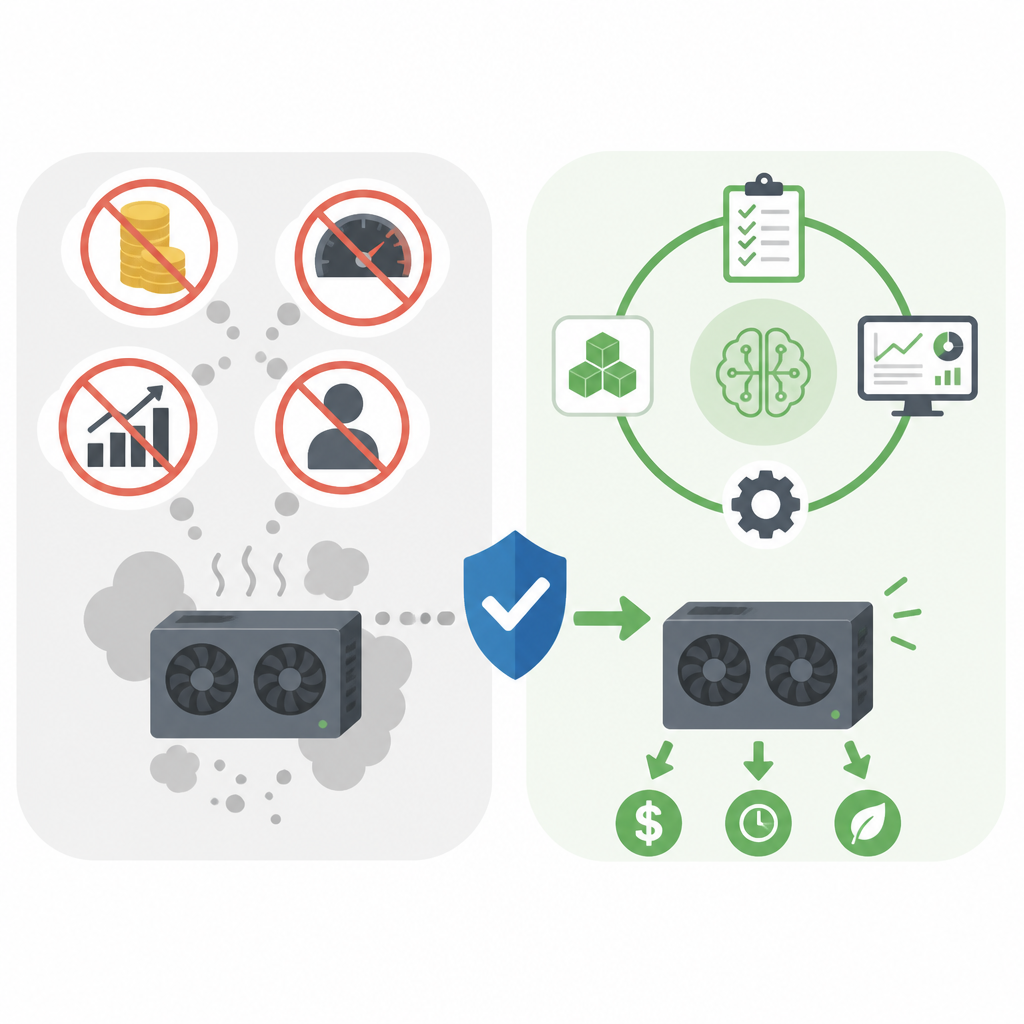
I’ve seen teams treat autoscaling like a financial strategy. It isn’t. It’s a workload response strategy. If the thresholds are wrong, you end up with thrash: instances launching, sitting idle, and getting torn down after the damage is done. The control plane looks busy, and finance gets the bill.
The post’s mention of Vertex AI, Amazon SageMaker, and Azure Machine Learning is useful because these platforms expose cost and usage signals, but you still need to read them. I’ve seen teams ignore those dashboards until the month-end report turns into a postmortem.
How to apply it:
- Set autoscaling policies from observed workload patterns, not guesses.
- Review idle time, cold starts, and scale-down behavior weekly.
- Watch egress, storage, and cross-region traffic as separate cost buckets.
- Use scheduled scaling for predictable jobs instead of reactive scaling only.
Pipeline waste is usually the real compute thief
“Rightsizing, observability, and workflow optimization are more effective levers for improving performance per dollar spent.”
What this actually means is that the fastest savings usually come from removing waste before touching the model. The post calls out redundant preprocessing, inefficient feature engineering, and idle GPU cycles. That’s exactly where I’d look first, because those are the places where teams quietly burn money while feeling productive.
I once audited a pipeline where feature generation was rerun for every experiment, even when nothing upstream had changed. Every training run paid the full tax. We fixed it by separating stable features from experimental ones and adding a cache layer. The result was boring in the best way: less waiting, fewer failed runs, lower cost.
If you want a more structured pipeline layer, tools like Apache Airflow and Apache Beam are part of the right conversation. But again, the process matters more than the logo. I care less about what orchestrator you picked and more about whether your jobs are deterministic, cached, and observable.
How to apply it:
- Break the pipeline into data prep, training, evaluation, and deployment stages.
- Measure runtime and cost per stage, not just end-to-end.
- Cache stable transformations and reuse artifacts across experiments.
- Kill duplicate jobs and stale experiments automatically.
Hyperparameter search should stop acting like a lottery
“Use intelligent tuning methods such as Bayesian optimization, Hyperband, or population-based training instead of brute-force grid search.”
What this actually means is that brute force wastes compute because it treats every trial like it deserves equal attention. It doesn’t. Some configurations are obviously bad early on, and smart tuning methods know when to stop feeding them money.
I’ve watched grid search chew through weeks of compute just to confirm what the first ten runs already hinted at. That’s not experimentation. That’s expensive procrastination. Once a team switched to Bayesian optimization and early stopping, they got better results with a fraction of the spend. Same people, same dataset, better process.
The point of Hyperband and Bayesian methods is not academic elegance. It is to stop paying full price for doomed experiments. If your tuning loop can’t prune bad candidates early, you’re donating GPU time to curiosity.
How to apply it:
- Replace full grid search with Bayesian or bandit-based tuning.
- Use early stopping aggressively on weak candidates.
- Cap the number of simultaneous trials to avoid cluster contention.
- Record which parameters actually move the metric so future runs start smarter.
Observability is the part teams skip right before they overspend
“Monitoring and Observability” help identify underutilized clusters, failed jobs, and pipeline inefficiencies in real time.
What this actually means is that you can’t manage what you can’t see, and ML systems hide waste very well. A job can look healthy while quietly burning budget on retries, dead nodes, or underused accelerators. Without proper observability, all you get is a delayed surprise.
I’m always irritated when teams spend six figures on compute and then act shocked that nobody instrumented the pipeline. If you can’t answer which stage is consuming the most GPU hours, or which experiment produced the best cost-to-metric ratio, then your optimization work is guesswork. And guesswork is how cloud bills get weird.
The article’s mention of built-in reporting in managed ML platforms is fair, but I’d extend that with real operational discipline. You need dashboards for utilization, failure rates, queue time, and cost per training run. Otherwise the “optimization” conversation is mostly vibes.
How to apply it:
- Track GPU utilization, queue delay, retry counts, and cost per run.
- Alert on idle accelerators and repeated failure patterns.
- Compare experiments by cost per unit of improvement, not just raw score.
- Review the top waste sources every sprint, not once a quarter.
Rightsizing and model optimization beat brute-force spending
“Mixed-precision training, pruning, quantization, and knowledge distillation” reduce resource use while keeping performance acceptable.
What this actually means is that there are plenty of ways to cut cost without kneecapping the model. Mixed-precision training can speed things up and lower memory pressure. Quantization can make inference cheaper. Distillation can compress a large model into something smaller and easier to serve. These are practical moves, not academic trophies.
I’ve had better luck with these techniques than with “just give it more hardware” almost every time. Once a model is close to acceptable, the real work is squeezing out waste without hurting the user experience. That’s where engineering earns its keep. You stop paying for theoretical headroom you never use.
Here’s the part I wish more teams understood: rightsizing is not about being cheap. It’s about matching resource shape to workload shape. If your batch size, memory profile, and inference latency target don’t justify the current instance type, you’re not being ambitious. You’re being sloppy.
How to apply it:
- Test mixed precision on training jobs that are memory or throughput limited.
- Quantize inference models and compare latency against accuracy loss.
- Use distillation when a large teacher model is too expensive to serve.
- Revisit instance sizing after every major model change.
The template you can copy
# MLOps cost-control checklist

## Goal
Improve model performance per dollar, not raw compute usage.

## 1) Baseline the pipeline
- Data ingestion time:
- Preprocessing time:
- Training time:
- Evaluation time:
- Deployment/inference time:
- GPU/TPU utilization:
- Retry rate:
- Idle time:
- Cost per run:

## 2) Find the bottleneck
Ask these in order:
- Is the data clean and representative?
- Is preprocessing repeated unnecessarily?
- Is the job actually compute-bound?
- Is distributed training configured correctly?
- Are we tuning too many bad trials?
- Is autoscaling creating idle spend?

## 3) Fix waste before scaling hardware
- Cache stable feature pipelines
- Remove duplicate jobs
- Stop rerunning unchanged transformations
- Use early stopping for weak trials
- Replace grid search with Bayesian optimization or Hyperband
- Review autoscaling thresholds and scale-down timing

## 4) Rightsize compute
- Match instance type to batch size and memory needs
- Use spot/preemptible capacity for interruptible jobs
- Separate training, evaluation, and inference environments
- Re-check sizing after each major model change

## 5) Optimize the model
- Try mixed-precision training
- Evaluate pruning
- Evaluate quantization
- Evaluate knowledge distillation
- Compare against a smaller regularized baseline

## 6) Add observability
Track these metrics every week:
- GPU/TPU utilization
- Queue time
- Failed jobs
- Retry count
- Egress and storage spend
- Cost per experiment
- Cost per successful deployment
- Metric gain per dollar

## 7) Decision rule
If performance improves but cost rises faster than value, stop and simplify.
If cost drops and the business metric stays stable, keep the change.
If the pipeline is noisy, fix the pipeline before buying more compute.

## 8) Review cadence
- Daily: failed jobs, idle capacity, runaway experiments
- Weekly: cost per run, utilization, tuning efficiency
- Monthly: instance sizing, model compression opportunities, autoscaling behavior

## 9) Copy into your team doc
Use this line as the operating principle:
"We optimize ML systems for cost-adjusted performance, not maximum compute."
That template is intentionally plain. I want teams to use it, not admire it. If you run it honestly, it will usually tell you that the expensive answer is not the right answer. That’s fine. Better to find out early than after another billing cycle.
Source attribution: the breakdown is based on Transcloud’s article at wetranscloud.com/blog/mlops-cost-myths-compute-vs-performance. I’ve added my own framing, examples, and the copy-ready checklist above; anything not directly quoted is my synthesis.
// Related Articles
- [TOOLS]
Nvidia and LG turn AI plans into a playbook
- [TOOLS]
Ollama is the best free AI path in 2026 for real work
- [TOOLS]
This MLOps list turns chaos into a stack
- [TOOLS]
BentoML turns model serving into Python APIs
- [TOOLS]
Magenta RealTime 2 lets you score in the DAW
- [TOOLS]
Open-source AI tools beat Claude’s paid tiers on value