OpenAI data controls let you keep logs tighter
I break down OpenAI’s data controls and turn them into a copyable policy checklist for API teams.

This is a copyable guide to OpenAI API data controls and retention settings.
I've been using OpenAI’s API long enough to know when a docs page is trying to calm me down. This one did that thing where it says, “your data is your data,” and then immediately makes me read three different retention modes, a bunch of endpoint exceptions, and a sales note. That’s usually the moment I stop trusting the marketing layer and start asking: what actually gets stored, for how long, and what changes when I flip the wrong switch?
Because that’s the real pain here. If I’m wiring an app that touches prompts, files, tool calls, or anything customer-facing, I don’t want a fuzzy “we respect privacy” answer. I want to know what lands in abuse monitoring logs, what counts as application state, what Zero Data Retention really disables, and where the weird exceptions live. The docs page at developers.openai.com/api/docs/guides/your-data gives the raw material, but it’s buried under platform language and policy caveats. I’m pulling it apart into something I’d actually hand to a team before launch.
One more thing: this is not me pretending OpenAI is uniquely messy. Every platform with AI features ends up in the same tension between safety, storage, and product behavior. The difference is whether the docs help you make a decision without making you spelunk through the footnotes. Here, the footnotes matter.
What OpenAI is really saying about your data
Get the latest AI news in your inbox
Weekly picks of model releases, tools, and deep dives — no spam, unsubscribe anytime.
No spam. Unsubscribe at any time.
“As of March 1, 2023, data sent to the OpenAI API is not used to train or improve OpenAI models (unless you explicitly opt in to share data with us).”
What this actually means is simple: the default API posture is not “we train on everything you send.” That’s the first sentence I’d want in any internal privacy review, because it kills a lot of lazy assumptions right away. But it doesn’t mean “nothing is stored” or “no logs exist.” It means training is off by default, while retention and abuse monitoring still exist as separate concerns.

I’ve seen teams conflate those two all the time. They hear “not used for training” and assume they’ve solved data handling. Then legal asks about retention windows, security asks about incident response, and the product team discovers that some features persist application state to do their job. That’s where the confusion starts.
The docs also make a clean distinction between OpenAI’s own model training and the operational data the platform may keep. That distinction matters more than people admit. If you’re building a support bot, a document processor, or a workflow agent, your biggest question is usually not “will OpenAI train on this?” It’s “what gets stored, where, and under what policy?”
How to apply it: write your internal policy in two layers. First layer: training use. Second layer: operational retention. If your team only writes one line about privacy, it’s too vague to be useful.
- State whether your app allows users to opt in to data sharing.
- Document whether prompts, files, and outputs can be stored by your own system.
- Separate model-training policy from platform-retention policy.
Abuse monitoring logs are the default, not the exception
“By default, abuse monitoring logs are generated for all API feature usage and retained for up to 30 days.”
This is the part that matters in practice. OpenAI says abuse monitoring logs may contain customer content, including prompts and responses, plus metadata derived from that content. So yes, this is still customer data, even if the reason for storing it is safety and policy enforcement.
What this actually means is that if you send something to the API, you should assume there’s a default 30-day retention path unless you’ve explicitly arranged otherwise. That’s not a gotcha; it’s the baseline. And baselines are where teams get sloppy because they sound boring. Boring is where incidents happen.
I ran into this exact problem while reviewing an internal AI assistant rollout. The team had a nice story for end users, but the engineering docs didn’t answer the retention question cleanly. We had to trace the data path from user input to logs, then to vendor policy, then to incident handling. That’s the kind of thing you want settled before a customer asks for deletion or your security team asks for a retention audit.
The docs also say the 30-day retention can be longer if required by law or reasonably necessary to protect services or third parties from harm. That’s normal, but it means the policy is not a hard delete guarantee in every case. If your compliance team needs a strict retention promise, you need to treat this as “default window with exceptions,” not “always gone after 30 days.”
How to apply it: make a simple data map. Track prompt, response, metadata, vendor logs, and your own app logs separately. If your app stores the same content in three places, your deletion story is already messy.
- List every place customer content can land.
- Mark which stores you control and which the vendor controls.
- Document the default retention window and any exceptions.
Modified Abuse Monitoring is the middle lane people actually need
“Modified Abuse Monitoring excludes customer content ... from abuse monitoring logs across all API endpoints, while still allowing the customer to take advantage of the full capabilities of the OpenAI platform.”
This is the option that sounds boring until you realize it’s the one most enterprise teams actually want. It’s not full public-cloud shrugging, and it’s not the hardest possible privacy mode either. It’s a narrower logging posture with the platform still working normally.
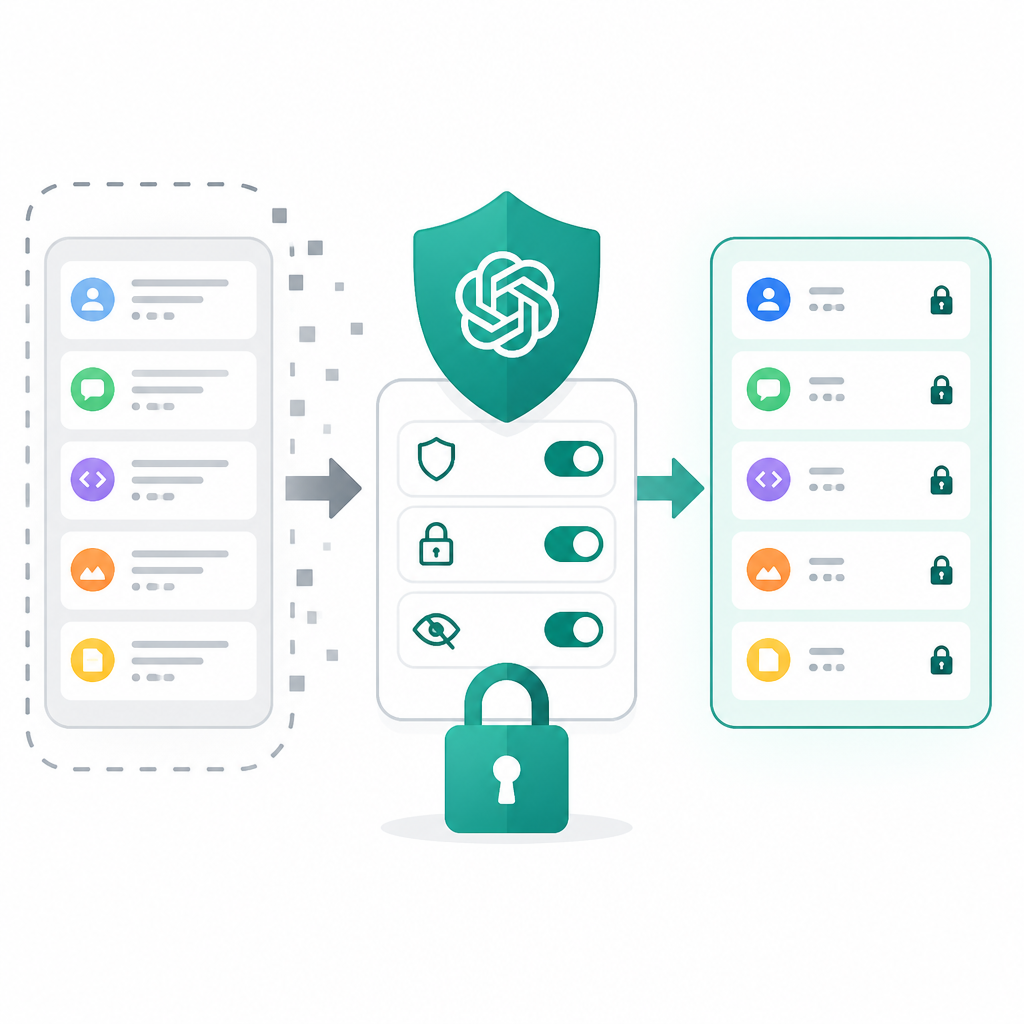
What this actually means is that if you need stronger data handling without changing how your app behaves, Modified Abuse Monitoring is the compromise bucket. But there’s a catch: it’s not automatic. The docs say eligible customers need prior approval and must accept additional requirements. So this is not a toggle you casually flip in a dashboard on a Friday afternoon.
That approval requirement is the part people forget. I’ve seen teams design around a control they haven’t actually been granted yet. Then the architecture gets built around assumptions, and the launch date gets awkward.
OpenAI also says that customers who enable Modified Abuse Monitoring are responsible for ensuring their users follow OpenAI’s policies and any moderation or reporting requirements under applicable law. That’s a big sentence with real consequences. It means the privacy control does not remove your platform obligations. You still own the behavior of your product.
How to apply it: if you’re in a regulated space, write the approval dependency into your launch checklist. Don’t let product or legal discover it late.
- Confirm eligibility before committing to the control in architecture docs.
- Assign one owner for policy compliance, not three half-owners.
- Keep moderation and abuse reporting workflows documented separately.
Zero Data Retention is narrower than the name sounds
“Zero Data Retention excludes customer content from abuse monitoring logs in the same way as Modified Abuse Monitoring.”
The phrase “Zero Data Retention” sounds absolute, which is exactly why I distrust it until I read the fine print. The docs do clarify it: ZDR removes customer content from abuse monitoring logs, but it does not magically erase every kind of storage or change every endpoint behavior. In other words, the name is stronger than the implementation.
What this actually means is that ZDR is about a specific retention path, not a universal no-storage promise. OpenAI explicitly says some endpoints may still store application state, even with ZDR enabled. That matters a lot if you’re thinking, “great, then nothing persists.” Nope. Not that simple.
The docs also say that for /v1/responses and /v1/chat/completions, the store parameter is always treated as false under ZDR, even if the request tries to set it to true. That’s the kind of detail that saves you from building a false assumption into your client code. If your app depends on stored outputs, ZDR changes the behavior under your feet.
I like controls like this only when the team reads them as constraints, not promises. The control is useful because it forces a narrower data path, but you still have to inspect every endpoint and every stateful feature. If you don’t, you’ll end up with a policy that sounds strict and behaves inconsistently.
How to apply it: audit your use of stored outputs, conversation state, and file persistence before you ask for ZDR. If your app needs persistence, ZDR may be the wrong fit or the wrong default.
Application state is the sneaky part nobody wants to budget for
“Data may be stored as: Abuse monitoring logs ... Application state: Data persisted from some API features in order to fulfill the task or request.”
This is the line I’d underline if I were doing a vendor review. Abuse monitoring is obvious. Application state is where platform behavior starts to look like product behavior. It’s the persisted stuff the API needs to complete a task, which means some features are stateful by design.
What this actually means is that you can’t reason about retention only from the safety policy. You also need to know which product features inherently keep state to work correctly. That’s especially true if you’re using responses, conversation history, background tasks, file inputs, or anything that spans multiple turns.
I’ve lost count of how many times a team says, “We don’t store user data,” while the actual system stores conversation context, attachments, and task state in at least two places. The statement may be emotionally true and operationally wrong. The docs are basically warning you not to make that mistake.
How to apply it: inventory the features you use, not just the model you call. Then ask one question for each feature: does it persist anything to fulfill the request?
- Responses API
- Chat Completions
- File inputs and retrieval flows
- Any agent or background workflow with saved state
How I’d explain this to a team before launch
If I were doing the pre-launch review, I wouldn’t start with policy jargon. I’d start with a data-path checklist. That’s because the real risk isn’t misunderstanding one sentence in the docs. It’s building a product that quietly depends on storage behavior you didn’t mean to accept.
So here’s the order I’d use: first, identify whether the app can live with default 30-day abuse monitoring. Second, decide whether the team has an actual need for Modified Abuse Monitoring or ZDR. Third, map every endpoint and feature that stores application state. Fourth, write down the user-facing and internal compliance obligations that don’t disappear just because the vendor changed a retention setting.
That sounds tedious because it is. But it’s cheaper than discovering your privacy story is inconsistent after launch. I’ve done the late cleanup version of this, and it’s always worse than doing it upfront.
One more practical point: if your organization is going to ask for one of the stricter controls, don’t bury that in a casual product decision. Treat it like a dependency with lead time. The docs say approval is required, and that alone should move it into the same bucket as procurement, security review, or legal signoff.
For broader context, I’d also keep the OpenAI docs for usage policies, the API reference, and your own internal data retention policy in the same review packet. If those three don’t agree, your implementation is probably lying to somebody.
The template you can copy
# OpenAI API data controls checklist

## Default posture
- We understand that API data is not used to train OpenAI models by default.
- We treat abuse monitoring logs as enabled by default.
- We assume retention up to 30 days unless a stricter control is approved.

## Control selection
- [ ] Default abuse monitoring is acceptable for this use case
- [ ] Modified Abuse Monitoring requested and approved
- [ ] Zero Data Retention requested and approved
- [ ] Approval evidence stored in the project record

## Data inventory
List every place customer content can be stored:
- App database:
- Vendor abuse monitoring logs:
- Conversation state:
- File storage:
- Analytics logs:
- Support exports:

## Endpoint review
For each endpoint or feature we use, answer:
- Does it store application state?
- Does it honor `store=true`?
- Does ZDR change behavior?
- Does it create files, traces, or conversation history?

## Policy obligations
- We are responsible for user behavior under applicable OpenAI policies.
- We are responsible for moderation and reporting obligations required by law.
- We have a deletion and retention process for our own systems.

## Launch gate
Do not ship until all of these are true:
- [ ] Legal has reviewed the chosen retention mode
- [ ] Security has reviewed the data path
- [ ] Product has documented user-facing privacy language
- [ ] Engineering has tested stateful endpoints under the chosen mode
- [ ] Support knows what to tell customers about retention and deletion

## Internal note
Source docs: https://developers.openai.com/api/docs/guides/your-data
This checklist is a working template, not legal advice.
I’d use that block as a living checklist, not a one-time doc. The point is to force everyone to answer the same questions before the app starts accumulating data in places nobody planned for.
Source attribution: the original material is OpenAI’s Data controls in the OpenAI platform guide. My breakdown, framing, and checklist are original; the policy details and quoted language come from OpenAI’s documentation.
// Related Articles
- [TOOLS]
Nvidia and LG turn AI plans into a playbook
- [TOOLS]
Ollama is the best free AI path in 2026 for real work
- [TOOLS]
This MLOps list turns chaos into a stack
- [TOOLS]
BentoML turns model serving into Python APIs
- [TOOLS]
Magenta RealTime 2 lets you score in the DAW
- [TOOLS]
Open-source AI tools beat Claude’s paid tiers on value