How to Explore Zhihu in 10 Minutes
This guide shows developers how to explore Zhihu’s discovery page and understand its content sections.

This guide shows developers how to explore Zhihu’s discovery page and understand its content sections.
For developers building content readers, trend monitors, or localization demos, this walkthrough explains how Zhihu’s discovery page is organized and how to inspect it end to end. After following the steps, you will know how to open the page, identify the major content blocks, and verify the signals that make it useful for monitoring topics and questions.
You will also get a practical checklist for confirming what you see, plus a few common mistakes to avoid when parsing a Chinese content platform like Zhihu.
Before you start
Get the latest AI news in your inbox
Weekly picks of model releases, tools, and deep dives — no spam, unsubscribe anytime.
No spam. Unsubscribe at any time.
- A modern browser with developer tools, such as Chrome 120+ or Edge 120+
- A Zhihu account if you want to sign in and compare logged-out versus logged-in views
- Internet access to https://www.zhihu.com/explore
- Optional: Node 20+ if you plan to script page checks or capture HTML
- Optional: a screen reader or translation tool if you need to inspect Chinese UI labels carefully
Step 1: Open the Zhihu discovery page
Goal: load the main discovery surface so you can inspect the live layout and see the current mix of hot questions, topics, collections, and columns. Start from the official page at Zhihu Explore and, if you want background on the platform, review Zhihu’s own site and product context on Zhihu and its help and policy pages.

https://www.zhihu.com/exploreVerification: you should see a discovery page with navigation items such as 关注, 推荐, 热榜, 专栏, 圈子, and content blocks like 热点问题 or 专题.
Step 2: Identify the primary content blocks
Goal: map the page into stable sections so you can reason about it without getting lost in individual posts. On this page, the most important blocks are current热点问题, 潜力好问题, 最新专题, 圆桌讨论, 热门收藏夹, and 专栏. These are the areas that usually matter most if you are tracking what the community is discussing.
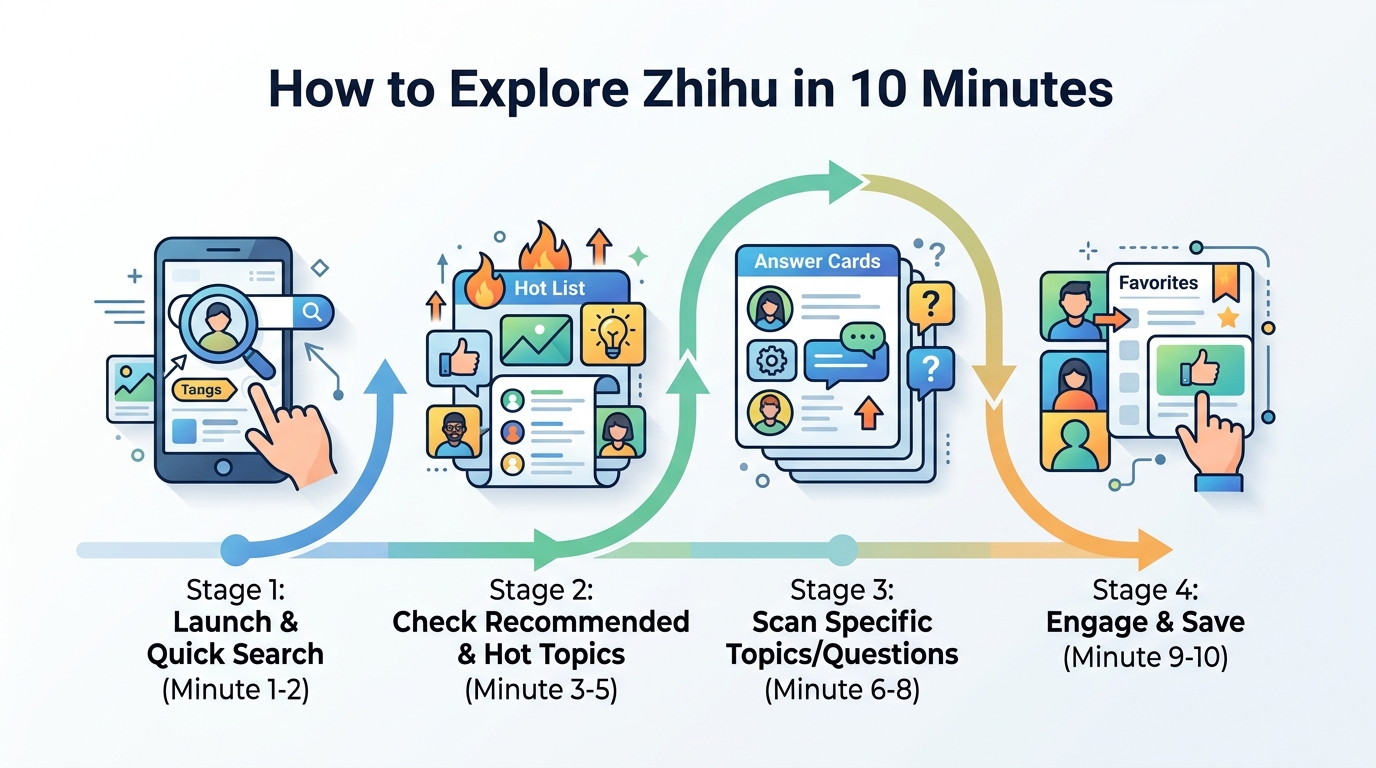
Look for the labels and counts attached to each item, such as浏览, 关注, 回答, and 文章. Those numbers help you distinguish between a question that is merely visible and one that has momentum.
Verification: you should be able to point to at least four distinct modules and explain what each one contains.
Step 3: Compare logged-out and logged-in views
Goal: understand how account state changes the discovery experience. Zhihu prompts you to log in for more personalized content, so the logged-out view often emphasizes broad discovery while the logged-in view can surface more tailored recommendations.
Open the page in a private window, then sign in and reload the same URL. Compare whether the ordering of questions, topics, or collections changes, and note any additional prompts or personalized recommendations.
Verification: you should see a visible difference in the page’s recommendations, prompts, or account-related controls after signing in.
Step 4: Inspect one topic or question in detail
Goal: move from the overview to a single item so you can see how Zhihu structures discussion depth. Pick one hot question and open it, then review the title, answer count, follower count, and the quality of the top responses. This helps you understand why the discovery page is effective: it combines breadth on the surface with depth behind each item.
If you are collecting data, note whether the item is a question, a专题, a圆桌, or a专栏. Those categories behave differently and can require different parsing rules.
Verification: you should reach a detail page where the content type is obvious and the engagement signals are visible.
Step 5: Capture page structure for later use
Goal: create a reusable snapshot so you can revisit the page without re-reading everything manually. If you are testing a scraper or content monitor, save the HTML, record the visible headings, and store timestamps for the top items you observed.
curl -L https://www.zhihu.com/explore -o zhihu-explore.htmlVerification: you should have a saved HTML file or structured note that includes the page title, the top modules, and the current top questions or topics.
Common mistakes
- Confusing browsing counts with answer quality. Fix: check both engagement numbers and the actual content of the top answers.
- Assuming the page is static. Fix: refresh and compare over time because hot items change quickly.
- Parsing only visible text. Fix: inspect the underlying HTML and account for Chinese labels, dynamic loading, and sign-in differences.
What's next
If you want to go deeper, build a small monitor that records Zhihu discovery modules over time, then compare how trending questions,专题, and圆桌讨论 evolve across days or weeks.
// Related Articles
- [TOOLS]
Why VidHub 会员互通不是“买一次全设备通用”
- [TOOLS]
Why Bun’s Zig-to-Rust experiment is the right move
- [TOOLS]
Why OpenAI API pricing is a product strategy, not a footnote
- [TOOLS]
Why Claude Code’s prompt design beats IDE copilots
- [TOOLS]
Why Databricks Model Serving is the right default for production infe…
- [TOOLS]
Why IBM’s Bob is the right kind of AI coding assistant