Opera Neon adds MCP support for AI clients
Opera Neon can now act as an MCP server, letting Claude Code, Lovable, and n8n read and control live browser sessions.

Opera Neon just got a lot more interesting for people building with AI. On March 31, 2026, Opera said Neon can now act as an MCP server, which means external AI clients can connect to a live browser session, read page context, and perform actions inside it.
That matters because the browser is where a lot of real work still happens. If your AI can see the page you are already logged into, it can stop asking you to copy tabs, paste screenshots, and translate browser state into prompts by hand.
Opera is pitching this as a way to let tools like Claude Code, Lovable, and n8n work directly with the browser instead of hovering around it. That is a meaningful shift for anyone who uses AI for research, prototyping, or testing web apps.
What Opera Neon actually adds
Get the latest AI news in your inbox
Weekly picks of model releases, tools, and deep dives — no spam, unsubscribe anytime.
No spam. Unsubscribe at any time.
Opera says Neon is now the first major AI browser with a built-in MCP server. In plain English, it gives other AI clients a standard way to talk to your browser session, as long as they support MCP.

The browser can expose live context from authenticated sessions, which is the part that makes this useful. If you are signed into a dashboard, a SaaS app, or a docs site, the AI can work with the page as it exists right now instead of relying on stale screenshots or copied text.
Opera lists several actions that can be exposed through MCP, split between read and write capabilities. The default setup keeps the safer read-only tools on, while the more active controls stay off until you enable them.
- Read tabs, page content, and screenshots are enabled by default.
- Write tools include switching tabs, closing tabs, mouse clicks, keyboard input, form filling, and navigation.
- A read-history tool exists too, but Opera leaves it disabled by default.
- Opera says the connection uses an MCP server URL plus OAuth2 authentication.
The important detail here is that Neon is not trying to be another chatbot in a sidebar. It is turning the browser session into something an external agent can inspect and control through a standard protocol.
That is a cleaner model than the old copy-paste workflow. You can let an AI read what is already open, then decide whether it should just summarize the page or actually take action on it.
Why MCP matters for browser-based work
MCP, or Model Context Protocol, is an open standard designed to connect AI systems with tools and data sources in a consistent way. The idea is simple: instead of building one-off integrations for every app, clients and servers can speak the same language.
In this case, Opera Neon is the server, and the external AI app is the client. That means Claude Code or another MCP-capable tool can ask Neon for tab lists, page content, screenshots, and browser actions without Opera having to build a custom bridge for every product.
“As a standard, MCP solves the N x M problem of integrating data sources with AI applications,” said Anthropic in its MCP announcement.
That quote gets to the heart of why this update matters. Browser automation has been around for years, but it has usually been brittle, custom, and hard to reuse across tools. MCP gives the browser a common interface that multiple AI products can share.
Opera also had to solve a less glamorous problem: persistence. The company says it built a persistent proxy server so the MCP connection stays alive even when the laptop or browser is closed, and returns a clean “browser not available” signal instead of breaking in confusing ways.
That detail sounds small, but it is the kind of thing that decides whether a feature feels polished or annoying. If you are building agent workflows, connection stability matters as much as raw capability.
How this compares with other AI tools
Opera’s pitch is not that Neon can read a page. Plenty of AI tools can do that. The difference is that Neon can also let an external client act inside a real, authenticated browser session.
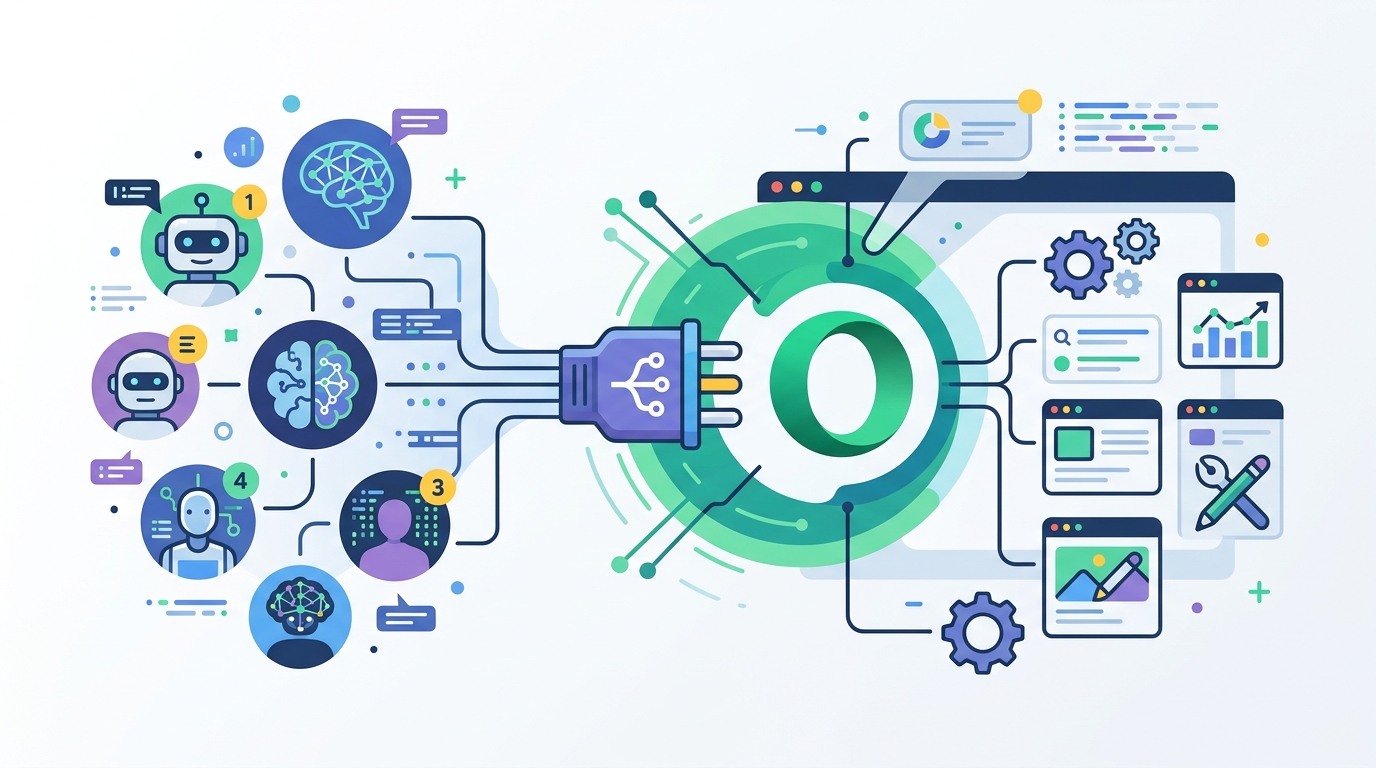
That puts it in a different category from tools that only ingest pasted content or static screenshots. It also makes it more useful than browser assistants that live inside one product and cannot easily share context with the rest of your stack.
Here is the practical comparison:
- Claude Code can use Neon to inspect tabs, click through sites, fill forms, and test web apps without manual handoff.
- Lovable can read a live page and turn it into a prototype reference, which is faster than describing a UI from memory.
- n8n can treat the browser like an active workflow node, not just a data source.
- Opera says read tools are on by default, while write tools need explicit approval, which is a safer default than giving agents free rein from the start.
Opera’s examples are also telling. The company talks about using Claude Code to gather research from open tabs, then test and verify a web app. That is a workflow where browser context is useful twice: once for understanding the problem, and again for validating the result.
For prototyping, the flow is different but equally practical. If you are logged into a web app and want Lovable to copy the interface style, Neon can expose the live page instead of making you describe it in a prompt. That cuts out a lot of translation work.
How to use it, and what to watch for
Opera says the setup starts from the MCP icon in the top-right corner of Neon. From there, users choose “Allow AI connection,” then pick a preset client such as Claude Code or configure a custom MCP client.
Opera also warns that authentication should happen inside Neon itself, not another browser. That makes sense, because the whole point is to connect the AI to the same authenticated session you already use.
If you want the AI to do more than read, you need to enable write tools from the settings panel. Opera’s list includes browser actions that matter for real agent work, such as clicking, typing, opening pages, and moving between tabs.
- Read-only setup: tabs, page content, screenshots.
- Agentic setup: tab switching, navigation, form filling, keyboard and mouse actions.
- Optional history access: read history if you explicitly turn it on.
- Connection model: MCP server URL plus OAuth2-based authentication.
There is an obvious tradeoff here. The more browser power you hand to an AI, the more careful you need to be about which tools are enabled. Opera’s default is conservative, and that is the right call for a feature that touches logged-in sessions.
What makes this update worth paying attention to is not just that Opera added another integration. It is that the browser is becoming part of the agent stack itself, instead of sitting outside it as a passive window.
What this means for developers
If you build web apps, test automation, or AI workflows, Opera Neon’s MCP support is the kind of feature that can remove a lot of glue code. It gives external clients access to the exact browser state your users already live in, including authenticated pages and active tabs.
That opens up a few concrete uses right away: research assistants that can inspect sources you already opened, prototype tools that can clone UI patterns from live apps, and testing agents that can verify a flow by clicking through it in a real session.
It also hints at where browser AI is heading next. The most useful systems will probably be the ones that can both read context and take action, while still keeping permission boundaries visible. Opera Neon is making a bet that the browser itself should be one of those systems.
If you are already paying for Neon, the next step is simple: try a read-only connection first, then decide whether your workflow actually needs write access. If it does, the question is no longer whether an AI can see your browser. It is how much control you are willing to give it.
// Related Articles
- [TOOLS]
Aliyun Bailian Token Plan turns credits into agents
- [TOOLS]
One API gateway turns six AI APIs into one
- [TOOLS]
OpenAI FDEs turn broken agents into shipped systems
- [TOOLS]
Anthropic’s daily brief turns news into a workflow
- [TOOLS]
Claude Reflect turns usage into retention
- [TOOLS]
Midjourney turns prompt ideas into art