CUDA in 2025: Why GPUs Still Win
CUDA powers NVIDIA GPUs across AI, science, and simulation, with up to 10x weather-model speedups and deep learning gains in the thousands.

CUDA is 18 years old now, and it still matters because the numbers are hard to ignore: NVIDIA says there are hundreds of millions of CUDA-enabled GPUs in use, and modern clusters can throw tens of thousands of GPU cores at a single workload. That is why the same software stack shows up in weather models, protein simulation, and LLM training.
At its core, CUDA is NVIDIA’s programming model for running general-purpose code on GPUs. If you have ever watched a task shrink from hours to minutes after moving from a CPU to a GPU, you already understand the appeal.
What makes CUDA interesting in 2025 is not that it is new. It is that it has become the default assumption for a huge chunk of accelerated computing, from NVIDIA data center hardware to the libraries inside PyTorch and TensorFlow.
How CUDA got here
Get the latest AI news in your inbox
Weekly picks of model releases, tools, and deep dives — no spam, unsubscribe anytime.
No spam. Unsubscribe at any time.
CUDA launched publicly in 2007, after NVIDIA spent years turning GPU hardware into something developers could program directly instead of abusing graphics APIs for compute. Before that, general-purpose GPU work meant awkward hacks through OpenGL or DirectX shaders. CUDA gave developers a cleaner model: write code in C or C++, launch kernels on the GPU, and let thousands of threads chew through data in parallel.

The timing mattered. In 2007, CPUs were still improving, but they were not getting enough extra cores fast enough to satisfy scientific computing and later deep learning. GPUs were already built for parallel math, and CUDA made that power accessible without forcing developers to rewrite everything in graphics terms.
That early bet paid off because NVIDIA kept shipping new toolkit versions, new compiler support, and new libraries instead of treating CUDA as a one-off launch. The platform became sticky for a simple reason: once your code depends on CUDA libraries, switching away gets expensive.
- First public CUDA release: 2007
- Initial hardware support: GeForce 8 series
- Modern toolkit support: CUDA 13.0
- Current architecture support includes Hopper and Blackwell
What CUDA actually does under the hood
CUDA is a heterogeneous model. The CPU is the host, the GPU is the device, and the work gets split between them. The CPU handles orchestration, while the GPU handles the parts that can be broken into many small pieces and run at the same time.
The important unit is the kernel, a function that runs on the GPU across many threads. Those threads are grouped into blocks, and blocks are grouped into grids. That structure matters because it lets developers control how work is split across the hardware instead of hoping the runtime figures it out magically.
Memory behavior matters just as much as raw compute. CUDA has global memory, shared memory, constant memory, texture memory, and unified memory. Global memory is large but slower. Shared memory is much faster but limited to threads inside one block. Unified memory makes life easier by presenting one address space to both CPU and GPU, although it does not make bad memory access patterns disappear.
“The GPU is a very different kind of processor than the CPU. It is optimized for throughput, not latency.” — Ian Buck, NVIDIA developer conference talk on CUDA and GPU computing
That quote gets to the heart of CUDA better than any marketing copy. CUDA works when the problem has enough parallel work to keep the GPU busy. If your workload is mostly serial, the GPU will not save you.
And that is why CUDA programming is still partly an engineering discipline and partly a performance puzzle. The fastest code is usually the code that moves data the least, keeps memory access coalesced, and avoids branch divergence inside warps.
Where CUDA is winning in the real world
The strongest evidence for CUDA’s reach is not in benchmark slides. It is in the software researchers and engineers actually use. In molecular dynamics, GROMACS uses CUDA to simulate biomolecules at scales involving millions of particles. In weather forecasting, the Weather Research and Forecasting (WRF) model has GPU implementations that can deliver up to 10x speedups in numerical computation.
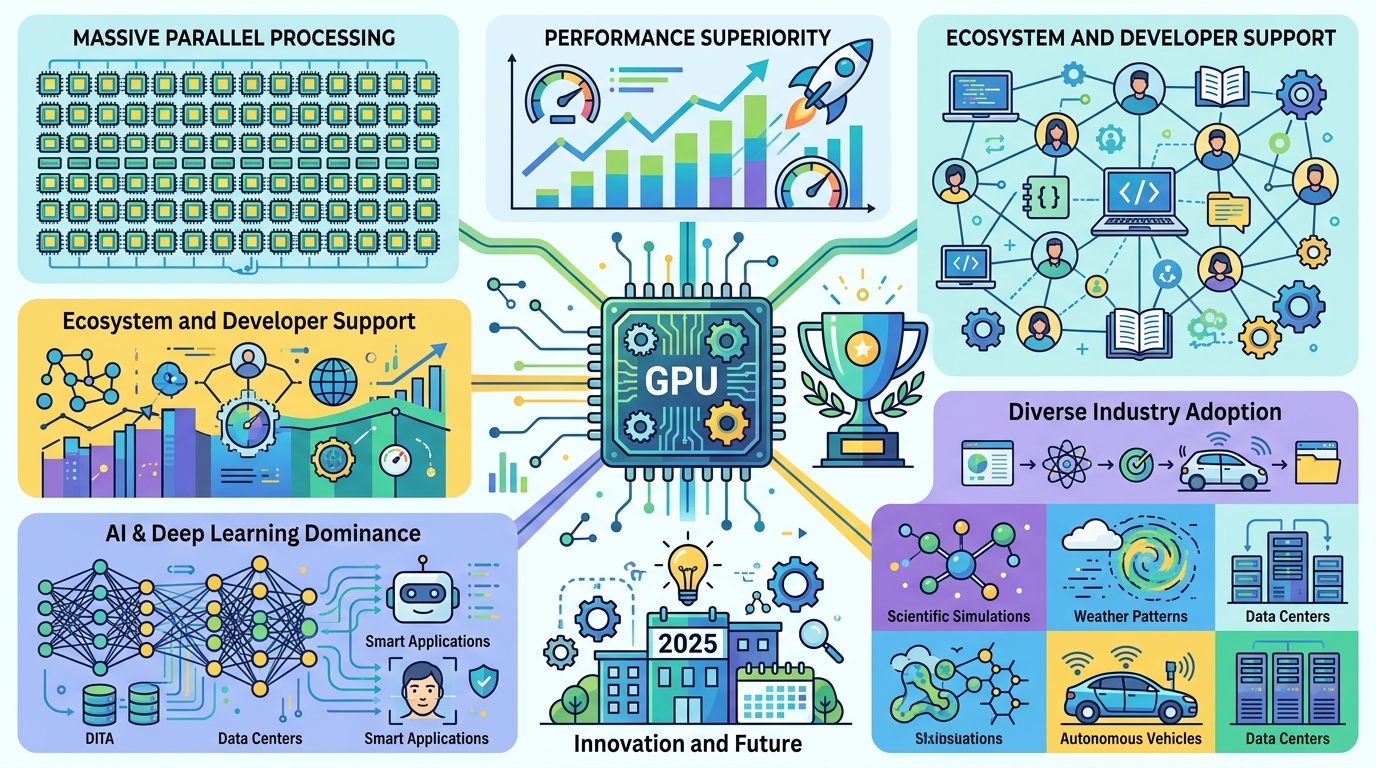
AI is even more dependent on CUDA. Training large neural networks depends on matrix math, and CUDA libraries like cuBLAS and cuDNN do a lot of the heavy lifting behind the scenes. That is one reason GPU training became the default path for modern deep learning.
CUDA also shows up in domains that do not get as much attention in AI headlines. Finance teams use it for risk analysis, genomics pipelines use it for sequence work, and autonomous systems use it for real-time perception. The common thread is simple: lots of math, lots of data, and a need to finish before the answer goes stale.
- GROMACS uses CUDA for biomolecular simulation at million-particle scale
- WRF GPU implementations can reach up to 10x speedups
- CUDA underpins training and inference in major deep learning frameworks
- Python users can access CUDA through Numba and CuPy
CUDA versus the alternatives
CUDA’s biggest advantage is maturity. It has the deepest library stack, the broadest developer adoption, and the clearest path from prototype to production on NVIDIA hardware. That matters because performance work is expensive, and engineers prefer a path with fewer unknowns.
But CUDA is not the only option. OpenCL is more portable across vendors, Intel oneAPI targets Intel’s hardware and software stack, and AMD ROCm gives AMD a serious answer for GPU compute. The tradeoff is clear: broader portability usually means less polish, fewer battle-tested libraries, or more porting work.
Here is the comparison that matters in practice:
- CUDA: strongest ecosystem on NVIDIA GPUs, widest library support, highest adoption in AI
- OpenCL: vendor-neutral, useful when hardware portability matters more than peak NVIDIA performance
- Intel oneAPI: best fit for Intel-focused shops and mixed CPU/GPU workflows
- AMD ROCm: the main route for AMD GPU acceleration, especially in research and some AI deployments
For most teams, the decision is not philosophical. It is about where the hardware budget is going. If the cluster is NVIDIA-based, CUDA is the path of least resistance. If procurement is mixed, the portability story gets more important, and the developer experience gets harder.
There is also a business reality here: CUDA creates lock-in, and NVIDIA knows it. The lock-in is not just at the API level. It is in the training materials, the code samples, the libraries, and the habits of entire engineering teams.
What to watch next
CUDA is not going away, but its role is changing. The biggest question is how much of modern AI and HPC will stay tied to NVIDIA-specific tooling as more vendors push their own stacks and more teams ask for portability. The answer will depend on whether the convenience of CUDA keeps outweighing the pain of being tied to one hardware family.
For developers, the practical takeaway is straightforward: if your workload is parallel, memory-heavy, and already lives on NVIDIA GPUs, CUDA is still the fastest route to real speedups. If you are starting a new platform strategy, you should decide early whether NVIDIA-first optimization is worth the lock-in.
My bet is that CUDA will keep dominating high-performance AI and scientific computing for the next few years, while more teams quietly build portability layers above it. The real question is whether your codebase should speak CUDA directly, or whether it should treat CUDA as an implementation detail behind a thinner abstraction.
If you want a related read on GPU software stacks, see our coverage of LLM inference costs and how hardware choices shape deployment budgets.
// Related Articles
- [TOOLS]
Aliyun Bailian Token Plan turns credits into agents
- [TOOLS]
One API gateway turns six AI APIs into one
- [TOOLS]
OpenAI FDEs turn broken agents into shipped systems
- [TOOLS]
Anthropic’s daily brief turns news into a workflow
- [TOOLS]
Claude Reflect turns usage into retention
- [TOOLS]
Midjourney turns prompt ideas into art