How to Migrate from Sora 2 in 2026
Migrate Sora 2 video workflows to new models before OpenAI’s shutdown deadlines.
Migrate Sora 2 video workflows to new models before OpenAI’s shutdown deadlines.
This guide is for developers, product teams, and creators who used Sora 2 for text-to-video generation and now need a practical exit plan. After following the steps, you will have a model-agnostic prompt format, a shortlist of replacement APIs, a migration test plan, and a backup strategy for your Sora assets.
It focuses on the two deadlines that matter most: the Sora app shutdown on April 26, 2026 and the Sora API shutdown on September 24, 2026. It also links you to the official docs for OpenAI API docs and the OpenAI GitHub repository so you can compare request shapes and plan your replacement stack.
Before you start
Get the latest AI news in your inbox
Weekly picks of model releases, tools, and deep dives — no spam, unsubscribe anytime.
No spam. Unsubscribe at any time.
- OpenAI account with access to your Sora app data and API usage history
- API keys for at least one replacement video model, such as Google Cloud Vertex AI, ByteDance partner access, or Luma Labs
- Node.js 20+ or Python 3.11+ for migration scripts
- Git 2.40+ for versioning prompt templates and test cases
- A storage target for exports, such as S3, GCS, or local encrypted backup
- A spreadsheet or issue tracker to log prompt differences, aspect ratio constraints, and output quality
Step 1: Export your Sora assets
Your first goal is to preserve everything you will need after the app closes. Export generated clips, prompt history, project metadata, and any social or remix content you want to keep. Treat this as a data preservation step, not a model migration step.
Download the content now and store it in a dated folder structure so you can compare outputs later.
mkdir -p sora-export/2026-04-archive
# Download clips, prompts, and metadata from your Sora account
# Save them under sora-export/2026-04-archive/
You should see a complete archive with filenames, timestamps, and prompt text you can reuse in later tests.
Step 2: Convert prompts into a model-agnostic schema
Your next goal is to make prompts portable across vendors. Sora 2 may have tolerated shorter prompts or different scene framing than its alternatives, so rewrite each prompt into structured fields: subject, motion, lighting, camera, duration, aspect ratio, and audio needs.
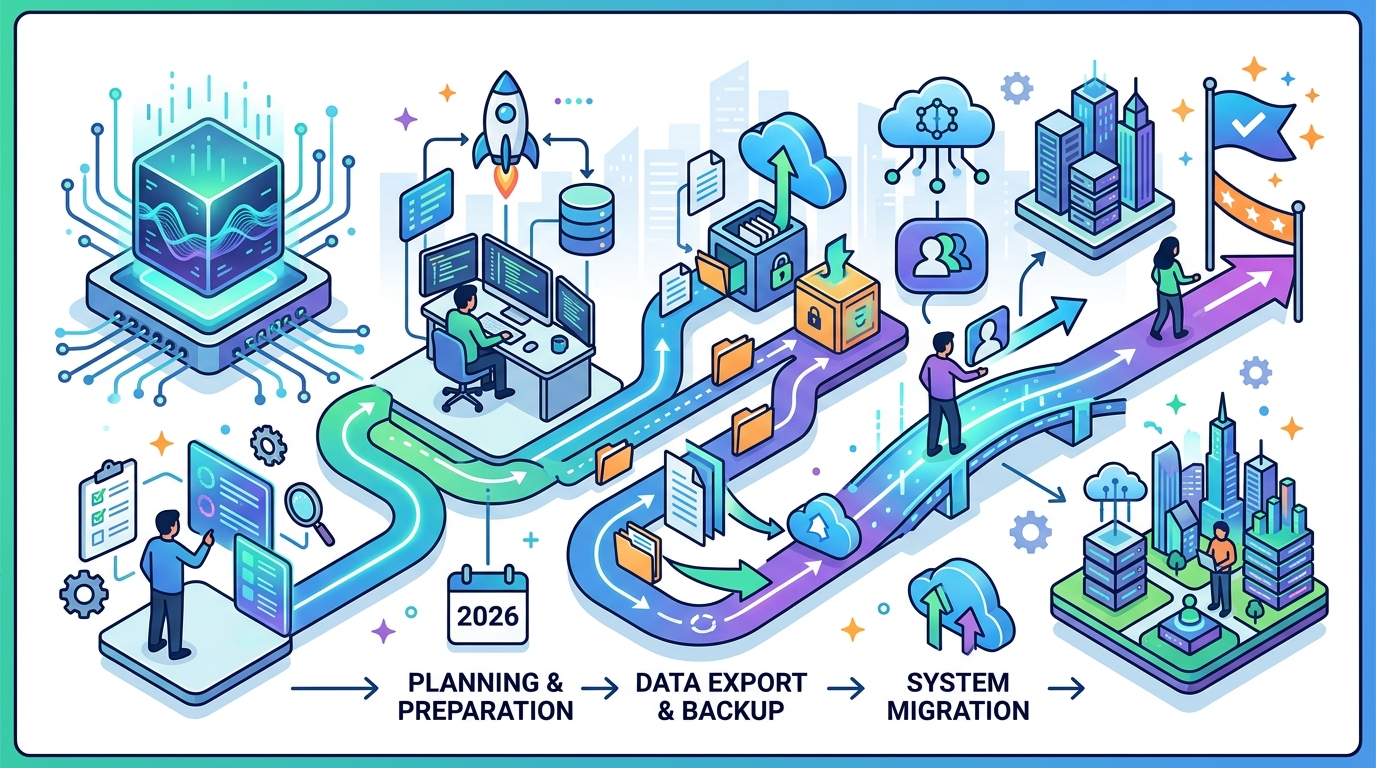
Use a consistent template so you can swap models without rewriting creative intent from scratch.
{
  "subject": "product demo on a desk",
  "motion": "slow push-in",
  "lighting": "soft studio light",
  "camera": "24mm cinematic",
  "duration": 8,
  "aspect_ratio": "16:9",
  "audio": false
}
You should see every Sora prompt mapped into the same structure, which makes it easier to test Veo 3, Seedance 2.0, or Dream Machine with the same brief.
Step 3: Pick replacement models by use case
Your goal here is to match each workflow to the best alternative instead of forcing one model to do everything. Use Veo 3 when audio matters, Seedance 2.0 when speed and mobile workflows matter, and Dream Machine when you need polished still-to-video animation. Keep VideoPoet in the mix if you need multi-modal experimentation.
Create a simple routing table for your team so each request type has a default target model.
Use case -> default model
- Social clip with audio -> Veo 3
- Fast mobile-first output -> Seedance 2.0
- Cinematic still animation -> Dream Machine
- Multi-modal prototype -> VideoPoet
You should see a clear model choice for each content type, which reduces trial-and-error during production.
Step 4: Run side-by-side quality tests
Your next goal is to measure how each replacement interprets the same prompt. Run the same structured prompt through each candidate model and compare scene continuity, prompt adherence, motion stability, and artifact rate. If your Sora workflow depended on clip extension, test extension length and temporal consistency first.
Record outputs with the same filename convention so reviewers can compare them frame by frame.
prompt_id: ad-014
models: sora2, veo3, seedance2, dreammachine
checks: continuity, lighting, motion, aspect_ratio, audio
You should see which model best matches each job, and you should be able to explain the tradeoff in a review note or ticket.
Step 5: Update your app and fallback logic
Your final migration goal is to make the switch safe in production. Replace Sora API calls with a provider abstraction, add timeouts and retries, and define a fallback order if your preferred model is unavailable. If your product depends on user-generated archives, add a download reminder before the April app shutdown and a final export workflow before the API cutoff.
Keep credentials in environment variables and make the provider name configurable so you can swap vendors without a code rewrite.
VIDEO_PROVIDER=veo3
VIDEO_FALLBACK=seedance2,dreammachine
VIDEO_TIMEOUT_MS=120000
You should see your app generate video through the new provider, and you should still get a controlled fallback if the first model fails.
| Metric | Before/Baseline | After/Result |
|---|---|---|
| Shutdown deadline | Sora app active | April 26, 2026 app closure |
| API deadline | Sora API active | September 24, 2026 API closure |
| Replacement focus | Single-vendor workflow | Model-agnostic routing across Veo 3, Seedance 2.0, Dream Machine |
Common mistakes
- Forgetting to export archives before shutdown. Fix: schedule a full download of clips, prompts, and metadata, then verify the backup opens on a second machine.
- Copying Sora prompts directly into another model. Fix: convert prompts into structured fields so you can tune lighting, motion, and duration per provider.
- Skipping side-by-side tests. Fix: run the same prompt through at least two alternatives and score them with the same rubric before changing production traffic.
What's next
Once your migration is stable, build a vendor-neutral prompt library, add automated quality checks for each new model, and track release notes from OpenAI, Google DeepMind, ByteDance, and Luma Labs so your pipeline stays ready for the next shift in AI video generation.
// Related Articles
- [TOOLS]
Aliyun Bailian Token Plan turns credits into agents
- [TOOLS]
One API gateway turns six AI APIs into one
- [TOOLS]
OpenAI FDEs turn broken agents into shipped systems
- [TOOLS]
Anthropic’s daily brief turns news into a workflow
- [TOOLS]
Claude Reflect turns usage into retention
- [TOOLS]
Midjourney turns prompt ideas into art