How Windsurf Flow Keeps Context Alive
Windsurf Flow updates AI context as you work. Here’s how RAG, Cascade, Memories, and rules shape every suggestion.

Windsurf is betting that AI coding tools fail less when they remember more. Its Flow system ties together codebase indexing, session history, rules, and saved memories so the assistant can react to what you just did, not only what you just typed.
That matters because a coding assistant that misses your repo structure or your team’s conventions wastes time fast. Windsurf’s answer is a multi-layer context engine built around retrieval, not retraining, and that design choice shapes everything from autocomplete to agentic edits.
Why context is the real product
Get the latest AI news in your inbox
Weekly picks of model releases, tools, and deep dives — no spam, unsubscribe anytime.
No spam. Unsubscribe at any time.
Most AI coding pain comes from mismatch. The model may know how to write valid TypeScript or Python, but it does not know which service you are editing, which branch you are on, or which helper your team already standardized. Windsurf treats that gap as the main problem.

The company’s Flow idea is simple: context should update while you work. That means the assistant should absorb file edits, terminal output, open tabs, and project rules as the session changes. In practice, that gives the model a better shot at producing code that fits your repo instead of generic code that merely compiles.
Windsurf also avoids the slow path of fine-tuning a model on every codebase. Instead, it uses retrieval-augmented generation, or RAG, to pull relevant snippets into the prompt at the moment they matter. That keeps the index fresh and makes the system useful on a local project without a heavy training pipeline.
- RAG builds a searchable index from your codebase
- Context updates with edits, terminal commands, and navigation history
- Rules and memories add project-specific and session-specific facts
- Tab completion and Cascade use different context pipelines
How the index feeds Cascade
When you open a project in Windsurf, indexing starts immediately. The app scans the repository, converts files and symbols into embeddings, and stores them in a vector index. The article on Markaicode cites 768-dimensional embeddings, which is a common size for semantic retrieval systems that need enough room to capture meaning without becoming too expensive to search.
At prompt time, Cascade runs a retrieval step against that index. If you ask about authentication, it can surface a function from Windsurf’s local context pipeline even if that file is not open in the editor. The point is not to memorize every file. The point is to make the right file easy to find at the exact moment it matters.
The article also mentions a proprietary retrieval method called M-Query, which is meant to improve precision over basic cosine similarity. That is a sensible move. Plain vector search can bring back code that is semantically close but operationally wrong, especially in larger repos with repeated patterns and similarly named utilities.
- Embeddings: 768 dimensions, according to the article
- Retrieval method: M-Query for higher precision than naive similarity search
- Scope: local indexing on free plans, expanded context on paid plans
- Enterprise: remote repository indexing across multiple repos
What Cascade actually loads before answering
Cascade is Windsurf’s more capable assistant mode, and its context assembly is where Flow gets interesting. Before the model sees your message, Windsurf loads rules, memories, open files, indexed snippets, and recent actions into one prompt. That order matters because the system is trying to preserve both intent and current state.
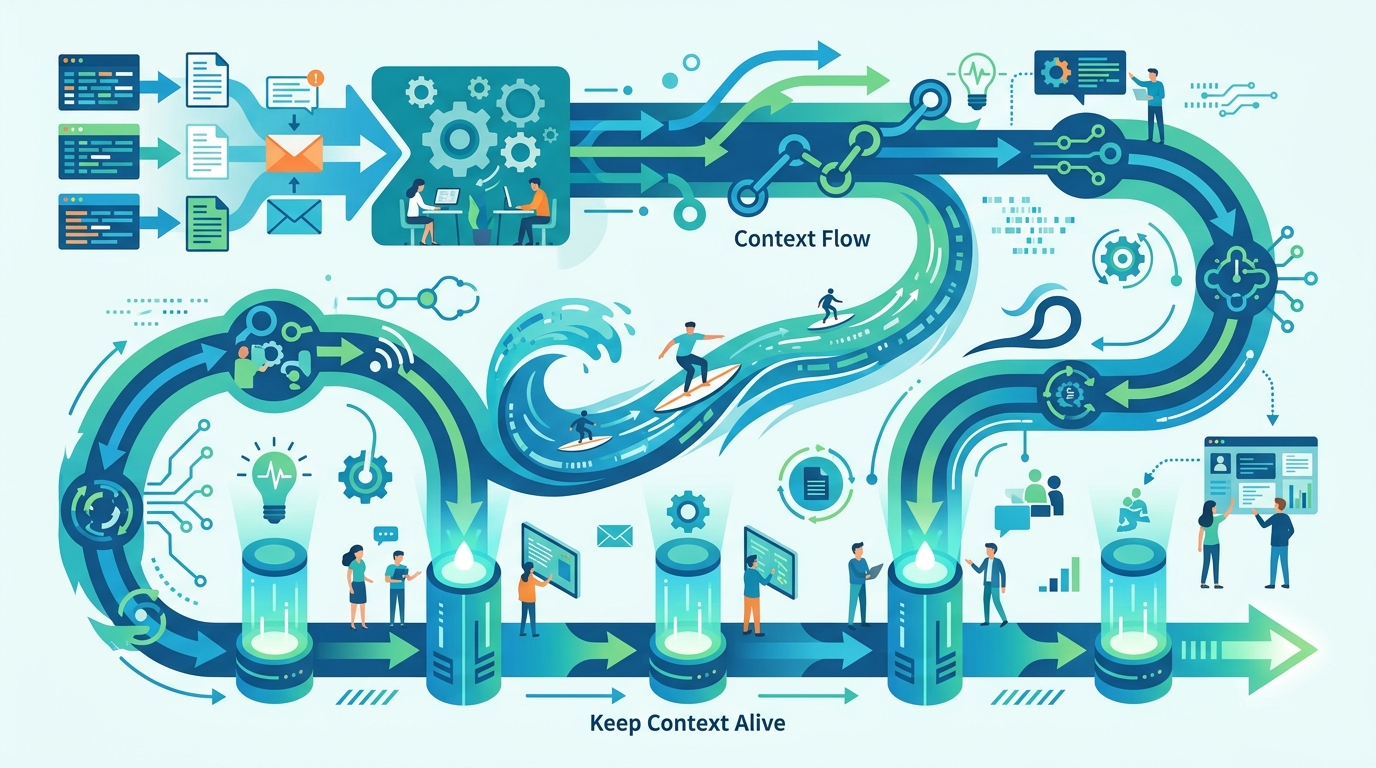
The article describes a pipeline that starts with global and project rules, adds relevant memories, reads the active file and other open tabs, runs codebase retrieval, then folds in recent edits and terminal commands. That means the assistant can respond to the current task with a memory of the last few steps, which is much closer to how a teammate would work beside you.
“You can’t have a conversation with a machine that doesn’t remember what you just said.” — Satya Nadella, Microsoft Build 2023 keynote
That quote lands here because it captures the same basic idea Windsurf is chasing. If the tool remembers your work, the interaction feels less like repeated prompting and more like a shared workspace. If it forgets, every new turn becomes a reset.
There is also a practical implication for debugging. If you run a failing test, then ask Cascade what to do next, the assistant can see that failure in the recent action history. You do not need to restate the error every time. That is a small detail on paper and a major productivity gain in real use.
Rules, memories, and the tab pipeline are different things
Windsurf separates static instructions from persistent facts. Project rules live in .windsurfrules, while memories store decisions and discoveries that may matter later. That split is smart because it keeps style conventions out of memory and keeps changing project knowledge out of rules.
The article’s example rule file for a TypeScript and Fastify stack is a good pattern. It pins the runtime, framework, ORM, and test runner, then adds constraints about validation, error handling, and logging. Those are the kinds of instructions that should fire every time, because they describe how the project works rather than what someone happened to decide last week.
Memories are better for facts that may change over time. A note that the team moved from REST to GraphQL, or that a date parser has a known bug with ISO offsets, belongs in memory because it helps future sessions avoid repeating a bad choice. Static style rules should stay in .windsurfrules; volatile decisions should not.
- .windsurfrules: project-wide instructions loaded on every interaction
- Memories: durable facts from past sessions
- Windsurf Tab: lighter, low-latency autocomplete pipeline
- Cascade: deeper pipeline for multi-step work and file edits
The article also makes an important point about Tab completion. Inline autocomplete does not use the same heavy context path as Cascade. It needs to stay fast, so it relies on a narrower window: cursor position, nearby symbols, and recent edits. That is why Tab can feel brilliant in one moment and oddly off in another. It is optimized for speed, not for broad reasoning.
That split explains a lot of user confusion. If Tab suggests something odd, the problem may not be the model at all. The index may still be building, or the lighter pipeline may simply not have enough signal to infer the right abstraction. In other words, the right fix is often to wait for indexing or give Cascade a richer prompt, not to blame the model.
What the numbers say about the workflow
Windsurf’s plan structure shows how much the company thinks context matters. The article lists free access with local indexing, a Pro tier at $15 per month, and Team or Enterprise plans around $24 to $25 per user per month. The higher tiers add larger context limits, more pinned slots, and remote repository indexing.
That pricing tells you where the product is headed. Casual users can get basic code awareness, but serious teams pay for broader retrieval and cross-repo visibility. If your frontend, backend, and shared library live in separate repos, remote indexing is the feature that makes the assistant feel aware of the whole system instead of one folder at a time.
Here is the comparison that matters in practice:
- Free: local indexing and standard context windows
- Pro: $15/month, expanded context and higher indexing limits
- Team/Enterprise: about $24 to $25/user/month, plus remote repo indexing
- Tab: optimized for under-100ms suggestions
- Cascade: optimized for multi-step correctness over speed
The setup advice in the article is also worth following. Let indexing finish before judging quality, add a .codeiumignore file to exclude node_modules, dist, and secrets, then write concise rules that describe your stack and constraints. That sequence gives the engine a cleaner index and fewer distractions.
If I were applying this to a new repo today, I would treat Windsurf like an assistant that needs an onboarding doc, not a magic box. The better your rules, the cleaner your ignore file, and the more disciplined your memories, the less time you spend correcting the model after each turn.
The practical takeaway for developers
Windsurf Flow is interesting because it makes context an explicit system, not an accident. The assistant is not merely chatting about code. It is reading the repo, tracking your actions, loading rules, and keeping a memory of decisions that matter later. That is a far more useful model for real software work than a stateless prompt box.
The next question is whether developers will use those layers intentionally. Teams that write good rules, keep memories clean, and let indexing finish before they start coding will get much better results than teams that open the app and hope for magic. My bet is that the winners in AI coding will be the people who treat context as part of their build process.
If you are setting up Windsurf this week, start with one repo, one clear .windsurfrules file, and one ignore file. Then ask Cascade what it thinks the project is before you tell it anything. If it gets that right, you have already done the hardest part.
// Related Articles
- [TOOLS]
Aliyun Bailian Token Plan turns credits into agents
- [TOOLS]
One API gateway turns six AI APIs into one
- [TOOLS]
OpenAI FDEs turn broken agents into shipped systems
- [TOOLS]
Anthropic’s daily brief turns news into a workflow
- [TOOLS]
Claude Reflect turns usage into retention
- [TOOLS]
Midjourney turns prompt ideas into art